
Using Bun with React

Now that we have Bun setup locally, let's see how it works with React.
The cool part is that we actually get a build out of the box from Bun. So let's use that and have a play with it.
Using Bun with React
To get started open up your terminal and run the following command.
bun create react bun-react
The bun-react part is the folder that will be created with everything inside of it.
It's actually a super fast command to run and you'll have your app in a second or so.
I then went ahead and added a simple counter component called Counter.jsx
import { useState } from 'react';

function Counter() {
  const [counter, setCounter] = useState(0);
  return (
    <div>
      <span>Counter: {counter}</span>
      <button onClick={() => setCounter((count) => count + 1)}>+</button>
    </div>
  );
}

export default Counter;
And then imported it in my App.jsx file.
import "./App.css";
import Counter from "./Counter";

function App() {
  return (
    <div className="App">
      <header className="App-header">
        <Counter />
    </div>
  );
}

export default App;
With that in place run your application with the following command.
bun dev
You should now be able to open up your server on http://localhost:3000/ and see your bun powered React app.
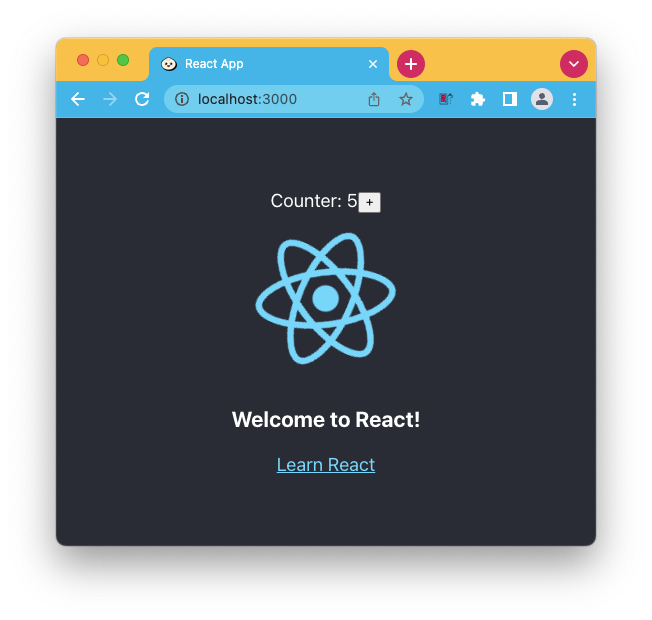
And that's it a super quick way to run your React apps.
Thank you for reading, and let's connect!
Thank you for reading my blog. Feel free to subscribe to my email newsletter and connect on Facebook or Twitter
About the author
I'm a full-stack developer from South Africa 🇿🇦. I love writing about JavaScript, HTML and CSS.
Comments
Join the discussionNo comments yet. Be the first to comment.



