# Using Bun with React
Now that we have [Bun setup locally](https://daily-dev-tips.com/posts/a-first-look-at-bun/), let's see how it works with React.
The cool part is that we actually get a build out of the box from Bun. So let's use that and have a play with it.
## Using Bun with React
To get started open up your terminal and run the following command.
```bash
bun create react bun-react
```
The `bun-react` part is the folder that will be created with everything inside of it.
It's actually a super fast command to run and you'll have your app in a second or so.
I then went ahead and added a simple counter component called `Counter.jsx`
```js
import { useState } from 'react';
function Counter() {
const [counter, setCounter] = useState(0);
return (
Counter: {counter}
);
}
export default Counter;
```
And then imported it in my `App.jsx` file.
```js
import "./App.css";
import Counter from "./Counter";
function App() {
return (
);
}
export default App;
```
With that in place run your application with the following command.
```bash
bun dev
```
You should now be able to open up your server on `http://localhost:3000/` and see your bun powered React app.
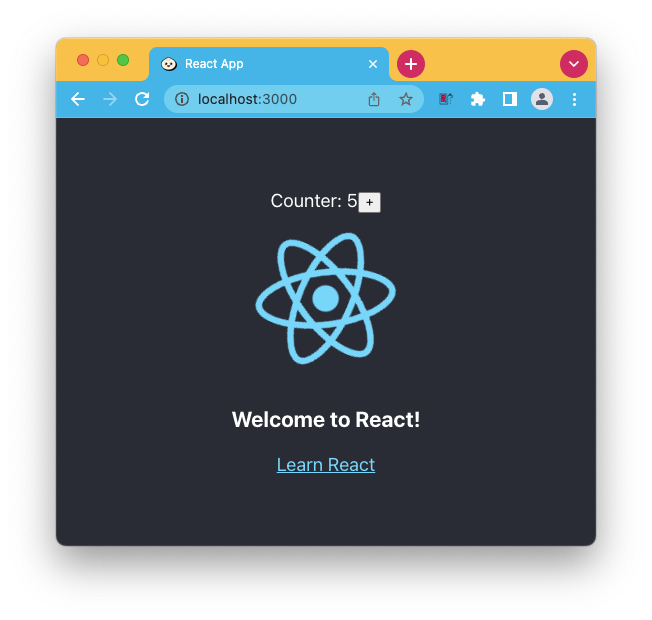
And that's it a super quick way to run your React apps.
### Thank you for reading, and let's connect!
Thank you for reading my blog. Feel free to subscribe to my email newsletter and connect on [Facebook](https://www.facebook.com/DailyDevTipsBlog) or [Twitter](https://twitter.com/DailyDevTips1)