

In this series, we are using Google sheets as a database. Yesterday we had a look at reading data from a Google sheet. Today we are going to take a step further and actually write data to the sheet.
We will be using the same script to begin with. So if your looking for the starting explanation on authentication, visit the article on reading google sheet in node.js.
Today's exercise is going to work like this:
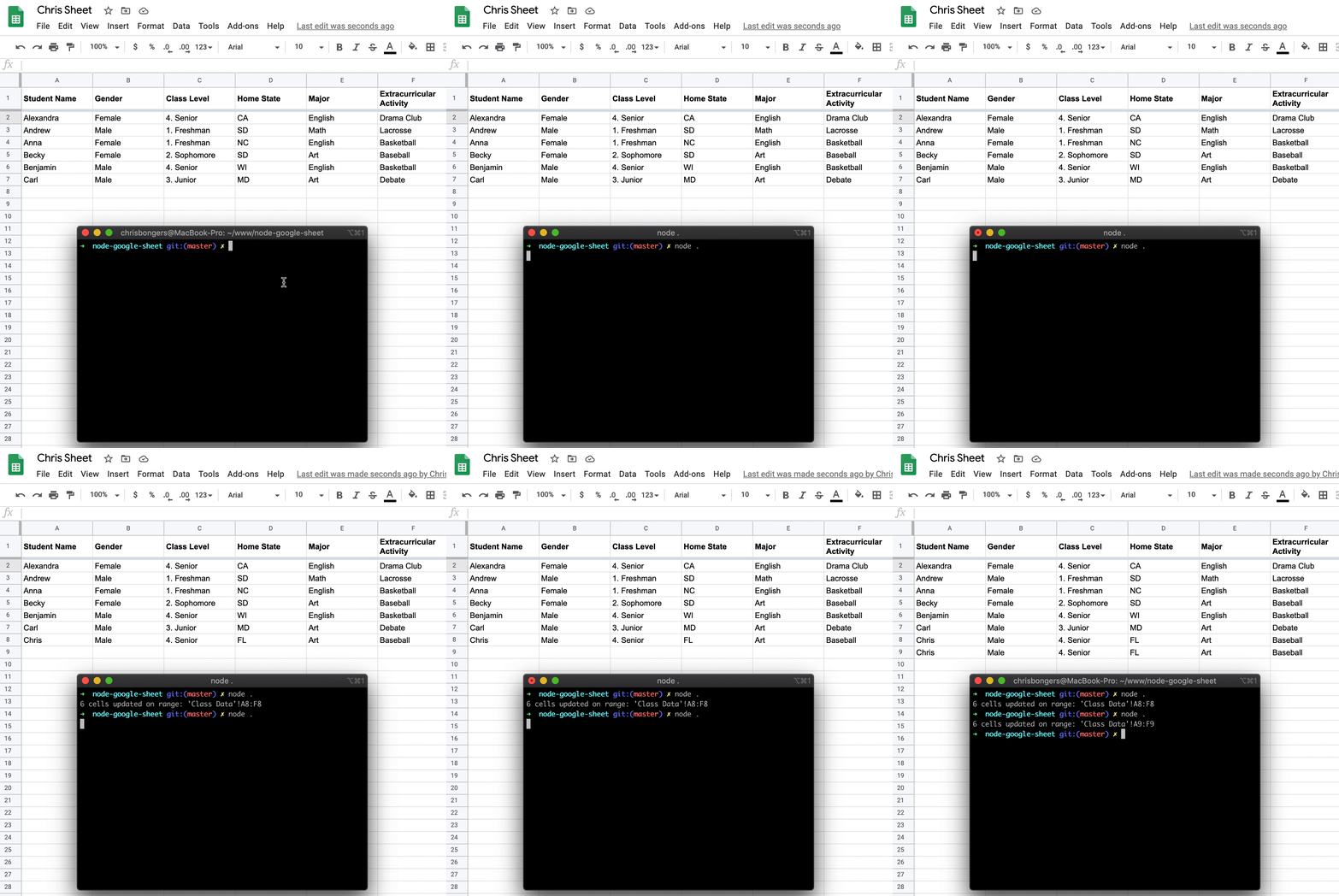
Node.js write data to Google sheet
First of all, we had our initial app setup to only being able to write so we need to give it new permissions:
Change
const SCOPES = ['https://www.googleapis.com/auth/spreadsheets.readonly'];
To reflect the whole of Google sheets API's
const SCOPES = ['https://www.googleapis.com/auth/spreadsheets'];
Note: We can't use Google's own sheet, so copy the sheet to your own version.
If we already had a token.json, remove this and rerun the node . command to get a new one.
Now let's change the action we do once we read the credentials.json file.
We used to call the listMajors function, so now we are going to change that to be writeData
The function will now look like this:
fs.readFile('credentials.json', (err, content) => {
    if (err) return console.log('Error loading client secret file:', err);
    authorize(JSON.parse(content), writeData);
});
Great stuff, we can now go ahead and create this writeData function
function writeData(auth) {
    const sheets = google.sheets({ version: 'v4', auth });
    let values = [
        [
            'Chris',
            'Male',
            '1. Freshman',
            'FL',
            'Art',
            'Baseball'
        ],
        // Potential next row
    ];
    const resource = {
        values,
    };
    sheets.spreadsheets.values.append({
        spreadsheetId: '1XnbJ5JHeJS2KsTzz6wXtwASb5mkwkICn_XP_pDJIyTA',
        range: 'Class Data!A1',
        valueInputOption: 'RAW',
        resource: resource,
    }, (err, result) => {
        if (err) {
            // Handle error
            console.log(err);
        } else {
            console.log('%d cells updated on range: %s', result.data.updates.updatedCells, result.data.updates.updatedRange);
        }
    });
}
We start by defining our new sheets API object and pass it our authentication.
Then we define our "new" object. We have to convert this into an Object for the API to accept it.
Then we call the Sheets API and use the append method.
For this endpoint, we are passing four items:
- spreadsheetId: Your unique spreadsheet id, you can find this in the URL
- range: For this example, we are using the A1 row. It will automatically append the new data at the first available row.
- valueInputOption: This can be used to pass formula. But we use 'RAW' data.
- resource: The actual new object.
We then get an error or result object, in our case we console.log both of them. As the result you get a full object, stating which rows have been affected by this query.
That's it. We can now append data to our Google sheet!
You can find this version on GitHub.
Thank you for reading, and let's connect!
Thank you for reading my blog. Feel free to subscribe to my email newsletter and connect on Facebook or Twitter
About the author
I'm a full-stack developer from South Africa 🇿🇦. I love writing about JavaScript, HTML and CSS.
Comments
Join the discussionThanks for sharing! Is it feasible to write "contact form" submission data from a site to Google Sheets using this method?
Hey, you should be able to do that indeed. Just make sure the sheet is private and even turn off the reading rights.
Awesome, glad you like it, making a mini-series for this



