

When it comes to databases, we often think about a SQL database or NoSQL alternative, but have you consider google sheets?
Huh, wait what? YES Google Sheets can serve as a data store!
So today, we will make a Node.js script that can read data from a Google sheet.
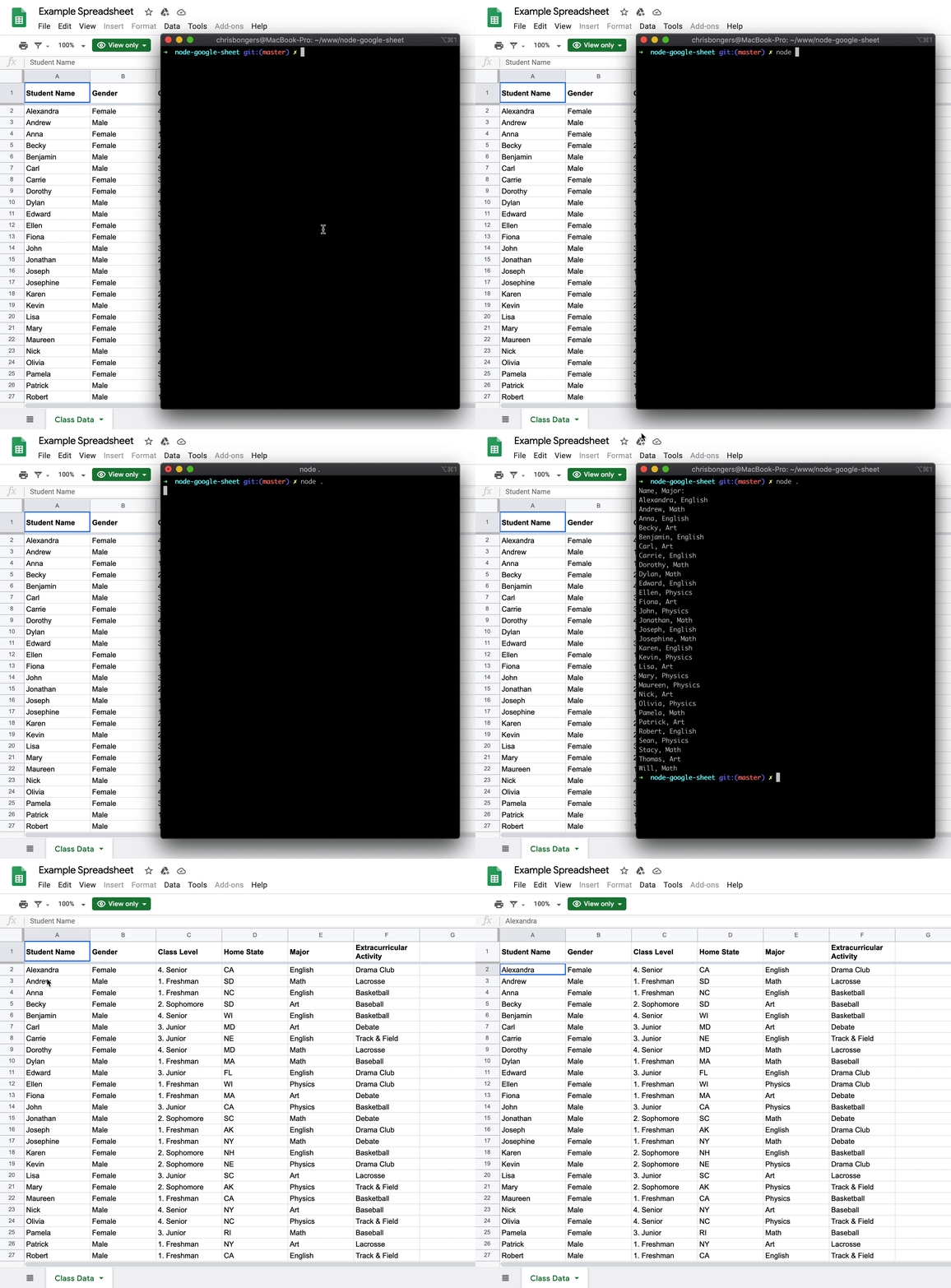
It will look like this:
Starting the project
We will be starting the project from scratch, first, let's set up a new node project:
npm init
You can follow the prompts here. Nothing special needed
More info about starting a node app here.
Now let's install the Google API package:
npm install googleapis@39 --save
That's really it!
Now we need to get our credentials.json file from Google.
Visit the following URL and click the Enable the Google Sheets API button.
Copy the credentials.json file into your project.
Creating our node script
There we go, we will be using the Google provided node script to get started with.
Create an index.js file in your project.
We start by defining our variables
const fs = require('fs');
const readline = require('readline');
const {google} = require('googleapis');
Then we need to tell Google which API's we want to use:
const SCOPES = ['https://www.googleapis.com/auth/spreadsheets.readonly'];
And define a empty token.json path (Google will store our token there)
const TOKEN_PATH = 'token.json';
Then we need to read out credentials file and authorize with Google!
And when that is all done, we will call our listMajors function which is the main function!
fs.readFile('credentials.json', (err, content) => {
  if (err) return console.log('Error loading client secret file:', err);
  authorize(JSON.parse(content), listMajors);
});
Ok, let's make that authorize function!
function authorize(credentials, callback) {
  const {client_secret, client_id, redirect_uris} = credentials.installed;
  const oAuth2Client = new google.auth.OAuth2(
      client_id, client_secret, redirect_uris[0]);

  fs.readFile(TOKEN_PATH, (err, token) => {
    if (err) return getNewToken(oAuth2Client, callback);
    oAuth2Client.setCredentials(JSON.parse(token));
    callback(oAuth2Client);
  });
}
We are defining our credentials as received from the file and create a new oAuth client.
Then we start a new token.json file and call the getNewToken function.
function getNewToken(oAuth2Client, callback) {
  const authUrl = oAuth2Client.generateAuthUrl({
    access_type: 'offline',
    scope: SCOPES,
  });
  console.log('Authorize this app by visiting this url:', authUrl);
  const rl = readline.createInterface({
    input: process.stdin,
    output: process.stdout,
  });
  rl.question('Enter the code from that page here: ', (code) => {
    rl.close();
    oAuth2Client.getToken(code, (err, token) => {
      if (err) return console.error('Error while trying to retrieve access token', err);
      oAuth2Client.setCredentials(token);
      fs.writeFile(TOKEN_PATH, JSON.stringify(token), (err) => {
        if (err) return console.error(err);
        console.log('Token stored to', TOKEN_PATH);
      });
      callback(oAuth2Client);
    });
  });
}
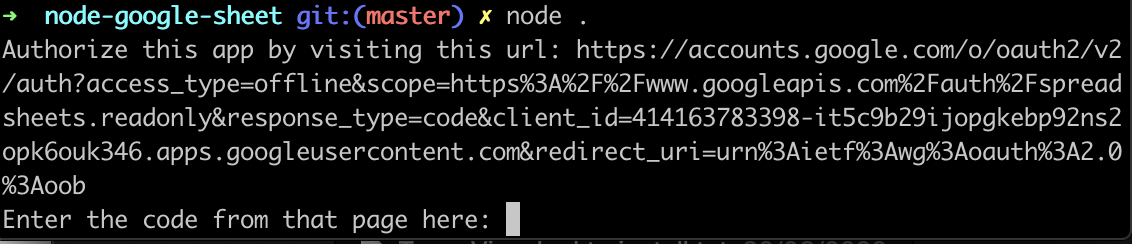
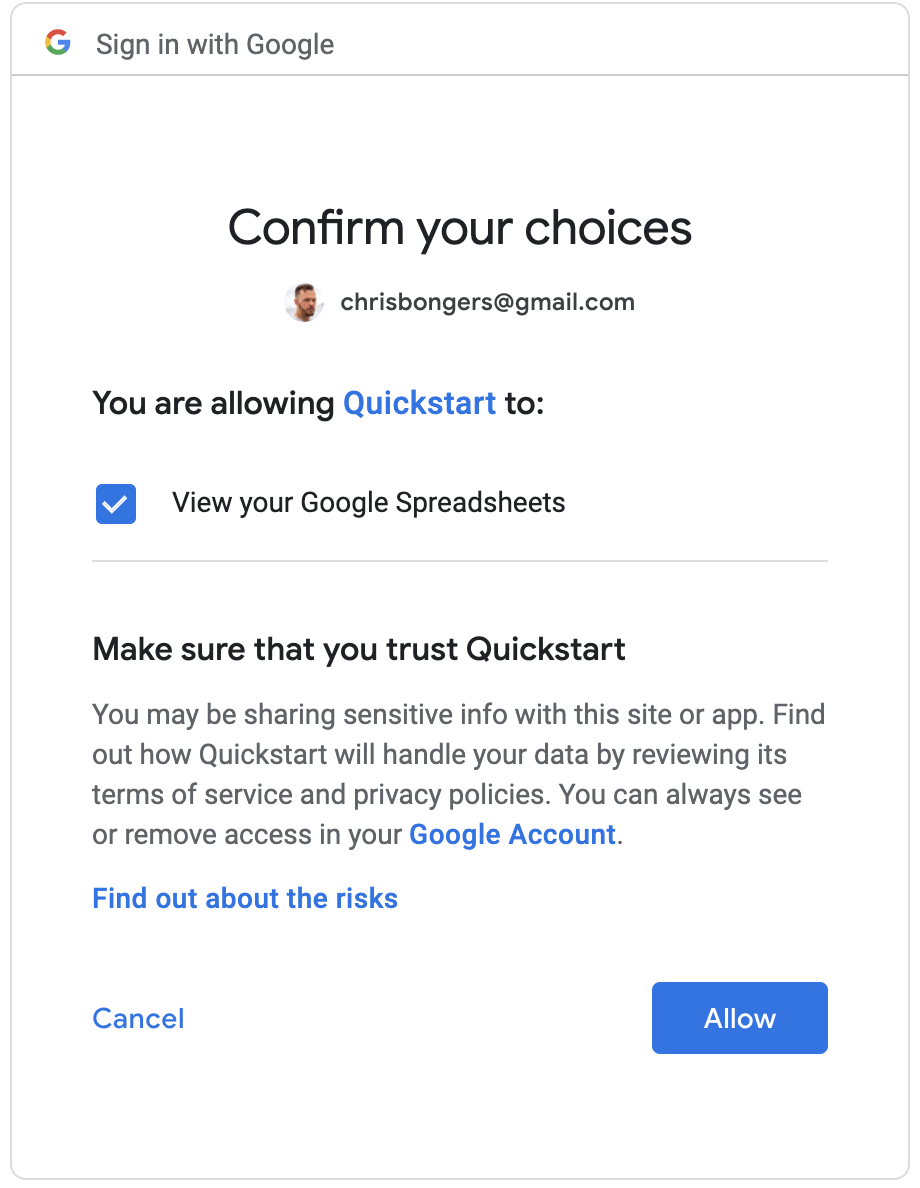
This is a bit of a wow, what's happening. But when we run our function, we get prompted to visit a URL. We must then visit it and give Google access to our Sheets. We will get a code back, which we paste. After then our token will be created!
Node reading from Google Sheets.
To make the actual function that reads from the Google Sheet (listMajors) we use the following code:
function listMajors(auth) {
    const sheets = google.sheets({ version: 'v4', auth });
    sheets.spreadsheets.values.get({
        spreadsheetId: '1BxiMVs0XRA5nFMdKvBdBZjgmUUqptlbs74OgvE2upms',
        range: 'Class Data!A2:E',
    }, (err, res) => {
        if (err) return console.log('The API returned an error: ' + err);
        const rows = res.data.values;
        if (rows.length) {
            console.log('Name, Major:');
            // Print columns A and E, which correspond to indices 0 and 4.
            rows.map((row) => {
                console.log(`${row[0]}, ${row[4]}`);
            });
        } else {
            console.log('No data found.');
        }
    });
}
So, we start by defining a new Sheets API, passing it our Authentication.
Then we call values.get where we pass a Spreadsheet ID, and a range of cells.
Note: This ID is the default Google Testing document!
Then once we get the data, we console.log the specific data back to the console!
There you go, we now made a node script that can read from a Google Sheet.
Running our script
We can run the script by executing the following command:
node .
When putting this code in
Git, make sure to keep your credentials and token safe 🤓
You can find my full code on GitHub or on Google.
Thank you for reading, and let's connect!
Thank you for reading my blog. Feel free to subscribe to my email newsletter and connect on Facebook or Twitter
About the author
I'm a full-stack developer from South Africa 🇿🇦. I love writing about JavaScript, HTML and CSS.
Comments
Join the discussionVery informative. We can use google spreadsheet as a database.
Indeed! Could be very nice 😊
Nice! ⌨️
Thanks Peter!
Hey, good one Chris Bongers! Liked it.
Nice thank you Tapas 🤩
Alexa which is the best Article ryt now.
Alexa - see this link
https://h.daily-dev-tips.com/nodejs-reading-a-google-sheet
AMAZING ARTICLE !! BOOKMARKED
This made my day Rahul thank you! And for the tweet 💜❤️
Great Article Chris!! I've bookmarked it and I'm sure this will come good for something I want to do in future.
Awesome Skay, I think it can serve many good purposes, wait till you see tomorrows article 🤩



