

We created our Node hosted Azure app and learned how to auto-deploy from GitHub.
Today we will be looking at running this on a custom domain.
Be aware: Custom domains are not on the free-tier, so you'll need to have a paid account for this! 😭
Custom domain names are very important to define your project, it's all cool if it's a demo or testing environment, but an actual app should run on its own domain.
How to add a custom domain in Azure
First, let's open our App Service and click the Custom domains option on the left.
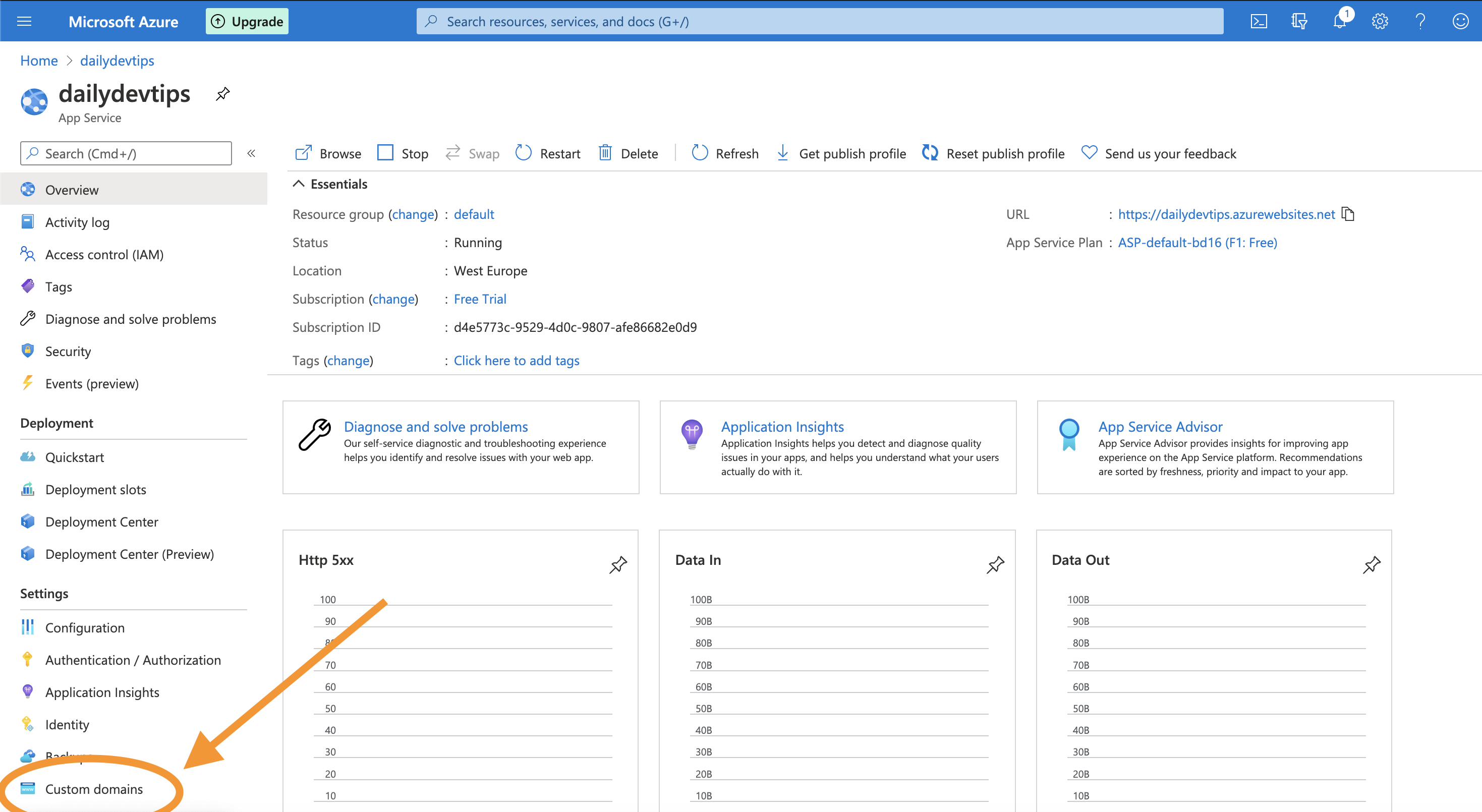
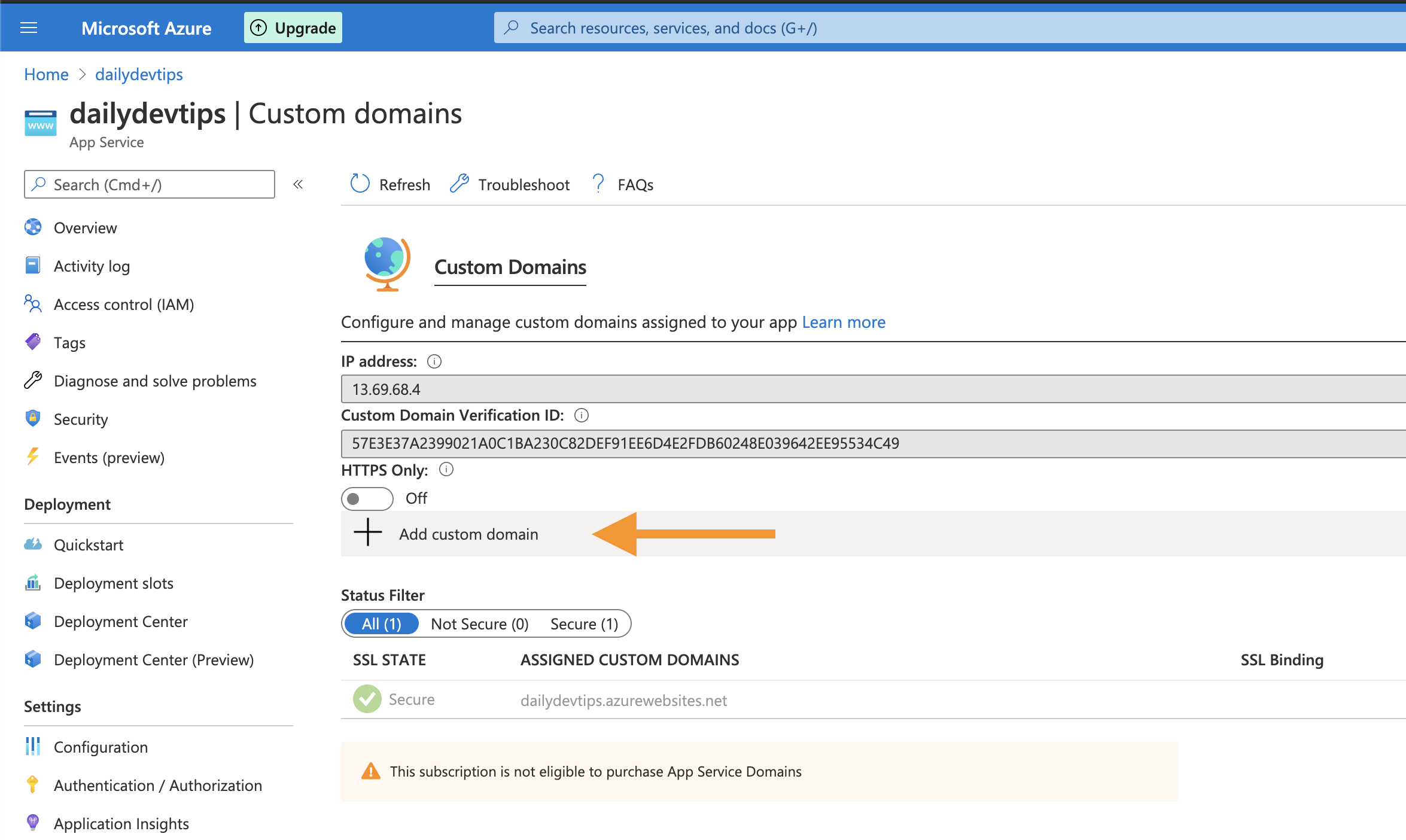
This will open up the Custom domains menu, and we will be prompted to upgrade out tier if we are on the free tier.
Once you upgrade to a small service, you can click add domain.
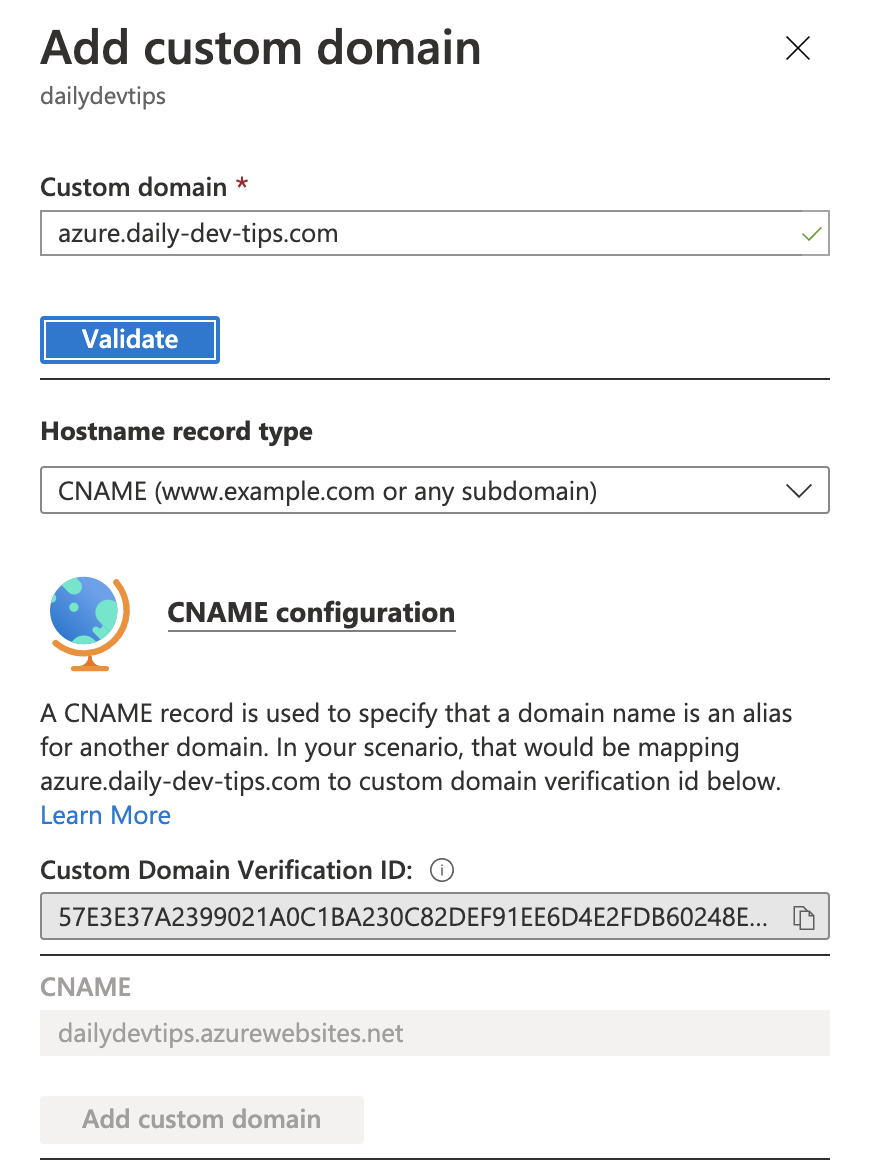
Clicking this will open a side drawer on the right, where we can choose our custom domain. In my example, I'm using azure.daily-dev-tips.com.
If you scroll to the bottom, you'll see the domain ownership section.
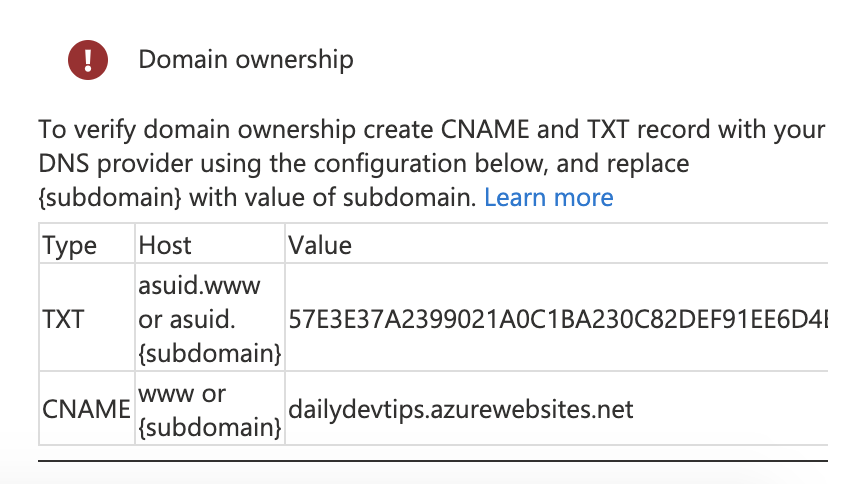
These are the settings we need for our domain host.
The txt is optional, it seems, I only did the CNAME, and that worked well.
Adding the Azure records with your domain registrar
This section is going to be different for wherever your domain is hosted.
My domain is linked to Netlify, so this might be different than your domain.
Go to your Domain settings.
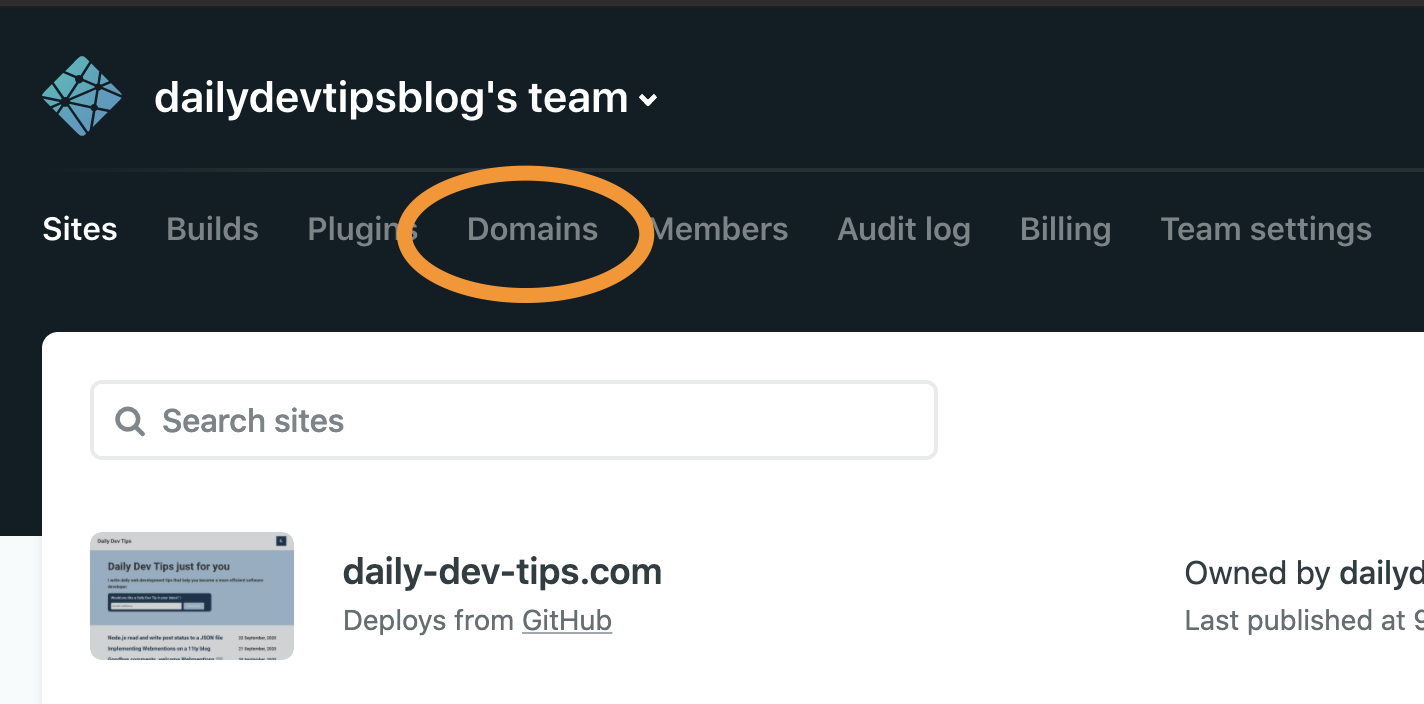
Your domain registrar might say something like: "DNS Management"
Now we need to add a DNS record for Azure.
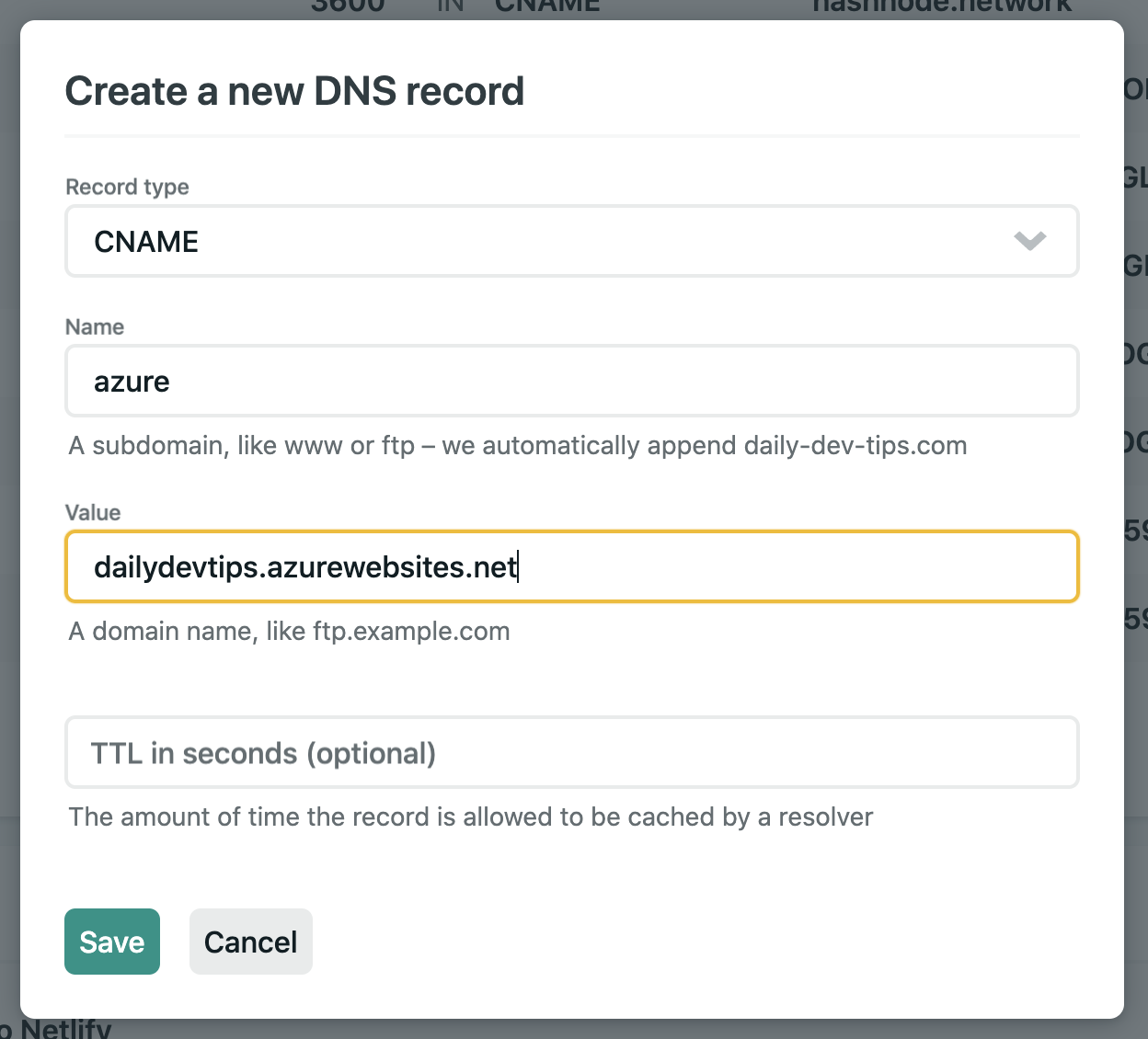
My settings include this:
- Type: CNAME
- Name: azure (azure.daily-dev-tips.com)
- Value: dailydevtips.azruewebsites.net (what Azure gave us)
Save these settings.
Now we need to go back to Azure to verify the domain.
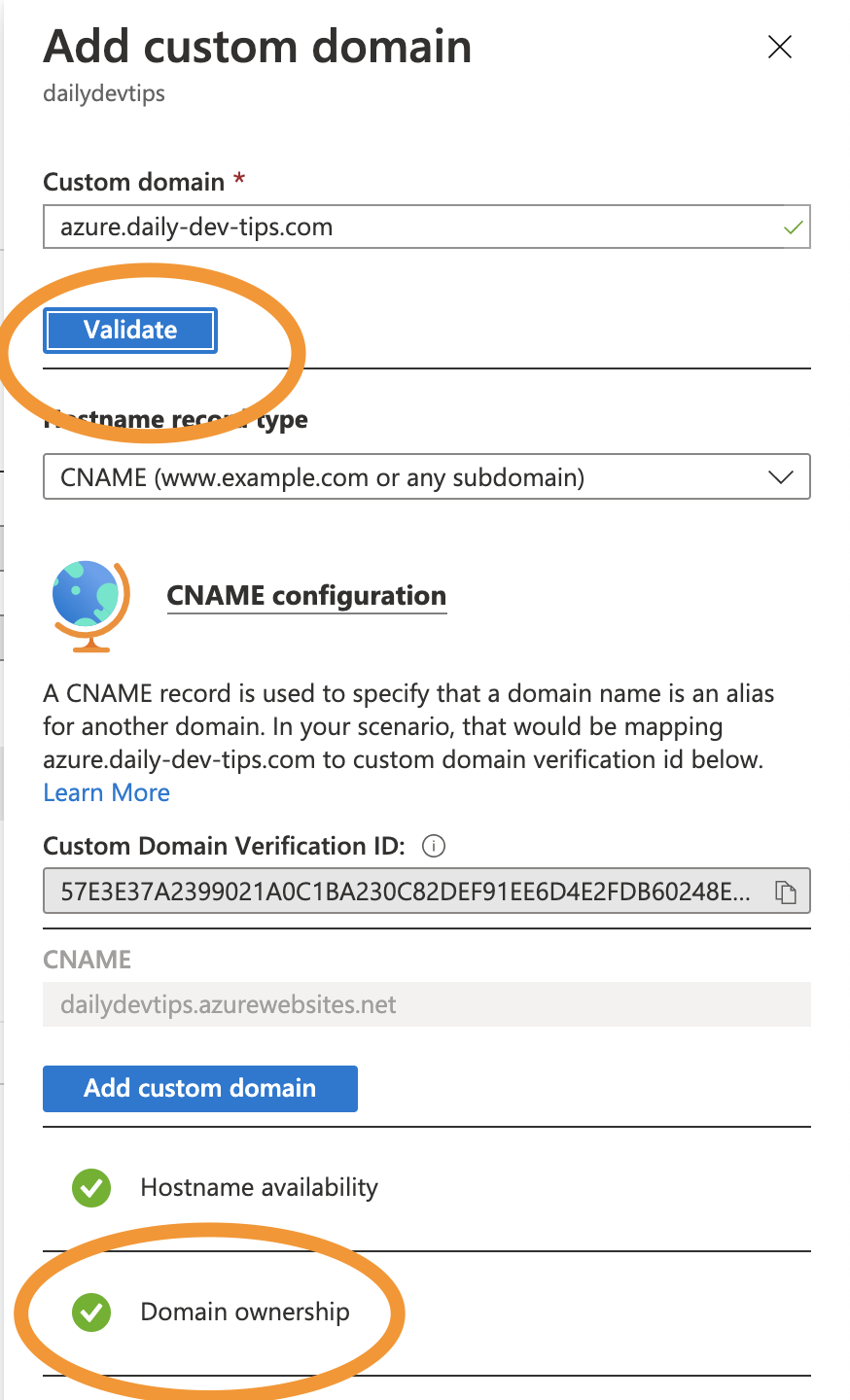
We need to do the following actions.
- Click validate; This will show the
Domain ownershipmarked correct - Then we need to click the
Add custom domainbutton to complete this
And we are done! Go visit your new domain to verify.
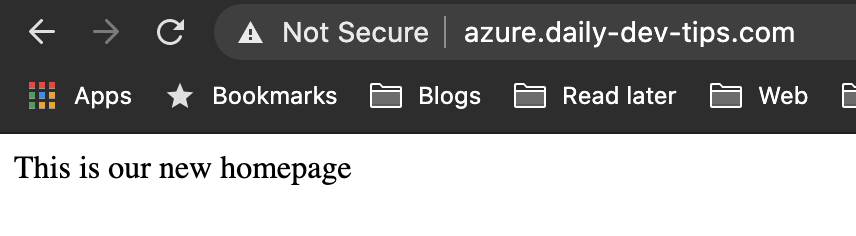
I turned my custom domain off, to not pay for it 😅
Thank you for reading, and let's connect!
Thank you for reading my blog. Feel free to subscribe to my email newsletter and connect on Facebook or Twitter
About the author
I'm a full-stack developer from South Africa 🇿🇦. I love writing about JavaScript, HTML and CSS.
Comments
Join the discussionNo comments yet. Be the first to comment.



