
Vanilla JavaScript text-to-speech 💬
I have quite an intriguing background in the TTS (Text-to-speech) field. It always caught my eye.
Back in my school period, my projects would always involve either some kind of TTS or webcam interaction.
Now those were always super cool but couldn't really be of any use in most websites.
Yeah, it looks cool, but when do you really need it.
Another side to TTS is that it was very hard to use. You needed a vast amount of plugins or third-party parses.
These days we are a bit luckier with how powerful JavaScript has become.
So today, I wanted to have another look at Text to speech in JavaScript.
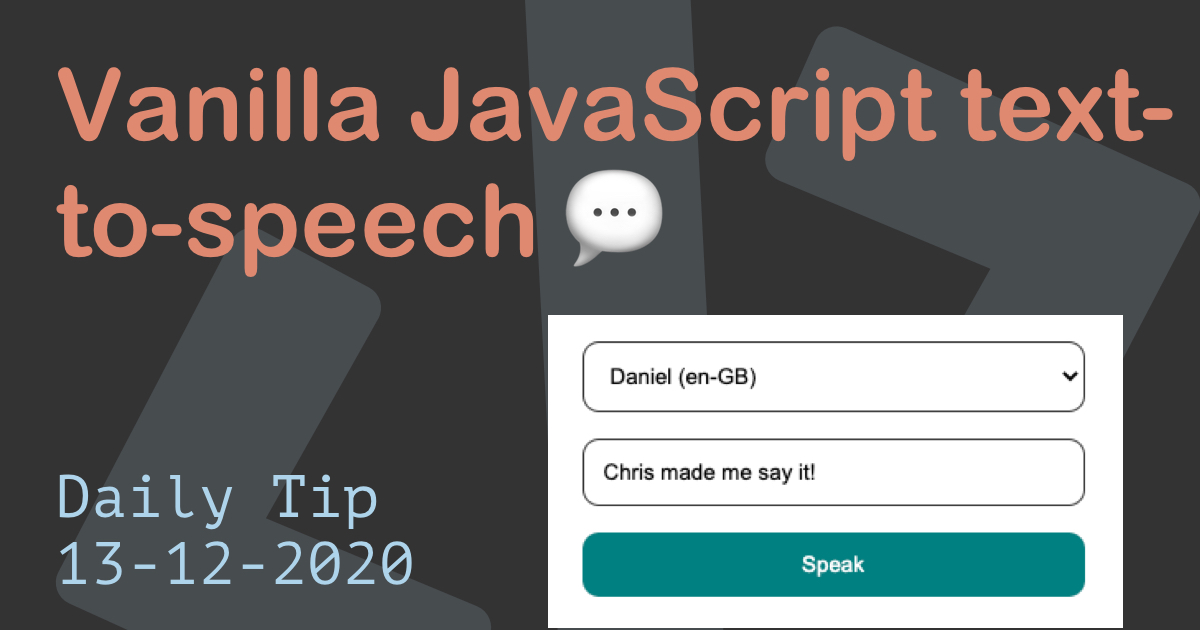
The end result for today: Try it out on the following Codepen.
JavaScript text to speech
We can leverage the Web Speech API, which uses the SpeechSynthesis interface.
To have our computer talk to us, we must then make use of the SpeechSynthesisUtterance interface.
This basically translates to: speech request.
In this interface, we define the voice, language, and volume.
It comes with the following elements:
lang: The language of the outputpitch: Sets a pitch for the output spoken wordsrate: The rate (speed) at which spoken istext: The actual text that's spokenvoice: Which voice you want to usevolume: The output volume
Detecting browser support
Since this method is not fully supported by all browsers, we will need to detect if our browser has this option.
const SpeechSynthesisUtterance =
  window.webkitSpeechSynthesisUtterance ||
  window.mozSpeechSynthesisUtterance ||
  window.msSpeechSynthesisUtterance ||
  window.oSpeechSynthesisUtterance ||
  window.SpeechSynthesisUtterance;
Here we define a const to check if the support is defined.
We can then easily check this const.
if (SpeechSynthesisUtterance !== undefined) {
  // Do the speech stuff
} else {
  console.warn('sorry not supported 😭');
}
Getting voices
I don't know about you, but I love to play around with any device's voice options.
If it's my Google Home, or something like the Speech API.
The cool part about the Web Speech API is that we can query all available voices.
const voices = window.speechSynthesis.getVoices();
console.log(voices);
// []
Now running this will likely result in a empty result, so another cool thing the API comes with is a callback for once the voices are loaded:
window.speechSynthesis.onvoiceschanged = () => {
  const voices = window.speechSynthesis.getVoices();
  console.log(voices);
  // (67) [SpeechSynthesisVoice, SpeechSynthesisVoice, ...]
};
Now, let's add a select list to our HTML and render the voices as options.
<select id="voiceSelect"></select>
And in our JavaScript:
const voiceSelect = document.getElementById('voiceSelect');
let voices;
if (SpeechSynthesisUtterance !== undefined) {
  window.speechSynthesis.onvoiceschanged = () => {
    voices = window.speechSynthesis.getVoices();
    voices.forEach((voice, key) => {
      let option = document.createElement('option');
      option.textContent = voice.name + ' (' + voice.lang + ')';
      option.value = key;
      voiceSelect.appendChild(option);
    });
  };
}
We should now have a select list that is populated with all the available voices.
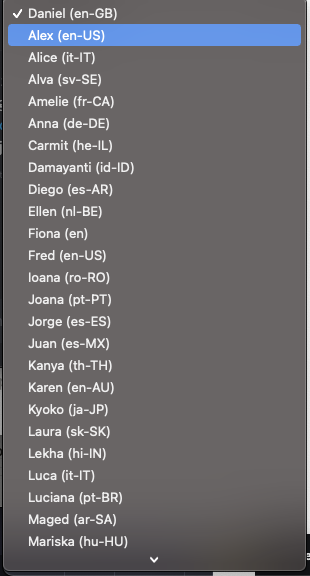
JavaScript getting a text input to convert to speech
Now let's also add an input field where the user can type some text that will be spoken.
Our HTML will look like this:
<form>
  <select id="voiceSelect"></select>
  <input id="voiceInput" />
  <button type="submit">Speak</button>
</form>
Then in our JavaScript let's first define the variables we need:
const form = document.querySelector('form'),
  voiceSelect = document.getElementById('voiceSelect'),
  voiceInput = document.getElementById('voiceInput');
Now we need to catch the form submit and prevent it from submitting to a blank page.
form.onsubmit = function(event) {
  event.preventDefault();
  // Do the speech action
};
JavaScript using text-to-speech to talk to us
Now it's finally time to have the computer talk to us.
form.onsubmit = function(event) {
  event.preventDefault();

  let speak = new SpeechSynthesisUtterance(voiceInput.value);
  speak.voice = voices[voiceSelect.value];
  window.speechSynthesis.speak(speak);
};
Now you can type something in the input field and select your voice. Press the speak button, and you should hear some spoken words!
Browser Support
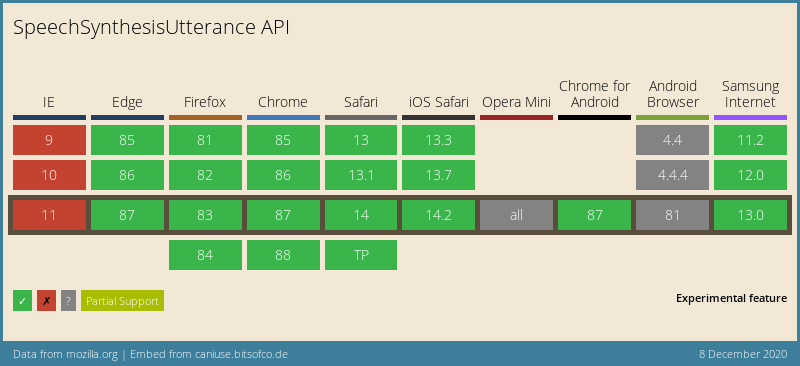
Again, pretty good coverage for a fairly new API. Of course, IE is a pain like always, and mobile Opera and Android have some issues with it.
Thank you for reading, and let's connect!
Thank you for reading my blog. Feel free to subscribe to my email newsletter and connect on Facebook or Twitter
About the author
I'm a full-stack developer from South Africa 🇿🇦. I love writing about JavaScript, HTML and CSS.
Comments
Join the discussionNo comments yet. Be the first to comment.



