
Vanilla JavaScript get form element's form

Wow, weird title, but we want to get a form in which a specific element is sitting.
We could use closest() or parent(), but for form elements we can even make it simpler!
We can use the .form on these elements.
To demonstrate I'm going to showcase two fairly common use cases
1. You know the input based on its ID
A very common use-case is that we know the ID of a input, and want to get its form.
Let's say this is our HTML structure
<form>
  <input id="myInput" type="text" />
  <select onchange="findForm(this)">
    <option value="1">Change me</option>
    <option value="2">To anything</option>
  </select>
</form>
Now if we want to get the form element the #myInput belongs to we can do this:
const input = document.getElementById('myInput');
let form = input.form;
console.log(form);
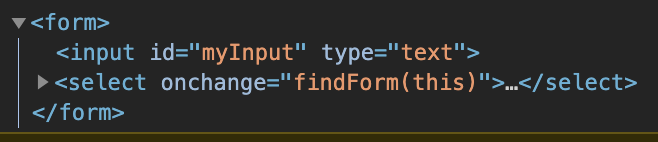
This return the following:
2. Input changed, get the form element
On the other side, you might find you need the form based on an element changing.
So in the case of our select each time it changes we want to get the form it belongs to.
findForm = el => {
  let elForm = el.form;
  console.log(elForm);
};
Simple as that!
Find this full demo on this Codepen.
You might ask when you need this?
Let's say if the fields change you want to validate the whole form. Or you need to do a lookup for another field to make sure those match.
A lot of options come to mind.
I hope you find this a useful method of finding an element's form.
Thank you for reading, and let's connect!
Thank you for reading my blog. Feel free to subscribe to my email newsletter and connect on Facebook or Twitter
About the author
I'm a full-stack developer from South Africa 🇿🇦. I love writing about JavaScript, HTML and CSS.
Comments
Join the discussionNo comments yet. Be the first to comment.



