
Vanilla JavaScript detecting the operating system

I'm sure you've ever seen this in action. A website that states hey you're on MacOS download this specific Mac version. Or download the Windows EXE here.
It mainly comes down to downloads, but there can be some cool advantages of knowing a users browsers and system.
In today's article, we will be using the navigator API to get the appVersion.
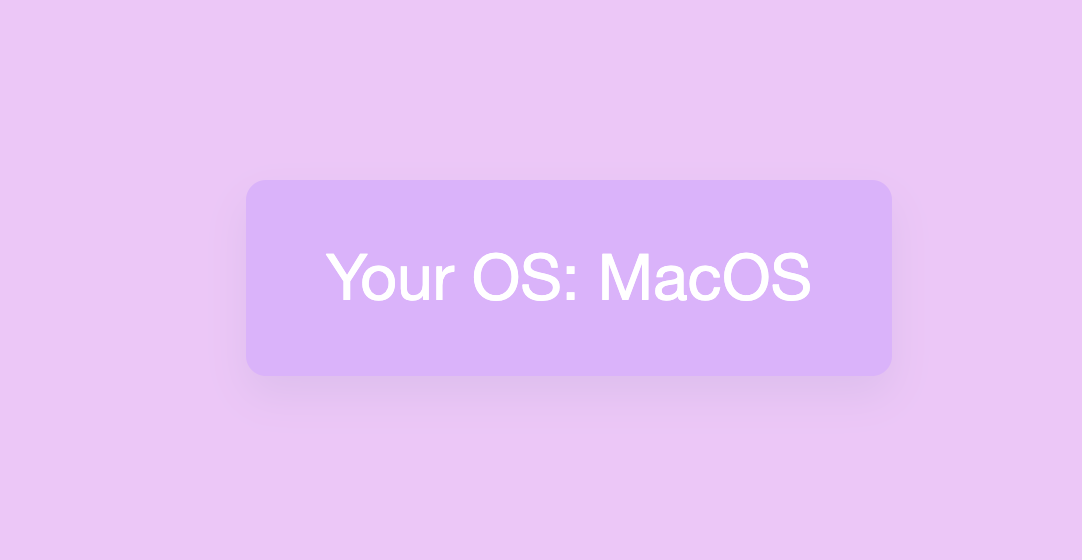
The end result will look like this:
HTML Document
For our demo we will be created a simple card that we can render some information in.
<div class="card" id="os_card"></div>
CSS Styling
Now let's make the card look more appealing by centering it and using some colors.
body {
  display: flex;
  min-height: 100vh;
  align-items: center;
  justify-content: center;
  font-family: Roboto, "Helvetica Neue", Arial, sans-serif;
  background: #f3c4fb;
}
.card {
  background: #e2afff;
  color: #fff;
  box-shadow: 0 10px 20px 0 rgba(0, 77, 115, 0.07);
  border-radius: 10px;
  padding: 30px 40px;
  font-size: 2rem;
}
JavaScript detect Operating System
Now we can go ahead and find the users OS!
As mentioned, we make use of the navigator API.
Let's first declare our starting variables.
const card = document.getElementById("os_card");
let os = "Unknown";
We also define a empty OS variable in case we can't find the right one.
Now we are going to check if the OS string returns something familiar.
if (navigator.appVersion.indexOf("Win") != -1) os = "Windows";
if (navigator.appVersion.indexOf("Mac") != -1) os = "MacOS";
if (navigator.appVersion.indexOf("X11") != -1) os = "UNIX";
if (navigator.appVersion.indexOf("Linux") != -1) os = "Linux";
A full string would look something like this (MacOs)
// 5.0 (Macintosh; Intel Mac OS X 10_15_7) AppleWebKit/537.36 (KHTML, like Gecko) Chrome/86.0.4240.183 Safari/537.36
Now we are going to add our string to our card:
card.innerHTML = "Your OS: " + os;
That's it, see the full result in this Codepen.
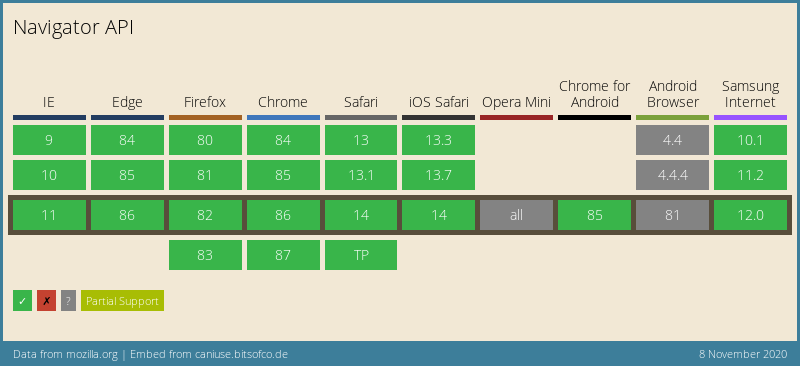
Browser Support
The Navigator API has very good support these days!
Thank you for reading, and let's connect!
Thank you for reading my blog. Feel free to subscribe to my email newsletter and connect on Facebook or Twitter
About the author
I'm a full-stack developer from South Africa 🇿🇦. I love writing about JavaScript, HTML and CSS.
Comments
Join the discussionWow! I did not know we can easily detect it without using something like detect.js. Thanks a lot for the article Chris!
Hey Usman,
Yeah anything build in a plugin, can be done with Vanilla JS, 100% 🤟
And, sometimes it's ever quicker, less code to load then using a plugin
Chris Bongers Yeah but I did not know it was so easy without a plugin. The performance would get better if we use vanilla JS.



