
Using existing services in a custom medusa service

In the previous article, we had an introduction to creating our very first custom medusa service.
I wanted to expand on that and show you how we can use this custom service for other services. This is not limited to the medusa ones. You can even load your custom services this way.
For this article, we'll use the translation service as our base. Inside we'll look at injecting the product service so we can translate products.
Using other services inside a custom service
The main file will stay the same. As we already extend the TransactionBaseService we can use the constructor and assign services via this constructor.
Let's look at how we can import the product service.
class TranslateService extends TransactionBaseService {
  productService;

  constructor({ productService }) {
    super();
    this.productService = productService;
  }
}
This will give us access to the product service.
Let's create a translateProduct function. This function will take a product ID. With this ID it can fetch the product and return the title.
(In a real-world example, we would get a translation from another table)
translateProduct = async (productId, locale) => {
  const product = await this.productService.retrieve(productId);
  // Here we would add our translation
  return product.title;
};
Let's modify our endpoint so we can test out if it works.
router.get('/store/title', (req, res) => {
  const translateService = req.scope.resolve('translateService');
  translateService
    .translateProduct('prod_01GCKNHT1KPGBK1JR2MK7JC6KY', 'en')
    .then((title) => {
      res.json({ title });
    });
});
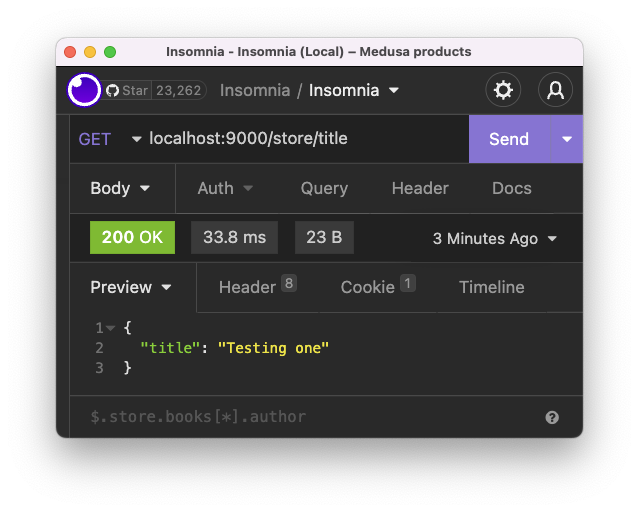
You should see the title returned if you re-run your server and query this route.
Note: make sure to change the ID to a product you have in your database
Using a custom service
Let's say we want to create yet another custom service we call TestService.
Inside this service, we want to use our custom translate service. We can easily use the same approach to use.
import { TransactionBaseService } from '@medusajs/medusa';

class TestService extends TransactionBaseService {
  translateService;

  constructor({ translateService }) {
    super();
    this.translateService = translateService;
  }

  test(msg, locale) {
    return this.translateService.translate(msg, locale);
  }
}

export default TestService;
So nothing special here. We port the existing translate function into this test function.
We can then use it as such:
router.get('/store/title', (req, res) => {
  const testService = req.scope.resolve('testService');
  const title = testService.test('title', 'nl');
  res.json({ title });
});
This is merely an example of how you can use your custom services inside another custom service.
Thank you for reading, and let's connect!
Thank you for reading my blog. Feel free to subscribe to my email newsletter and connect on Facebook or Twitter
About the author
I'm a full-stack developer from South Africa 🇿🇦. I love writing about JavaScript, HTML and CSS.
Comments
Join the discussionNo comments yet. Be the first to comment.



