
TypeScript Readonly Utility type

This is the last of the commonly known interface modifying utility types. Do note there are a few more, but we'll get to those in a later stage as they are a bit more advanced.
I want to go over the Readonly utility type in this article.
Using the read-only type, you can transform a type to be read-only, making it impossible to change after the initial assignment.
Using the Readonly Utility type
Let's retake this user interface.
interface User {
  id?: number;
  firstname: string;
  lastname: string;
  age?: number;
}
If we would now assign some information to this object, we could always re-assign it later in our code.
const user: User = {
  firstname: 'Chris',
  lastname: 'Bongers',
};
user.id = 123;
We can now modify any of the existing properties to be a new value.
And we don't always want that.
So in order to prevent this from happening you can wrap the type used in a Readonly type like so:
const user: Readonly<User> = {
  firstname: 'Chris',
  lastname: 'Bongers',
};
Which will give us the following TypeScript error.
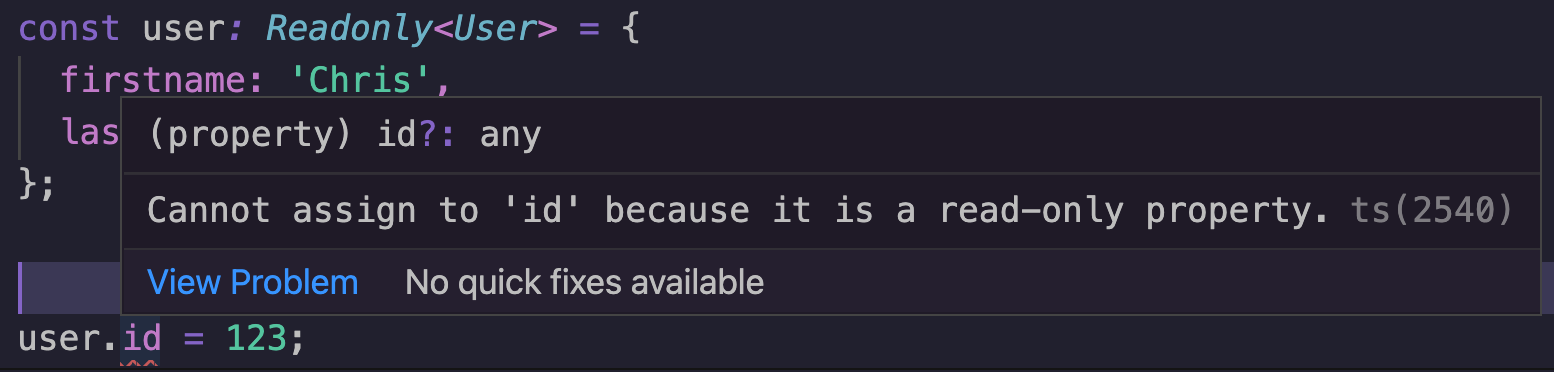
This Readonly type can be super helpful to represent frozen objects. Or objects that should not mutate on their own.
Thank you for reading, and let's connect!
Thank you for reading my blog. Feel free to subscribe to my email newsletter and connect on Facebook or Twitter
About the author
I'm a full-stack developer from South Africa 🇿🇦. I love writing about JavaScript, HTML and CSS.
Comments
Join the discussionNo comments yet. Be the first to comment.



