
Resource routes in Remix

So far, we have been looking at routes in Remix, and they are always HTML-based output routes.
It means they render some HTML, but what happens if we want to have a different route type?
Some examples:
- JSON endpoints
- Images
- PDF files
Don't worry. Remix got your back on that, as we can use their fantastic resource routes for this.
Resource routes in Remix
There are multiple ways of achieving the endpoint URL to create these routes.
You can create any of the following formats:
- app/routes/reports/$id/pdf.ts
- app/routes/reports/$id[.pdf].ts
- app/routes/reports/$id[.]pdf.ts
- app/routes/reports.$id[.]pdf.ts
All of these will have the same output format:
http://yourwebsite.com/reports/id.pdf
But let's see how we can output it as a file rather than plain HTML. To achieve this we have to use the loader function to change our output like this:
export async function loader({ params }) {
  const report = await getReport(params.id);
  const pdf = await generateReportPDF(report);
  return new Response(pdf, {
    status: 200,
    headers: {
      'Content-Type': 'application/pdf',
    },
  });
}
This example uses some functions we don't have, including the getReport and generateReportPDF functions.
This means it's only an example of how you can achieve it (taken from the official Remix docs).
Using different types
Let's say we instead want to have a JSON format?
Let's change our document to the following format:
app/routes/reports.$id[.]pdf.ts
import { json } from '@remix-run/node';

export async function loader({ params }) {
  return json({ foo: params.id });
}
We format the ID from our dynamic URL into a JSON object in this example.
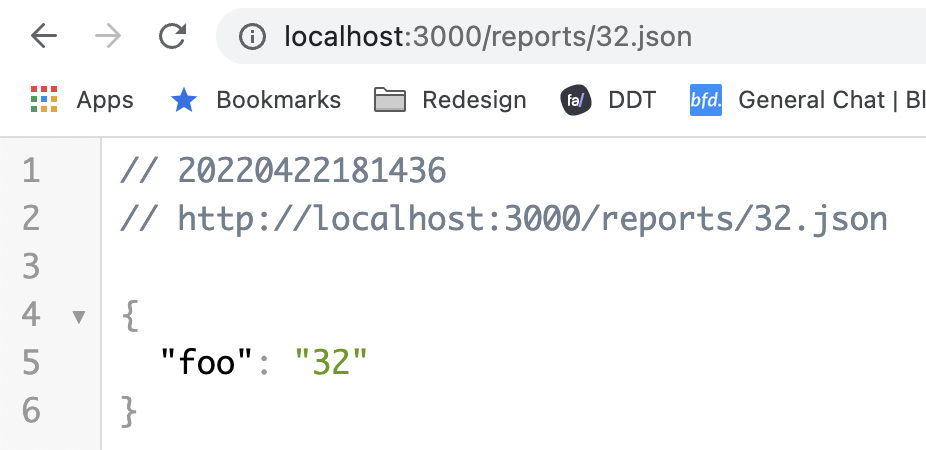
This is pretty cool. This way, we can support all these different formats in Remix.
Thank you for reading, and let's connect!
Thank you for reading my blog. Feel free to subscribe to my email newsletter and connect on Facebook or Twitter
About the author
I'm a full-stack developer from South Africa 🇿🇦. I love writing about JavaScript, HTML and CSS.
Comments
Join the discussionNo comments yet. Be the first to comment.



