
Resetting a WordPress admin password

I'm not particularly eager to work on WordPress, but sometimes you inherit legacy code or have to support a client.
The worst thing is where you get access to the database, but nobody knows the login anymore.
So how do we go about changing the admin's password?
Pre: You must have access to the database!
Using phpMyAdmin to change the WordPress password
The first thing we need to do is log in to phpMyAdmin and find our database.
Then we need to open up the wp_users (wp can be underscored by something unique for your install).
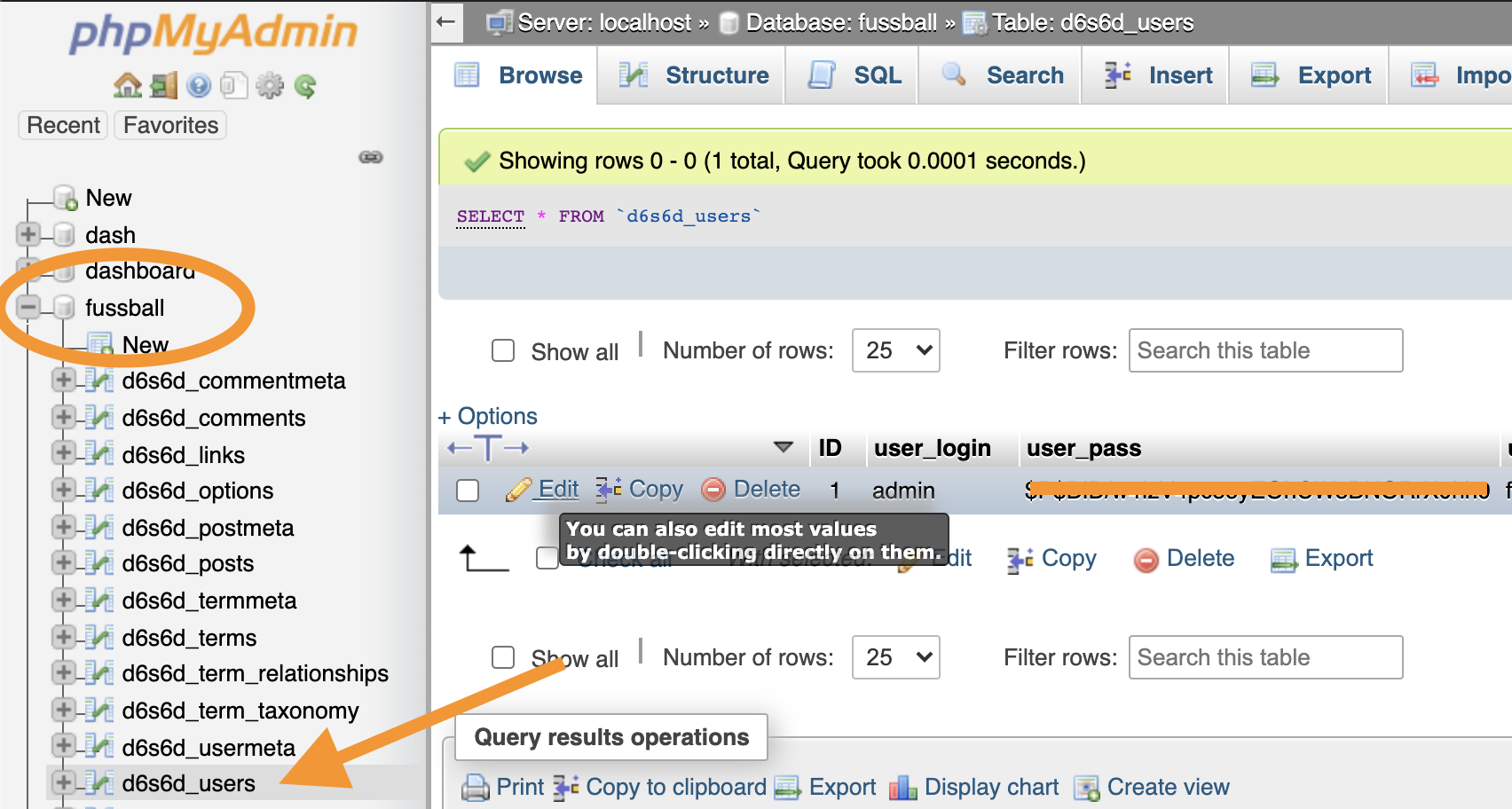
Now we need to click the edit button on the admin record.
In the password field, add the new password in a readable way and choose MD5 as the Function.
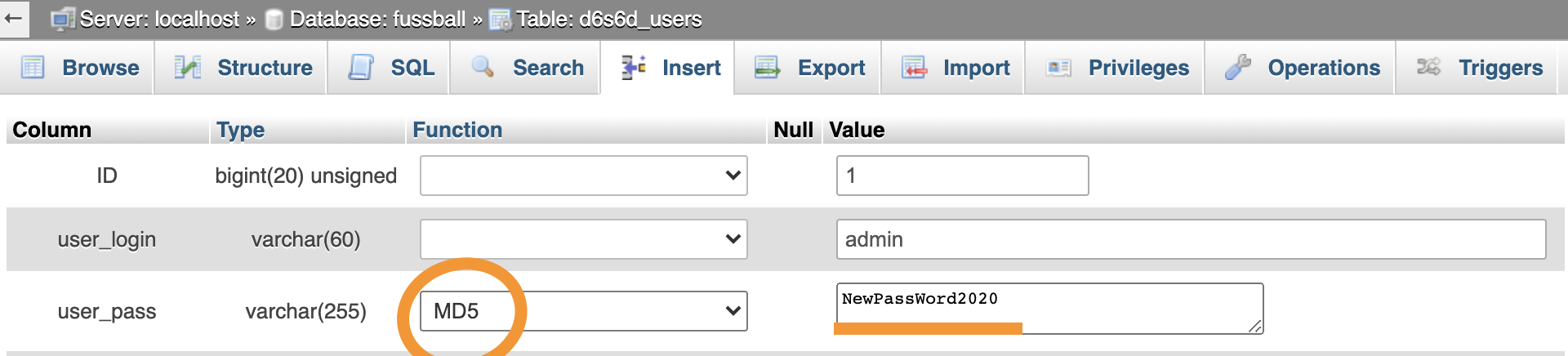
Please don't use passwords like this example above
Now you can click save, and we will be able to login with our new password!
Thank you for reading, and let's connect!
Thank you for reading my blog. Feel free to subscribe to my email newsletter and connect on Facebook or Twitter
About the author
I'm a full-stack developer from South Africa 🇿🇦. I love writing about JavaScript, HTML and CSS.
Comments
Join the discussionConcise. Thanks for sharing. Now I know what to do when faced with such challenge.
Your welcome, it's one of these things once you know it's fine else you'll spend so much time looking for it.



