
React snapshot testing with Jest

Now that we set up Jest for our React application, we can start looking into snapshot testing.
A snapshot is a direct output of your test's response that should always match the result of what you are testing.
Let's look at some examples:
- API/Function output snapshot: The output of a specific function should always match the snapshot taken
- Component output snapshot: The rendered component should always match the component.
Don't worry. We'll try these out in a second.
Testing API/Function output with snapshots
We have an API call or function that should always respond with the same results for a specific call.
We can add a snapshot test to validate this happens every time.
But first, let's say we have the following API call in an API.js file.
export const getPokemon = (name) => {
  return fetch(`https://pokeapi.co/api/v2/pokemon/${name}/`).then((response) =>
    response.json()
  );
};
This call will make a request to the PokeAPI and return the response. This response should always match what we expect. For instance, when they remove a property, it should fail.
We can now write a test like this:
import { getPokemon } from './API';

test('eevee should match snapshot', async () => {
  const eevee = await getPokemon('eevee');
  expect(eevee).toMatchSnapshot();
});
You can see that we expect the result to match a snapshot. The first time you run this test, it will create a snapshot in a __snapshots__ folder.
If you open the snapshot for this file, you should see the complete API response as expected.
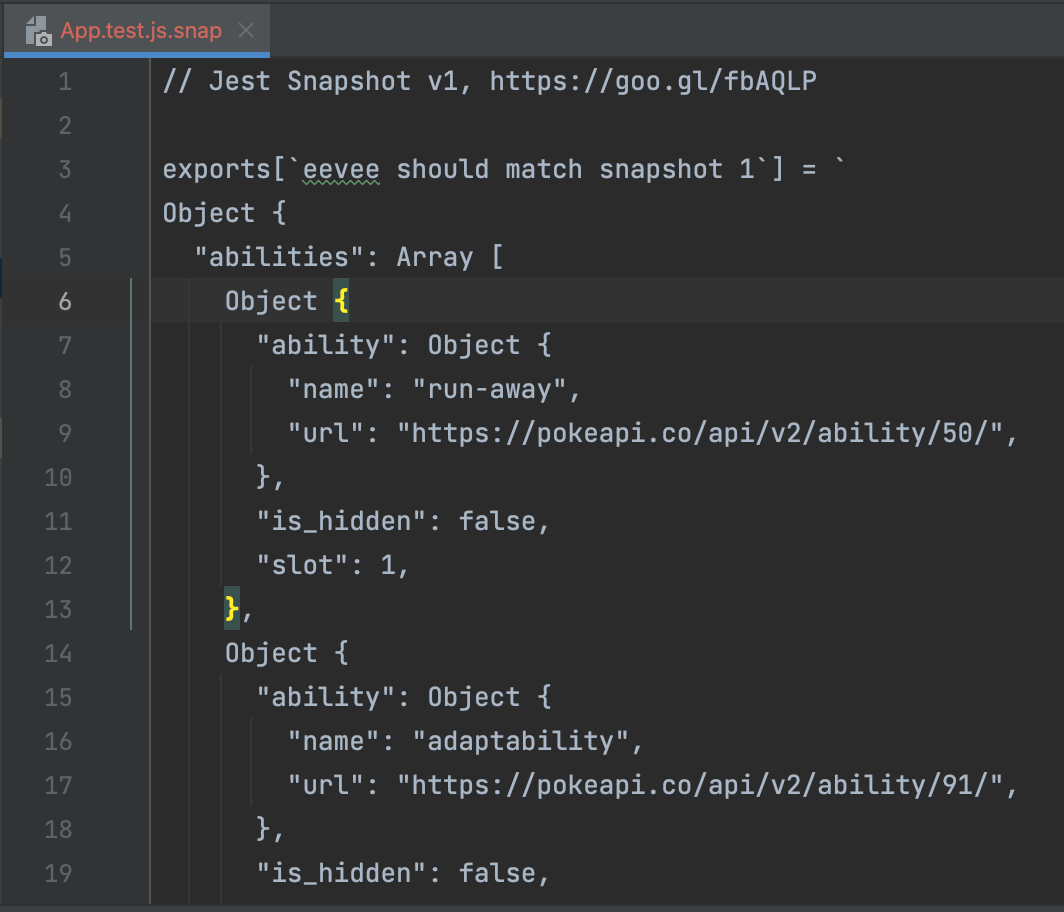
The next time we run the test, it should succeed without any remarks, but let's quickly "destroy" our test by changing the Pokemon we query.
test('eevee should match snapshot', async () => {
  const eevee = await getPokemon('charizard');
  expect(eevee).toMatchSnapshot();
});
We changed the Pokemon we query from Eevee to Charizard, which is not what is in our snapshot, so it should fail.
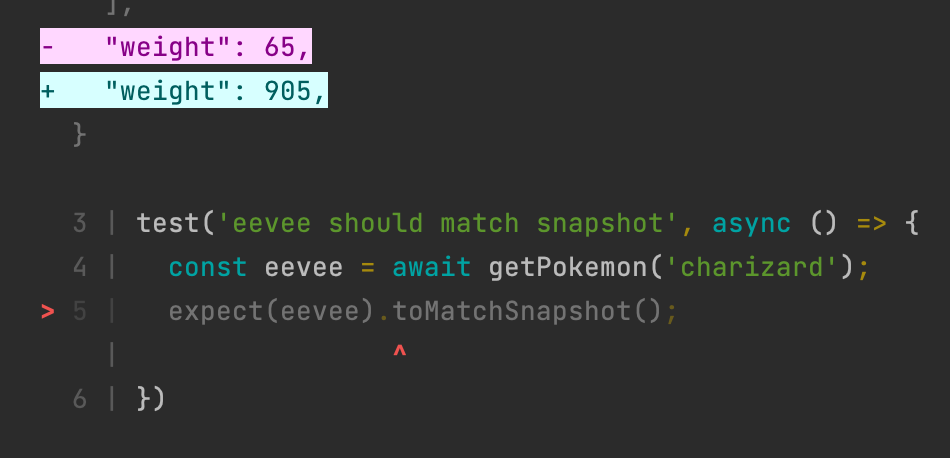
As you can see, the snapshot test failed, and it even shows which attributes don't match the snapshot.
Pretty cool, right? But what happens if we really want to test for Charizard instead of Eevee all the time?
In that case, we can simply update the snapshot to reflect the current API response.
jest --updateSnapshot or jest -u
Alternatively, you can run the test with and press the u key. This will also update all tests in this run.
As for functions we can use the same approach by saving the response into a snapshot and matching it like this:
test('Validate a number', () => {
  expect(isNumber(1)).toMatchSnapshot();
});
React component snapshot testing
Besides testing for functions or API responses, we can test component renders to match.
This can be super useful to make sure your output HTML does not change.
Let's say we have this component:
function App() {
  return (
    <div className='App'>
      <header className='App-header'>A simple header</header>
      <article>The article details</article>
    </div>
  );
}
To test it we can write the following test:
test('react component snapshot', () => {
  const output = render(<App />);
  expect(output).toMatchSnapshot();
});
This will test the component to match all underlying properties of the component.
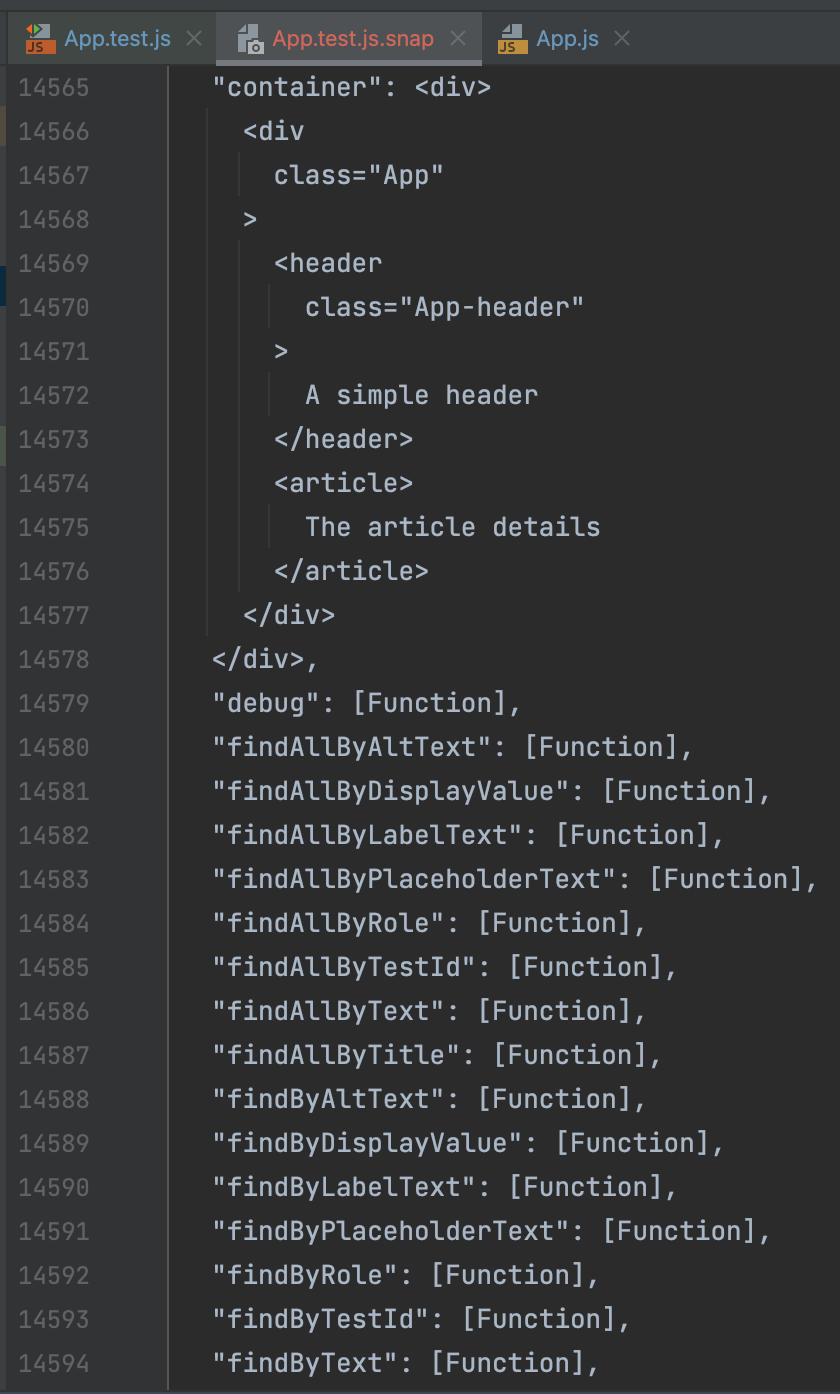
Alternatively, we can test for only the output HTML without needing the dom.
Install the following package:
npm install react-test-renderer
Now we can use the following:
import renderer from 'react-test-renderer';

test('react component snapshot HTML', () => {
  const output = renderer.create(<App />).toJSON();
  expect(output).toMatchSnapshot();
});
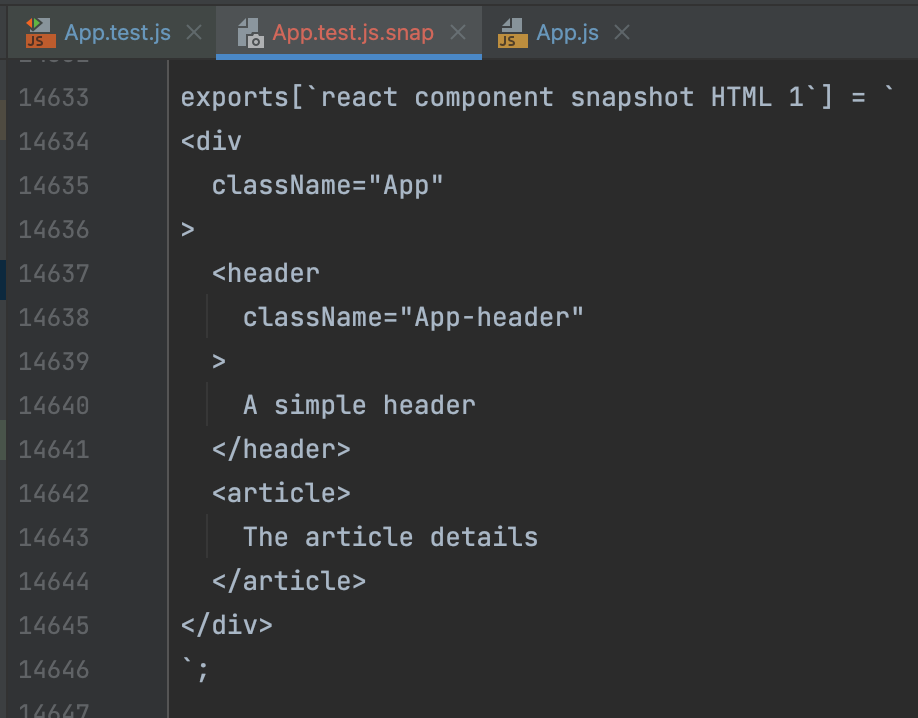
The result is a way smaller snapshot, which you can see below:
Whenever you now change something in your component, the test fails. Let's for instance add a new className on one of the elements:
<article className='bg-white'>The article details</article>
And if we re-run our test, the two snapshots should fail.
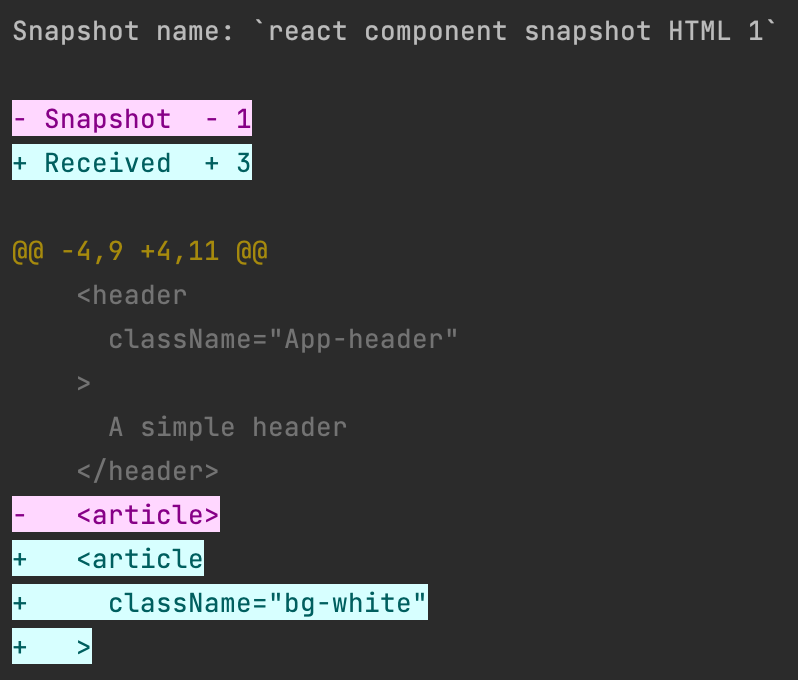
This can be a real life-saver if you perhaps unintentionally changed something in a component or didn't validate it.
Again, when it was intended, you can update the snapshot.
You can find the complete code of today's article on GitHub.
Thank you for reading, and let's connect!
Thank you for reading my blog. Feel free to subscribe to my email newsletter and connect on Facebook or Twitter
About the author
I'm a full-stack developer from South Africa 🇿🇦. I love writing about JavaScript, HTML and CSS.
Comments
Join the discussionNo comments yet. Be the first to comment.



