
Public Solving: Nice or Naughty list

Santa cannot give naughty kids a present, so he asked us to help him evaluate how the kids behaved.
Luckily, the elves did an excellent job keeping track of each kid's events.
They provided us with a JSON file with all the kids and the events that occurred. It's up to us to determine if a kid was naughty or nice.
Thinking about the solution
First of all, we need to import the JSON array to use it. My first thought was to just import it, but I noticed in the package.json this was disabled.
So let's play along and determine we can't change that. This means we need to manually load the JSON file as if we are loading it from an external resource.
Once that's done, we need to evaluate the events for the kids and sum the score.
Then we need to filter out the nice kids into one array and the naughty kids into another.
Building the nice or naughty list
As mentioned, we need to manually load the JSON vs. importing it. A quick way to do this is to use the node filesystem API.
This basically works the same as using the require.
import { readFile } from 'fs/promises';

const kids = JSON.parse(
  await readFile(new URL('../data/sampleData.json', import.meta.url))
);
We make sure to parse the file as JSON, and now we have a kids variable that includes the full JSON array.
So for the first task, return the kids we can use the following code:
export const getKids = () => {
  return kids;
};
It couldn't get easier than that, right?
The next task is to determine if the kid is nice or naughty. We can do this by evaluating the kid's scores for each event.
Meaning we can sum the score of all events. If the total score is below 0, the kid was naughty! Else the kid was nice.
This is a perfect option for the reduce method, which can be used to calculate things.
export const findOutIfNaughtyOrNice = (kid) => {
  const score = kid.events.reduce((total, event) => (total += event.effect), 0);
  return score < 0 ? NAUGHTY : NICE;
};
What we do here is call the reduce function. The first parameter, total, is the accumulator. The second one is the current row.
We say take the total and add the current row's score.
At the end, you see , 0. This is the starting value.
Then we simply return the NAUGHTY or NICE constants we define at the top of the file like so:
const NAUGHTY = 'naughty';
const NICE = 'nice';
The next task is the retrieve arrays with all naughty kids and one with all the nice kids.
This is where the filter method comes in handy. It filters out an array of specific criteria.
In our case, we want to get the findOutIfNaughtyOrNice function for a kid and add them to the specific array if it matches.
export const getNiceKids = (kids) => {
  return kids.filter((kid) => findOutIfNaughtyOrNice(kid) === NICE);
};
So for each kid, we call the findOutIfNaughtyOrNice function, and if the score is NICE, we add the kid to this output.
The same can be used for the naughty list.
export const getNaughtyKids = (kids) => {
  return kids.filter((kid) => findOutIfNaughtyOrNice(kid) === NAUGHTY);
};
And that's it, time to run the test and see if it worked.
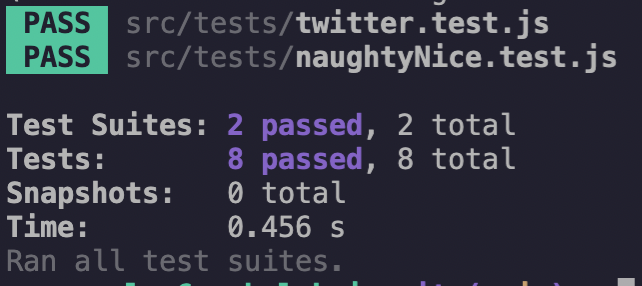
Santa can be happy! We have provided him with all the nice and naughty kids!
Where you on the nice or naughty list?
Thank you for reading, and let's connect!
Thank you for reading my blog. Feel free to subscribe to my email newsletter and connect on Facebook or Twitter
About the author
I'm a full-stack developer from South Africa 🇿🇦. I love writing about JavaScript, HTML and CSS.
Comments
Join the discussionNo comments yet. Be the first to comment.



