
Public Solving: Linked List and a train

You might not know this, but the North Pole has a perfect train ecosystem.
However, due to the harsh weather, these trains need quite a lot of maintenance.
For this puzzle, we must figure out the train composition and add certain filters and actions to this composition.
As our input, we get a linked list train object.
A linked list basically means an object with a next property that links to the next element.
For example:
export const locomotive = {
    name: 'L-283',
    emoji: '🚂',
    isLocomotive: true,
    next: wagon1,
}
const wagon1 = {
    name: 'W-10582',
    emoji: '🚋',
    lastBreakRevision: '2021-02-15',
    next: wagon2,
}
As you can see, the locomotive has the wagon1 as it's next, which in return has wagon2, so by accessing the locomotive, we can composite the whole train.
Thinking about the solution
There are three things we need to work on:
- Complete the iterate wagons function and build the train
- Allow for the filter function to take place
- Allow for an action function to take place
We start with the following bootstrap function.
const defaultFilterFn = () => true
const defaultActionFn = wagon => console.log(`${wagon.emoji} ${wagon.name}`)

export const iterateWagons = (start, actionFn, filterFn) => {}

export const filterOldBreaks = wagon => {
    return true
}
We have to fill out the iterate wagons function and the filter old breaks function.
The main challenge here is to convert the wagons into a train array following each next element of the train.
Then we will have to use array methods to filter and loop over this array we just created.
Note: It's been a while since I worked with Linked lists, so I'm pretty sure there are alternative ways of doing this assignment.
Building the linked list train in JavaScript
Let's convert our starting object into an array that follows the next order.
I've decided to use a while loop to look until the next property is empty.
const train = [start];
while (start.next !== null) {
    start = start.next;
    train.push(start);
}
This sets the train to an array, starting with the locomotive. Then, the while loop changes the start variable to be the next element and pushes it to our train array.
Making the while loop fire again since it won't be empty still.
Now this train array has the complete list of wagons in order!
The next part of the assignment is to make it possible to add specific filter criteria to each wagon.
Some of these criteria might be:
- Check if the element is a locomotive
- Check if the element brakes need replacement
We can use the filter method.
However, we'll need to use the default one if no filter is specified. We can set this in the parameters as the default.
export const iterateWagons = (
  start,
  actionFn,
  filterFn = defaultFilterFn
) => {
  const train = [start];
  while (start.next !== null) {
    start = start.next;
    train.push(start);
  }

  return train
    .filter((wagon) => filterFn(wagon));
};
That will only return our train elements that match the provided filter, defaulting to everything.
The last part that remains for this function is the action. We should pass an action on which something must happen per wagon.
We can use the same approach as the filter but leverage the forEach method.
export const iterateWagons = (
  start,
  actionFn = defaultActionFn,
  filterFn = defaultFilterFn
) => {
  const train = [start];
  while (start.next !== null) {
    start = start.next;
    train.push(start);
  }

  return train
    .filter((wagon) => filterFn(wagon))
    .forEach((wagon) => actionFn(wagon));
};
The only thing we have to do now is create the filter for the old breaks.
A broken system is old when it hasn't been serviced for at least a year from today.
Note: again multiple ways to do this.
The first thing to note is that the wagons have the following date notation for the break service:
lastBreakRevision: '2021-02-15',
Let's start by setting a new date variable and subtracting a year from that.
new Date(new Date().setFullYear(new Date().getFullYear() - 1))
// When running this on 10 December 2021 we get:
// 2020-12-10T05:10:51.846Z
Almost there, we just need to remove the T05:10:51.846Z part.
To make that work, I plan to split it on the T and only return the first part.
This won't work because it's now a date object, and we need it to be a string.
That's where the .toISOString() comes into play.
export const filterOldBreaks = (wagon) => {
  return (
    new Date(new Date().setFullYear(new Date().getFullYear() - 1))
      .toISOString()
      .split('T')[0] > wagon.lastBreakRevision
  );
};
And there you go, the complete break check function!
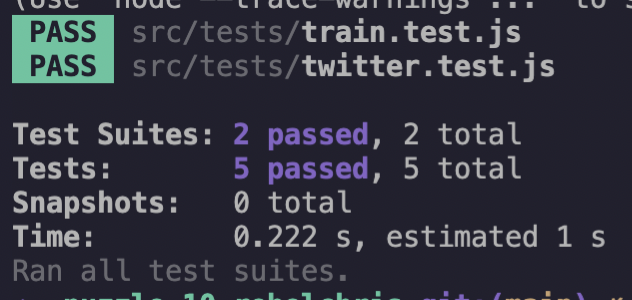
Let's run the test and see how we did:
I'm really keen to see how other people solved this puzzle, so do let me know 👏
Thank you for reading, and let's connect!
Thank you for reading my blog. Feel free to subscribe to my email newsletter and connect on Facebook or Twitter
About the author
I'm a full-stack developer from South Africa 🇿🇦. I love writing about JavaScript, HTML and CSS.
Comments
Join the discussionNo comments yet. Be the first to comment.



