
Public Solving: Checking the sleighs automatically

The elves build and try a lot of different sleighs for Santa. Because of the number of sleighs, they are looking for an automated report.
Click here to view the original puzzle.
Each sleigh is already being tested, so they have the data available. It's up to us to check if each system check is passing. If so, we should return a specific letter.
The checks pass if a value is above 90%. The result should be an alphabetically sorted string.
If all checks fail, we should return an X.
Creating the sleigh system check
I won't describe the solution for this one but rather walk you straight through my implementation.
The sleigh has multiple attributes, but they are not sorted.
So I decided to start with a checkMap object.
This object will keep all the checks in alphabetical order and contain their letter value.
const checkMap = {
  accelerometer: 'A',
  breaks: 'B',
  compass: 'C',
  gyroscope: 'G',
  humiditySensor: 'H',
  langdingSuspension: 'L',
  navigation: 'N',
  pressureSensor: 'P',
  temperatureSensor: 'T',
  windSensor: 'W',
};
I want to loop over these checks and add a letter if the value passes the inspection.
Once again, I'll be using the reduce method.
We have to extract the object keys so we can loop over them.
const checks = Object.keys(checkMap).reduce((output, check) => {
 // Do check
}, '');
The check is actually the easy part as a value is valid if over 90%.
If that is the case, I add a letter to the output array.
const checks = Object.keys(checkMap).reduce((output, check) => {
    if (sleigh[check] >= 0.9) {
      output += checkMap[check];
    }
    return output;
}, '');
What happens here is that if the sleighs check for the current check is above 0.9 (90%), we add the letter for that check to our array.
Now we just need a check if this checks string is empty.
If so, all checks must have failed, and we should return an X.
return checks.length ? checks : 'X';
Let's see how we did by running the test.
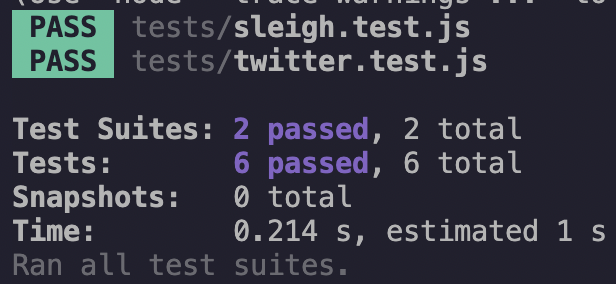
That's it! We got there, and we can now safely evaluate all the sleighs.
Do let me know what you would do differently in this solution.
Thank you for reading, and let's connect!
Thank you for reading my blog. Feel free to subscribe to my email newsletter and connect on Facebook or Twitter
About the author
I'm a full-stack developer from South Africa 🇿🇦. I love writing about JavaScript, HTML and CSS.
Comments
Join the discussionNo comments yet. Be the first to comment.



