
Making divs user resizable with CSS

This article has nothing to do with browser widths and viewport media queries.
In this article, we will be talking about the resize css property.
This is one property I only came across recently, because when do you actually need the user to resize something other than a textarea box.
In my article demonstrating how the HTML <wbr> tag works, I used the resize property to showcase when the words would break.
You might find yourself in need of this one-day, so here we go, an example of how the CSS resize property works and what options it has.
The end result will look like the following GIF.
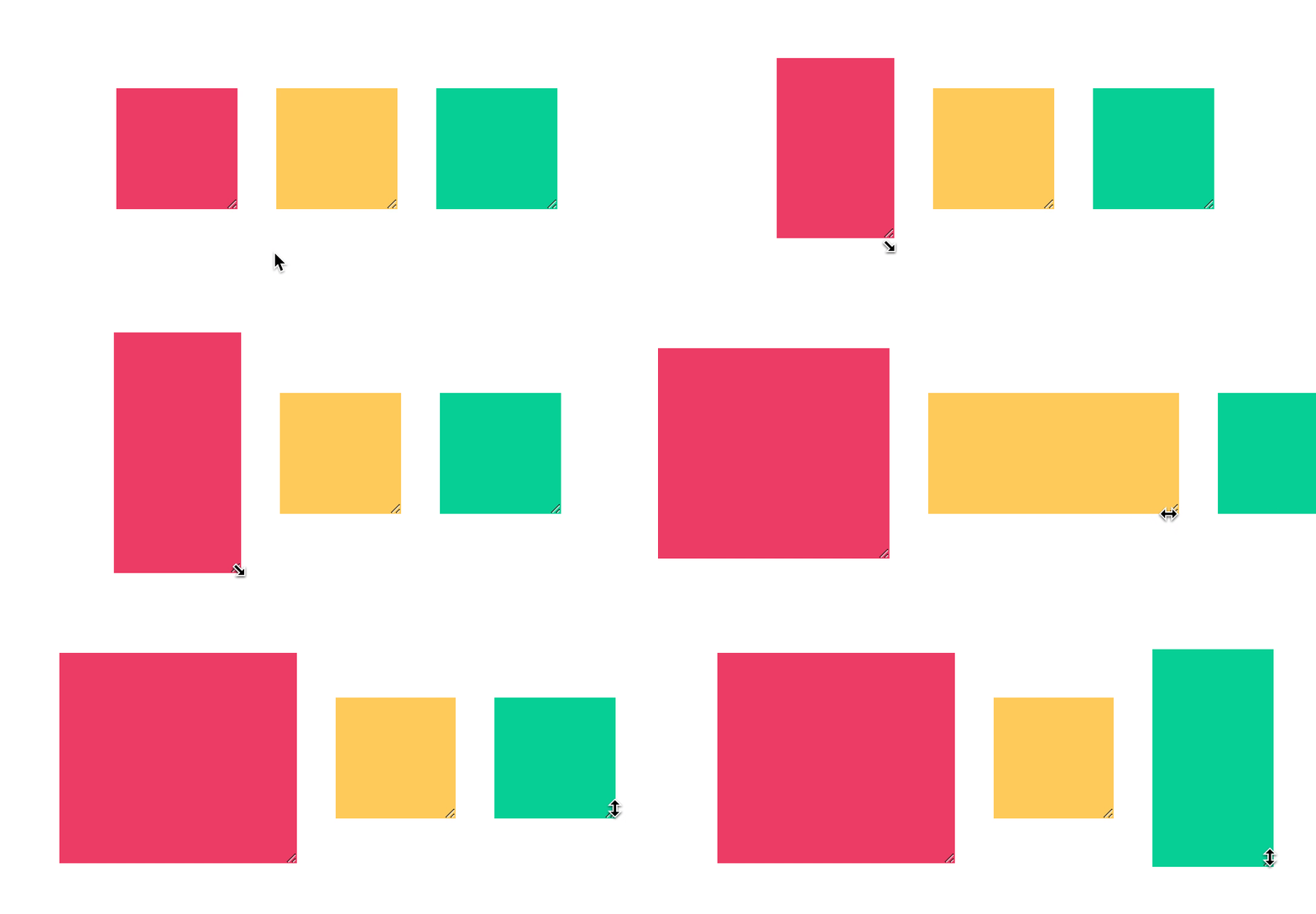
CSS resize property
To add the option we can use the following syntax:
div {
    resize: {value}
}
Where the value can be one of these:
none: Default, user cannot resize the elementboth: Resize horizontal and verticalhorizontal: Only resize horizontallyvertical: Only resize verticallyinitial: Reset back to the initial valueinherit: Inherit value from the parent element
To make them effective, let's create some examples:
What's really important to know is that by default, the resize code will not do anything.
This is because the default overflow value is visible, and that will disable the resize.
We can use any of these overflow values: scroll, auto, hidden.
First let's define a basic box to start with:
div {
  width: 100px;
  height: 100px;
  overflow: auto;
}
Now let's make a pink box that can resize both ways:
div.both {
  resize: both;
  background: #ef476f;
}
Perhaps we only want a horizontal resize? Check out the yellow box.
div.horizontal {
  resize: horizontal;
  background: #ffd166;
}
Over even just vertical, check out the green box
div.vertical {
  resize: vertical;
  background: #06d6a0;
}
You can see these boxes in action on the following Codepen.
CSS Removing resize attribute
There is one case where perhaps you want to remove the resize attribute, and this is with textareas.
They come with a default resize property, and we can turn this off by using the following code:
textarea {
  resize: none;
}
You can try this out on the following Codepen.
Thank you for reading, and let's connect!
Thank you for reading my blog. Feel free to subscribe to my email newsletter and connect on Facebook or Twitter
About the author
I'm a full-stack developer from South Africa 🇿🇦. I love writing about JavaScript, HTML and CSS.
Comments
Join the discussionAs always, a great read! I think a lot of people assume this functionality is difficult and requires a lot of dense code, when the reality is that it’s pretty simple! Thanks for sharing!
This happens with a lot of elements. Sounds difficult and needs a lot of custom stuff, while in reality it can be done with native HTML elements.
Dialog is also one of those.
Chris Bongers For sure!



