
Make your life easy with the Tailwind typography plugin

I'm sure by now you are a tailwind rockstar, but you might have found yourself in a situation where you struggled to get that perfect reading font?
Or you just couldn't be bothered setting up the basic heading, list, and whatnot styles.
That's precisely why you should try out the typography plugin!
What is this Tailwind typography plugin?
Basically, this is a plugin you can add to your Tailwind project. It comes with a new class called prose, and if you use that on your content wrapping div, everything inside of it will be automatically styled in a super neat way.
I love to use this for markdown rendered posts, as I don't want to think about the styling of each element I might ever add to it.
And the best part about this plugin? You can customize it to fit your needs!
Installing the Tailwind typography plugin
To install the plugin, go to your project in a terminal and run the following command.
npm install @tailwindcss/typography
Once that's done, open up your tailwind.config.js file and add the plugin like so:
module.exports = {
  // ...
  plugins: [require('@tailwindcss/typography')],
}
Let's try it out and place some basic HTML in an article element.
<article>
    <h1>Welcome to my article</h1>
    <p>Lorem ipsum dolor sit amet, consectetur adipiscing elit. Mauris sagittis orci at erat vulputate, at mattis leo facilisis. Vestibulum non tortor a leo sodales facilisis vitae at nunc. Cras maximus eros sed lectus viverra commodo. Nunc vulputate sem quam, ac mollis ligula tincidunt eget. Aenean a aliquet est, quis mollis lacus. Maecenas eu porta arcu. Suspendisse vulputate ipsum id dui aliquet pellentesque. Nullam non quam nec sapien sollicitudin maximus. Vivamus aliquam ornare odio, pellentesque condimentum diam finibus eu. Nunc vehicula tincidunt tempor.</p>
    <ul>
        <li>List item 1</li>
        <li>List item 2</li>
        <li>List item 3</li>
        <li>List item 4</li>
        <li>List item 5</li>
    </ul>
    <h2>Closing with a H2</h2>
</article>
If we run this, we get a soup of words, not styled at all.
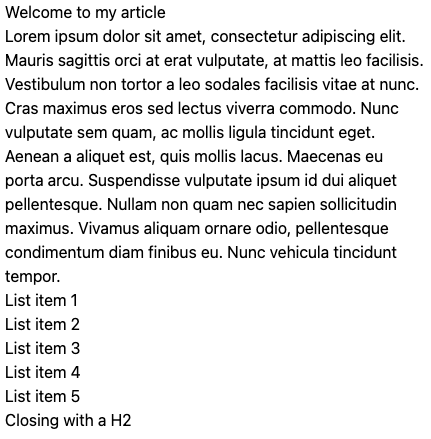
Let's change that and make this a typography item.
To do this, simply add a prose class to the article.
<article class="prose">
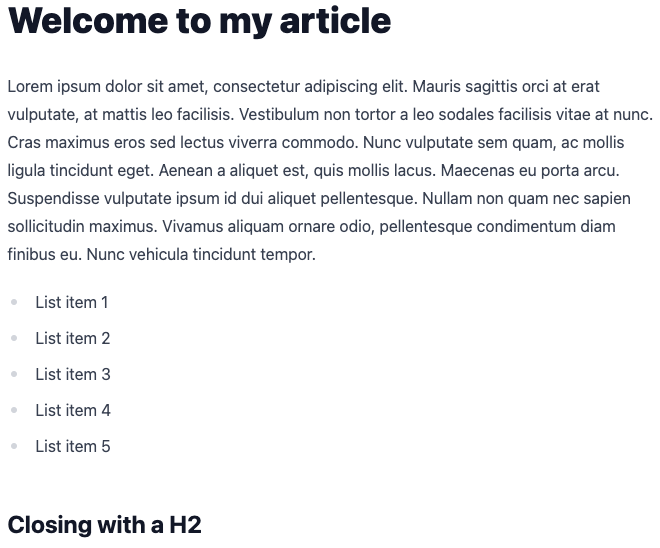
Way better, right!
You see, we didn't have to think about anything, and it just looks great.
You can also find this on my plain HTML Tailwind starter on GitHub.
Thank you for reading, and let's connect!
Thank you for reading my blog. Feel free to subscribe to my email newsletter and connect on Facebook or Twitter
About the author
I'm a full-stack developer from South Africa 🇿🇦. I love writing about JavaScript, HTML and CSS.
Comments
Join the discussionProse plugin is brilliant for TailwindCSS. i use it extensively on my blog, overriding classes etc so the styling fits with my blog template.
Its made my life working with Laravel Wink & Tailwind CSS a breeze!
Awesome!
Prose for the win it is 👏



