
Laravel relational database models

By now, we created a database in Laravel, and made our first seeder. Another great next step is to look into relational models.
So far, we have created a book model. Let's say we are going to introduce a category. Each book will belong to one category, and a category can have many books.
Thinking in this way will help you determine which connection you will need. Laravel does a super good way of documenting these.
Creating the category
First, let's start by creating a model and database by running the following command.
php artisan make:model Category --migration
This will make a category model and create the migration for it.
Modify the migration to look like this.
Schema::create('categories', function (Blueprint $table) {
    $table->id();
    $table->string('name');
    $table->timestamps();
});
Then we also need to add the link to our book table. Now there are two ways of doing this.
- Altering the migration we had
- Writing a new migration that will add this relation
Generally, I like to keep my migrations clean if there is no real-life data in them. If that is the case, do write a specific new migration.
In this case, since we are creating the relationship later, we can include the book change. This is what the total migration will look like.
Schema::create('categories', function (Blueprint $table) {
    $table->id();
    $table->string('name');
    $table->timestamps();
});
Schema::table('books', function (Blueprint $table) {
    $table->unsignedBigInteger('category_id')->nullable();
    $table->foreign('category_id')->references('id')->on('categories')->onDelete('set null');
});
That adds a relation from the book database to the category database.
Don't forget the add the down function!
Schema::dropIfExists('categories');
Schema::table('book', function (Blueprint $table) {
    $table->dropForeign(['category_id']);
    $table->dropColumn('category_id');
});
Defining the relationships in the models
It is very cool, and the database will be able to click through, but the real magic now comes in the models.
Let's start by altering the book model. As mentioned in the intro, one book will belong to one category.
class Book extends Model
{
    public function category()
    {
        return $this->belongsTo(Category::class);
    }
}
That tells the book it belongs to a category. Laravel will do all of the magic for us from here.
Now on the category side, we have to say one category can have many books.
class Category extends Model
{
    public function books()
    {
        return $this->hasMany(Book::class);
    }
}
And that is literally all you need to make relations between models.
Let's run a new migration since we altered our existing migration.
php artisan migrate:fresh --seed
I've added some demo data so you can see the relations work.
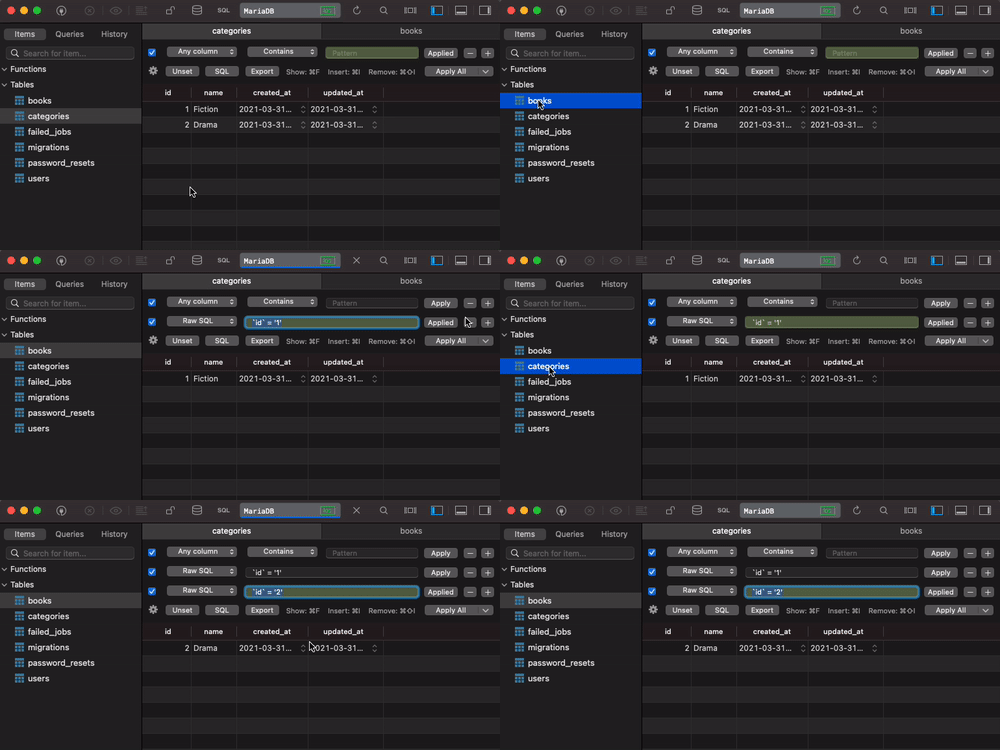
Can you create a seeder for the category part? You can look at how I created the Book seeder in Laravel.
Thank you for reading, and let's connect!
Thank you for reading my blog. Feel free to subscribe to my email newsletter and connect on Facebook or Twitter
About the author
I'm a full-stack developer from South Africa 🇿🇦. I love writing about JavaScript, HTML and CSS.
Comments
Join the discussionNo comments yet. Be the first to comment.



