
JavaScript match values in two arrays

I don't know about you, but quite often I need a simple piece of code that can find the equals in two arrays.
Or for that matter, find the non-equals.
What this basically means is that we need to compare two arrays and get an output stating which elements match.
For this specific purpose, we are going to use the Array filter() method.
The end result will behave as follows:
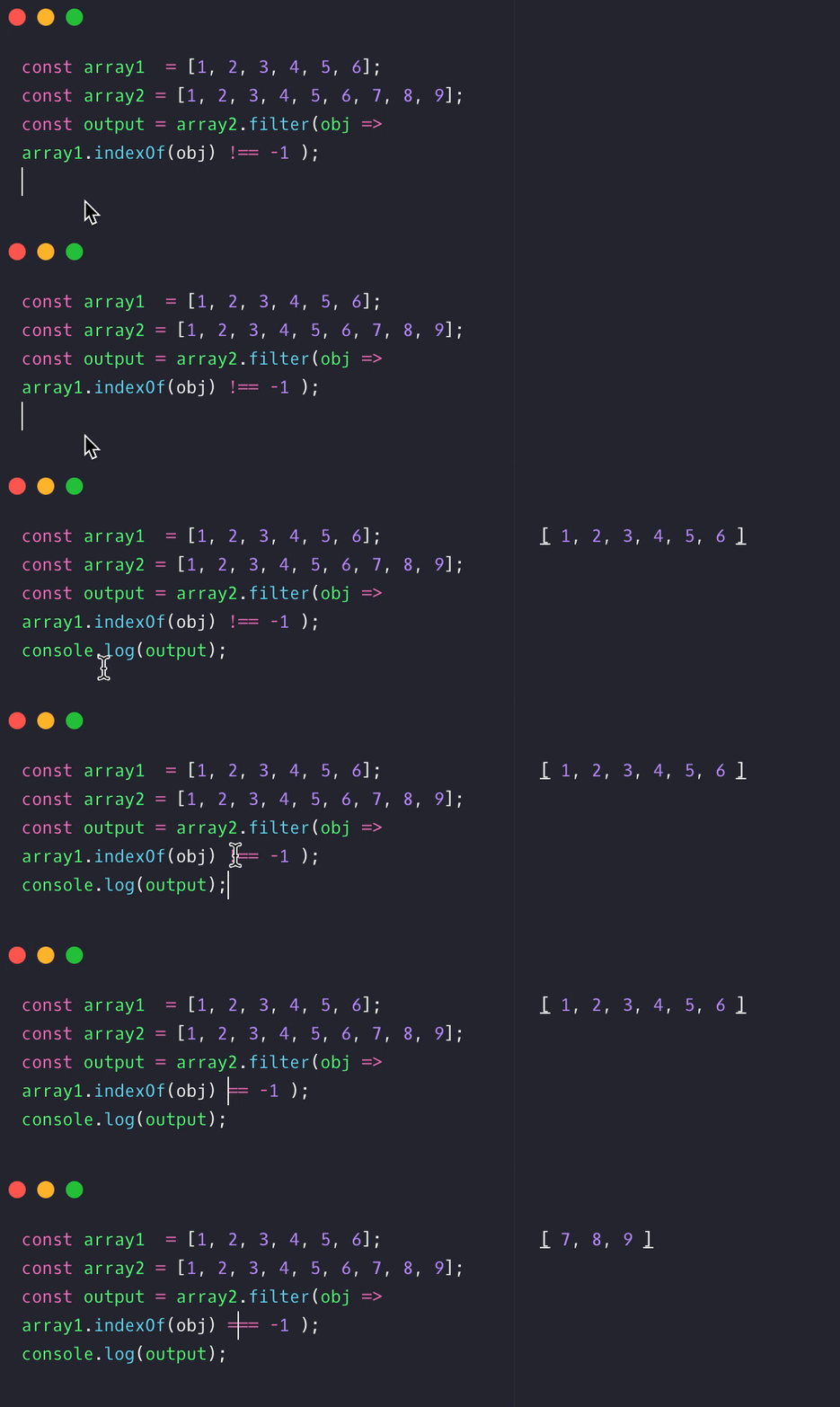
JavaScript finding match values in two arrays
So let's start by making our two arrays.
const array1 = [1, 2, 3, 4, 5, 6];
const array2 = [1, 2, 3, 4, 5, 6, 7, 8, 9];
As you can see we have matching numbers stating from 1-6 the second array has three extra numbers 7,8,9.
Our end goal here is to get an array back stating the numbers 1-6.
In this case we can make excellent use of the Array filter method.
const output = array2.filter(function(obj) {
  return array1.indexOf(obj) !== -1;
});
console.log(output);
What we do here is define a new output that will get a brand new array. We then specifically want to filter the second array, inside the filter function we check if this item is part of the first array.
In this case, the indexOf will return either a position or -1 if it's not found.
The output:
[1, 2, 3, 4, 5, 6];
Tadaa 🥳 We found matches between two arrays.
JavaScript finding non-matching values in two arrays
But, what if we need to find the values that are only in one of the arrays?
This case is slightly different because it will only work one way.
What we will do is revert the check, so instead of checking if the indexOf is NOT -1, we want those values of -1.
The code will look like this.
const array1 = [1, 2, 3, 4, 5, 6];
const array2 = [1, 2, 3, 4, 5, 6, 7, 8, 9];
const output = array2.filter(function(obj) {
  return array1.indexOf(obj) === -1;
});
console.log(output);
And in this case, the output will be:
[7, 8, 9];
As mentioned, this only works one-way. So if you add a non-matching number in array1 that won't be returned with this method.
I do hope you found this array matching useful. It comes back more often than you would think.
Making it smaller
As always we can use the shorthand version for the filter method.
const output = array2.filter(obj => array1.indexOf(obj) !== -1);
We can omit the actual function part and do not need to specify the return values.
I tend to write out the full functions because it's easier for beginners to understand what happens.
Thank you for reading, and let's connect!
Thank you for reading my blog. Feel free to subscribe to my email newsletter and connect on Facebook or Twitter
About the author
I'm a full-stack developer from South Africa 🇿🇦. I love writing about JavaScript, HTML and CSS.
Comments
Join the discussionCool! Smart and easy.
Thank Dany,
Glad you enjoyed the article ✌️



