
Ionic welcome tour slider

I'm sure you've seen these before, you open an app for the first time, and you're welcomed by this tour of what the app is about.
Today I'll show you how you can make one of these yourself in Ionic.
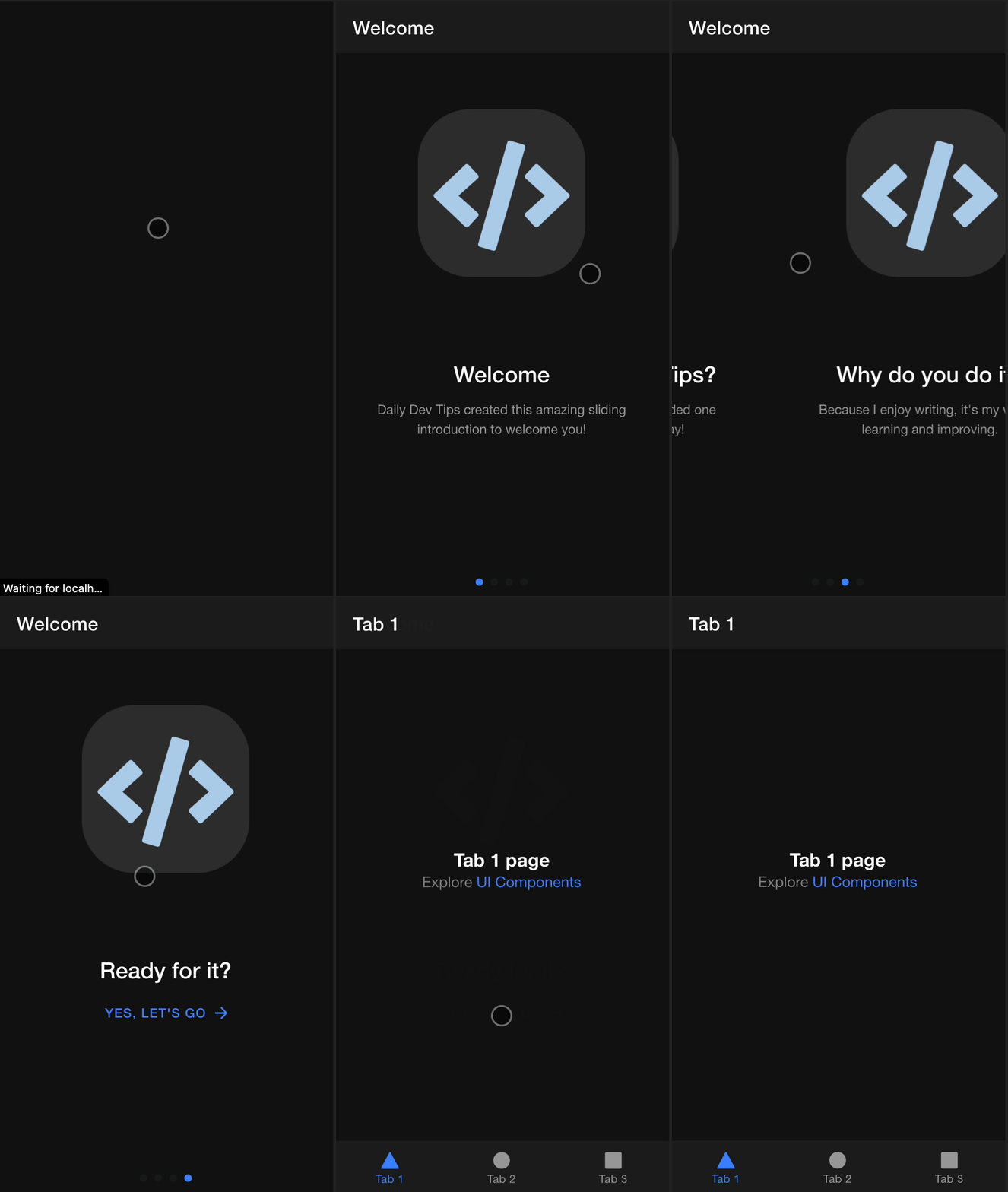
The result is a welcome flow like this:
Creating the welcome component
We will start with my Ionic starter that you can download from GitHub.
In here, let's first focus on making this actual welcome flow, then we'll deal with showing it at the right time.
Create a new page called welcome we can leverage the Ionic CLI for this:
ng g page Welcome
This will generate the welcome page and all its attributes.
It will also add it to the app-routing.module.ts file.
If we now run our application, we should be able to visit the welcome URL.
ng serve
// Visit: http://localhost:4200/welcome
You should now see your blank welcome screen. So let's add some slides to make it a proper tour.
Open up the welcome.page.html file and add the following:
<ion-content>
  <ion-slides pager="true">
    <ion-slide>
      <div class="slide">
        <img src="./assets/logo.png" />
        <h2>Welcome</h2>
        <p>
          Daily Dev Tips created this amazing sliding introduction to welcome you!
        </p>
      </div>
    </ion-slide>

    <ion-slide>
      <img src="./assets/logo.png" />
      <h2>What is Daily Dev Tips?</h2>
      <p>
        Daily Dev Tips is a blog that provided one unique article every single day!
      </p>
    </ion-slide>

    <ion-slide>
      <img src="./assets/logo.png" />
      <h2>Why do you do it?</h2>
      <p>Because I enjoy writing, it's my way of learning and improving.</p>
    </ion-slide>

    <ion-slide>
      <img src="./assets/logo.png" />
      <h2>Ready for it?</h2>
      <ion-button fill="clear" routerLink="/tabs/tab1"
        >Yes, let's go <ion-icon slot="end" name="arrow-forward"></ion-icon
      ></ion-button>
    </ion-slide>
  </ion-slides>
</ion-content>
This will create four slides, and as you can see on the last slide, I've included a button to go to the tab1 page.
We also add some basic styling to make the slides look good in welcome.page.scss.
ion-slides {
  height: 100%;
}
.swiper-slide {
  display: block;
}
.swiper-slide h2 {
  margin-top: 2.8rem;
}
.swiper-slide img {
  max-height: 50%;
  max-width: 50%;
  margin: 60px 0 40px;
  pointer-events: none;
}
p {
  padding: 0 40px;
  font-size: 14px;
  line-height: 1.5;
  color: var(--ion-color-step-600, #60646b);
}
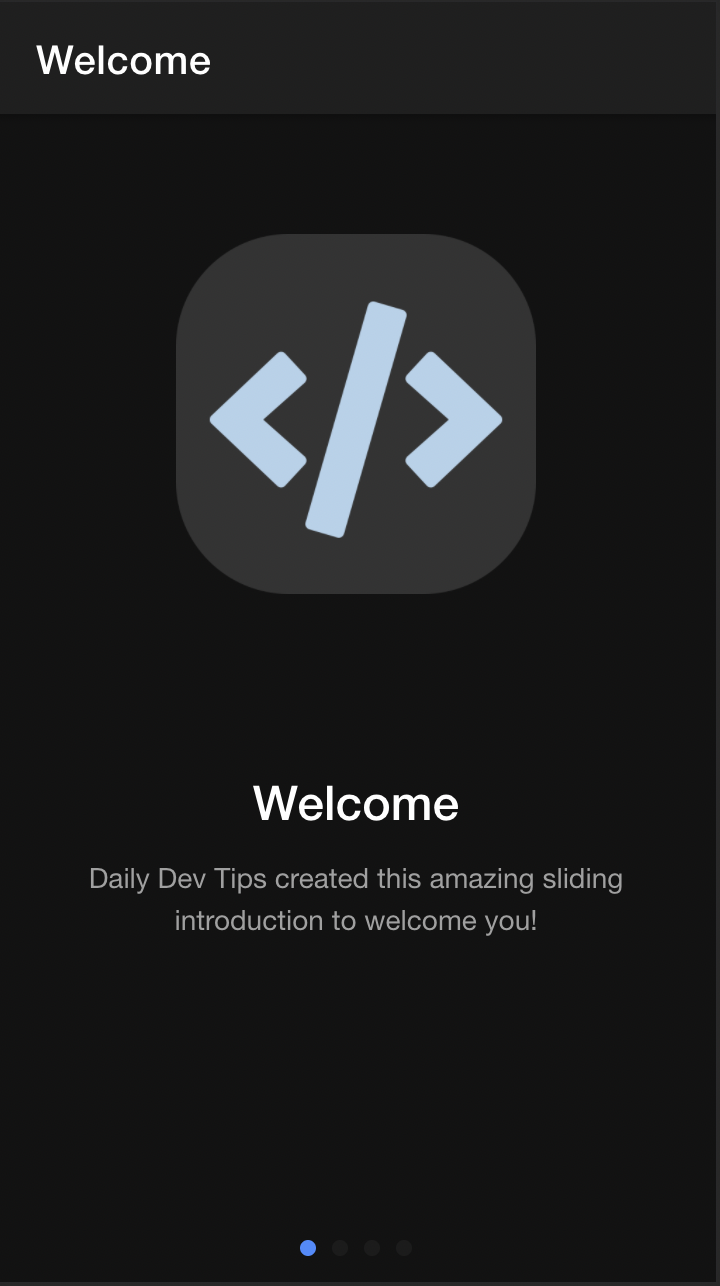
Running this will give us the slider as intended.
Redirecting first users to the welcome flow
Now that the welcome flow page is working, we need to redirect users when they enter the app for the first time.
In our case, we'll be adding the check inside the app.component.ts.
Inside the initializeApp function, we'll introduce the check, making use of the localStorage functionality.
if (!localStorage.getItem('welcome')) {
  localStorage.setItem('welcome', 'true');
  this.router.navigateByUrl('/welcome');
}
This checks if we have an item in our localStorage called "welcome". If not, it's created. (The value can be anything). And the user is redirected to the welcome page. If the next time the app runs and the localStorage item is found, nothing happens.
And there you go, we just created a cool welcome flow for our new users.
You can find today's code on GitHub.
Thank you for reading, and let's connect!
Thank you for reading my blog. Feel free to subscribe to my email newsletter and connect on Facebook or Twitter
About the author
I'm a full-stack developer from South Africa 🇿🇦. I love writing about JavaScript, HTML and CSS.
Comments
Join the discussionNo comments yet. Be the first to comment.



