
I finally changed the default Mac mail behaviour

If you're on a Mac and use a Mail client that is not the default Mac Mail this article is for you.
More then once I've clicked a mailto:[email protected] link and it opens that stupid Mac app instead of your own mail client.
This bugged me so much, so here is how you can change that default behaviour to be an application you want it to be.
The end result: (I'm using Spark)
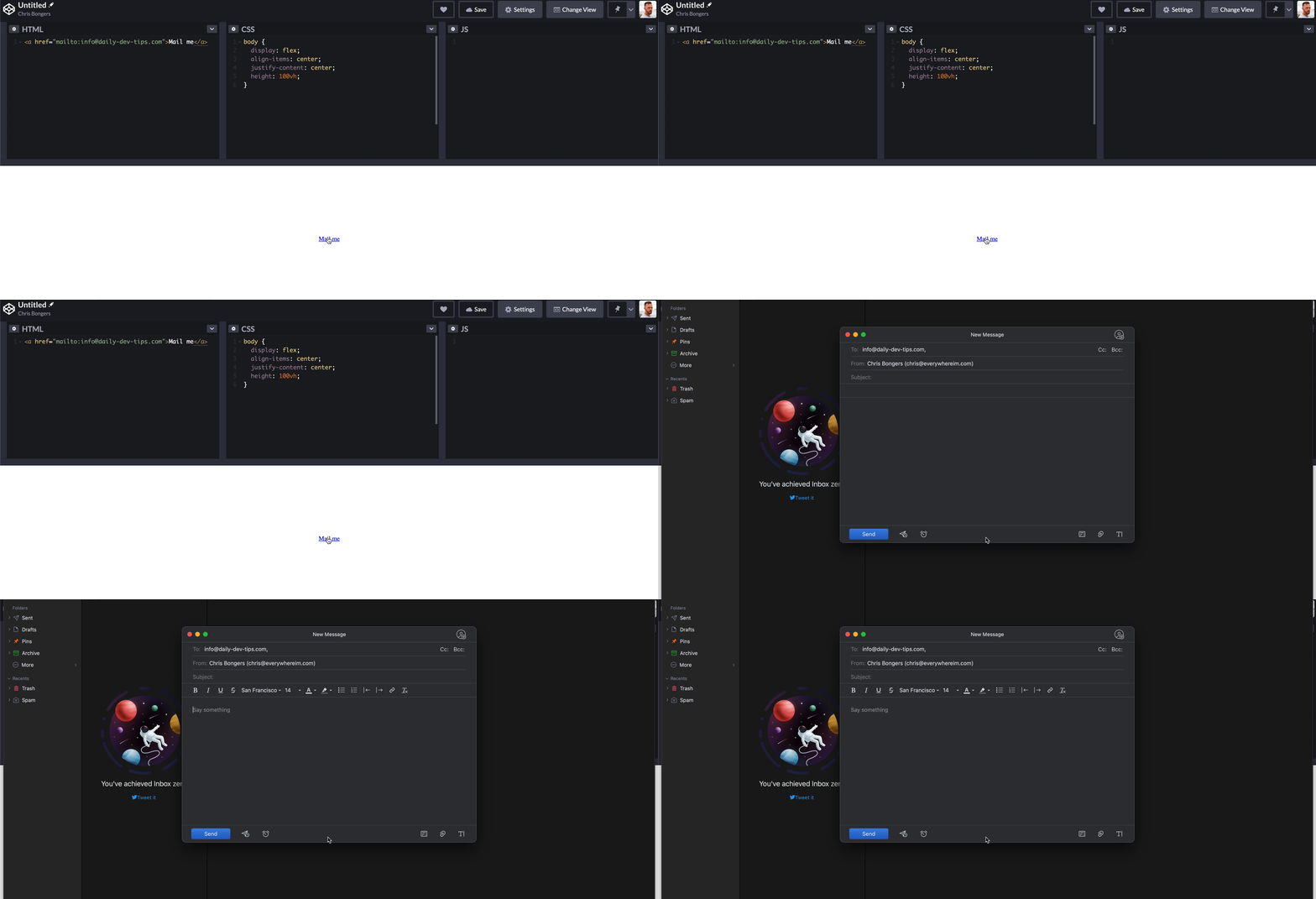
How to change the default Mail client on Mac
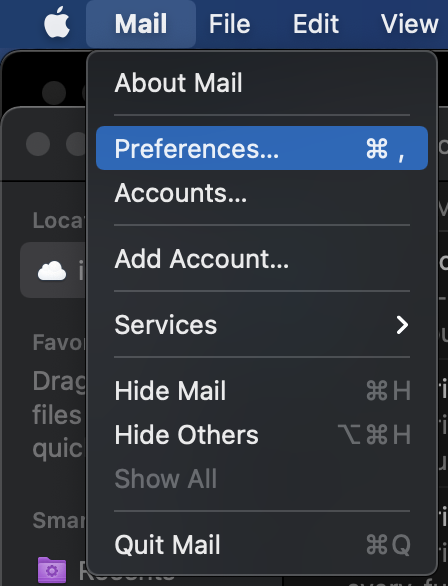
To actually make this change, we have to open the default Mail app.
Open the Preferences menu for the Mail app.
Now we need to change the default email reader.
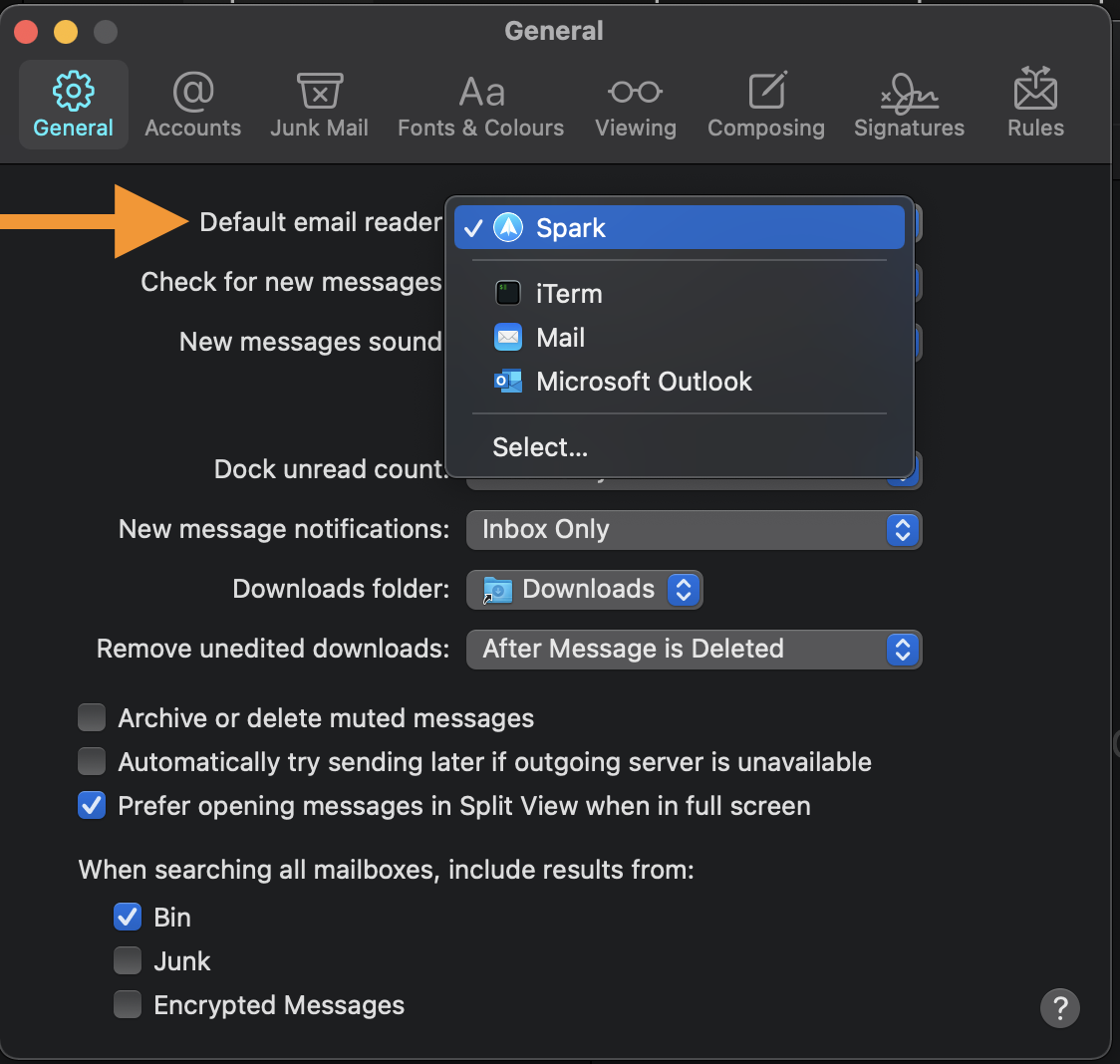
That's it. Now your default mail actions will be through whatever you just set up.
I hope it helps you get rid of opening that default mail app by default.
Some good alternatives for Mac
Perhaps you're thinking cool, but what are some alternatives for Mac?
I'm personally using Spark because it comes with swipeable cards which help me maintain Inbox zero.
If your an outlook person, Microsoft Outlook for Mac is pretty good!
I also heard good things about Airmail, but for me, Spark does everything I need, so never tried this one myself.
Perhaps you really like slick UI's and are not afraid to pay a little bit, then check out Canary mail.
Thank you for reading, and let's connect!
Thank you for reading my blog. Feel free to subscribe to my email newsletter and connect on Facebook or Twitter
About the author
I'm a full-stack developer from South Africa 🇿🇦. I love writing about JavaScript, HTML and CSS.
Comments
Join the discussionNo comments yet. Be the first to comment.



