
I decreased my average load time by 381ms

Thanks for stopping by, not just a clickbait title, as I went from an average load time of 507ms to 126ms. A whopping win of 381ms!
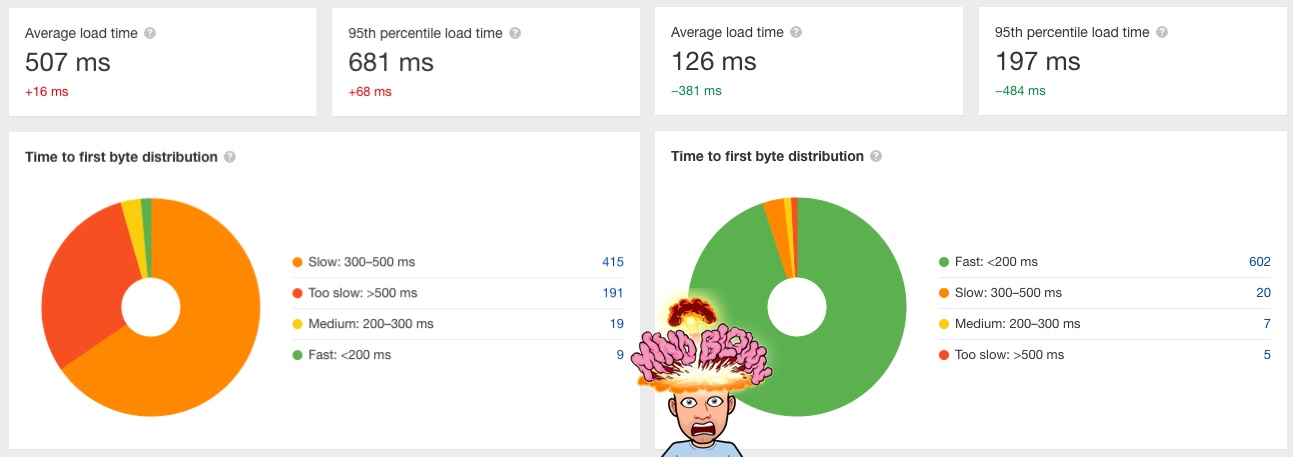
Let's talk about how this came to be.
For those who don't know me, I'm a bit obsessed with making my website faster and optimizing whatever I can on it.
Quite a while ago, I learned that my biggest downfall is Google Analytics. And heck, even a Google product complains about...
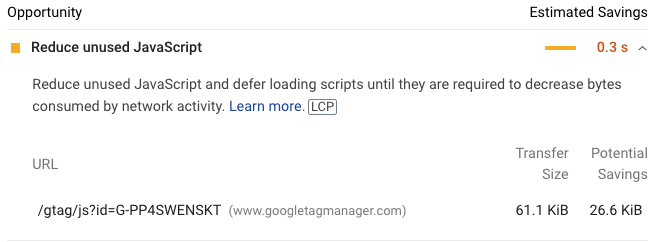
Yep, this is Pagespeed insights complaining about a google tag. It's just a plain google tag to load your analytics.
And it slows down your loads.
Do I even need Google Analytics
This whole topic came about when I started to think if I even needed Google Analytics.
Their numbers are off, as they can be blocked, and it's just vanity metrics for me at the end of the day. I don't optimize anything based on their numbers. I just get a kick out of looking at the numbers and seeing the site is growing.
At the time of writing this, I even moved to Cloudflare analytics to test them out.
Inside: So far, they seem to be doing super well and show a more realistic number.
Optimising the Google Analytics load
With that in mind, I thought, why not play around with this google analytics loading to see what we can optimize.
Everyone on the internet will tell you to place that code in your head.
And it makes sense because people might close your page before even loading the footer.
But then realize putting it there slows down your page by a massive 381ms! Maybe that's WHY they are even leaving in the first place?
And to be honest, who cares that you didn't track that person who didn't wait on your page to load?
It's not like Google Analytics is a realistic number of users anyway.
So I decided to move my implementation.
Before, I loaded it in the head like everyone else.
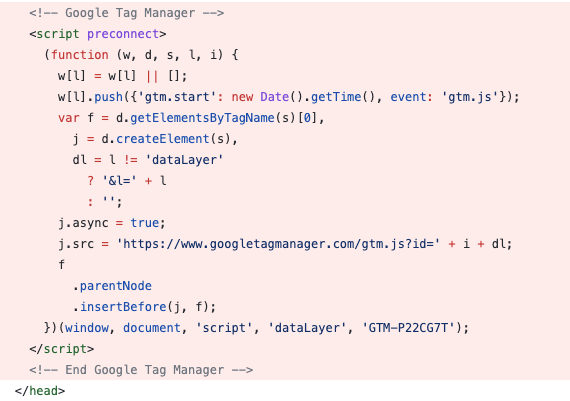
I then placed this code at the last space before closing the body like so:
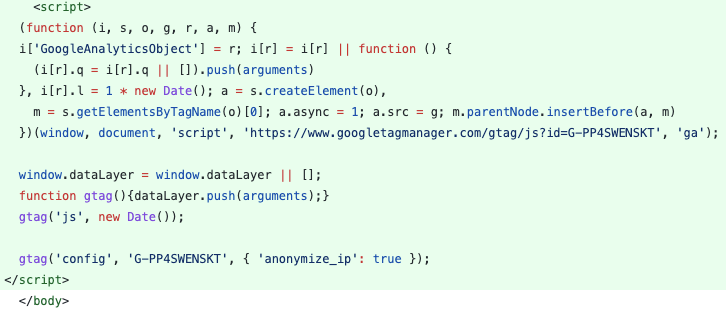
You might have spotted I replaced the google tag manager loading to a normal loading of only the analytics as this is all that's loaded anyway.
And that made a difference! A 381ms difference.
This is not based on one load, but an average load of all pages over a week!
Conclusion
Think about your analytics. Do you use it? Should it be in the head, or can you move it down to make your site faster?
And if you do, you might lose that odd person that doesn't wait for your website, but who cares? 🤷♂️
Thank you for reading, and let's connect!
Thank you for reading my blog. Feel free to subscribe to my email newsletter and connect on Facebook or Twitter
About the author
I'm a full-stack developer from South Africa 🇿🇦. I love writing about JavaScript, HTML and CSS.
Comments
Join the discussionNo comments yet. Be the first to comment.



