
How to import a local widget in Flutter

So far, we quite a basic look at Flutter, and how everything works. We even made a cool sample Todo list application in Flutter.
However, we placed all our code in the lib/main.dart file until now.
You might be wondering, cool, but surely that gets a bit unmanageable. And this was the same thing I was wondering.
So let's look at how we can move some code to another file and import that into our main file.
Note: this guide does not tell you the best practices about folder structures, just an introduction to how it works.
Importing a local dart file in Flutter
Let's start simple and create a small widget that we'll try and embed in our basic app.
We'll work on the basic Flutter app. You can download this code on GitHub to get started with.
Alright, now let's make a new folder in our lib called screens and place a file called home.dart inside this folder.
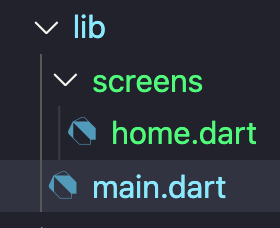
In this file, we'll place the code of our basic widget like so:
import 'package:flutter/material.dart';

class MyApp extends StatefulWidget {
  @override
  _MyAppState createState() => _MyAppState();
}

class _MyAppState extends State<MyApp> {
  int _counter = 0;

  void _incrementCounter() {
    setState(() {
      _counter++;
    });
  }

  @override
  Widget build(BuildContext context) {
    return Scaffold(
      body: Center(
        child: Column(
            mainAxisAlignment: MainAxisAlignment.center,
            children: <Widget>[
              Text(
                'You have pushed the button this many times:',
              ),
              Text(
                '$_counter',
              ),
              TextButton(
                onPressed: _incrementCounter,
                child: const Text('Add number'),
              ),
            ]),
      ),
    );
  }
}
And in our main.dart file, we can remove all that code, so it looks like this.
import 'package:flutter/material.dart';

void main() async {
  runApp(
    MaterialApp(debugShowCheckedModeBanner: false, home: MyApp()),
  );
}
However, your editor will be saying it doesn't know what MyApp is, and it's right! So let's fix that by importing our new Home Screen!
import 'package:flutter_app/screens/home.dart';
Ok, that makes sense, but what is this package:flutter_app thing about?
And the package tells Flutter what package to load something from.
The flutter_app refers to our application. If you are wondering where we set this variable, open up the pubspec.yaml and check out the name variable!
name: flutter_app
Cool right! Our little package. And with this knowledge, we can now move certain widgets and screens into their files to create more structure in our application.
You can also download my example code from GitHub if you're unsure about how it should work.
Thank you for reading, and let's connect!
Thank you for reading my blog. Feel free to subscribe to my email newsletter and connect on Facebook or Twitter
About the author
I'm a full-stack developer from South Africa 🇿🇦. I love writing about JavaScript, HTML and CSS.
Comments
Join the discussionNo comments yet. Be the first to comment.



