

Now that we have our action triggered programmatically let's see how we can get the response data from an API.
This way, we can make it a bit more interactive.
If you'd like to follow along, please complete the previous article first.
Fetching API data in a google action
The cool part now that we have our action using a function is that we can use all kinds of node goodies. One of these goodies is the fetch API.
Let's use a placeholder API first, so it's easier to test.
Open up your action and start by adding the fetch API.
const fetch = require('node-fetch');
Then inside our greeting function, we should convert it to an async function.
// Previous
app.handle('greeting', (conv) => {});

// New
app.handle('greeting', async (conv) => {});
Now that our function is asynchronous, we can await the fetch; since it's direct JSON we can await the JSON conversion as well like this:
app.handle('greeting', async (conv) => {
  const response = await fetch('https://jsonplaceholder.typicode.com/posts/1');
  const text = await response.json();
});
And then, we can modify our response card to return this data instead of the static data.
app.handle('greeting', async (conv) => {
  const response = await fetch('https://jsonplaceholder.typicode.com/posts/1');
  const text = await response.json();

  conv.add(
    new Card({
      title: text.title,
      text: text.body,
      image: new Image({
        url: 'https://daily-dev-tips.com/images/logo.png',
        alt: 'Daily Dev Tips logo',
      }),
    })
  );
});
You can now save and deploy your function, be sure to wait a minute or so for it to deploy. Then test your function and see it in action!
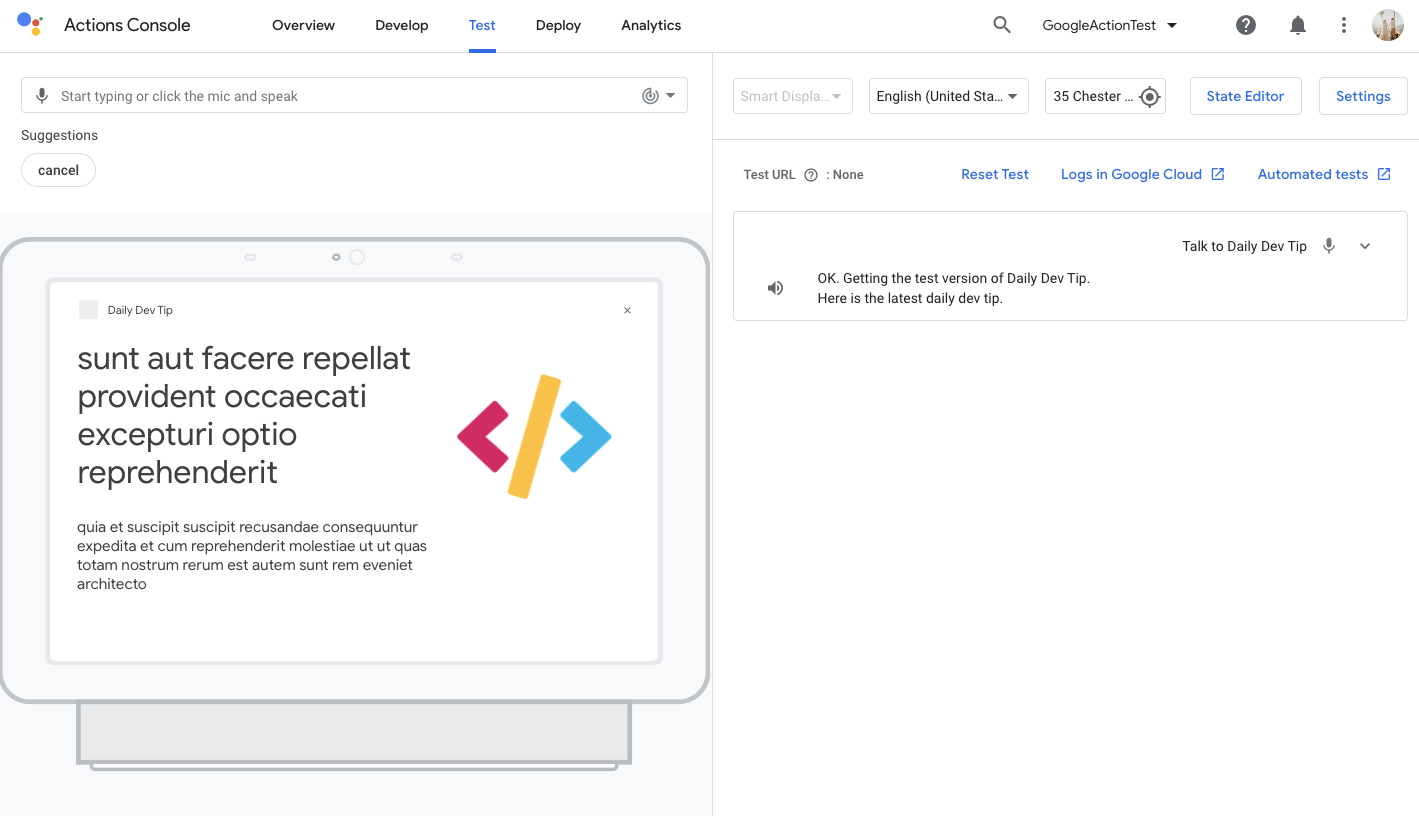
And that's it. We now added an API call to our Google action! Pretty cool stuff, if I may say so.
Thank you for reading, and let's connect!
Thank you for reading my blog. Feel free to subscribe to my email newsletter and connect on Facebook or Twitter
About the author
I'm a full-stack developer from South Africa 🇿🇦. I love writing about JavaScript, HTML and CSS.
Comments
Join the discussionNo comments yet. Be the first to comment.



