Gmail plus make your life easier 😙

3.9 billion users, yes Gmail is massive and has a lot of cool features.
Today we will be looking at the Gmail + plus action to make your life easier!
Nowadays, we get so much email and it gets cluttered quickly.
Note: Check out my article on achieving Inbox Zero
Gmail + email address
In Gmail you get a specific email address let's say:
[email protected] or [email protected]
You can also use a plus to receive certain emails:
[email protected] or [email protected]
These will arrive in your normal mailbox!
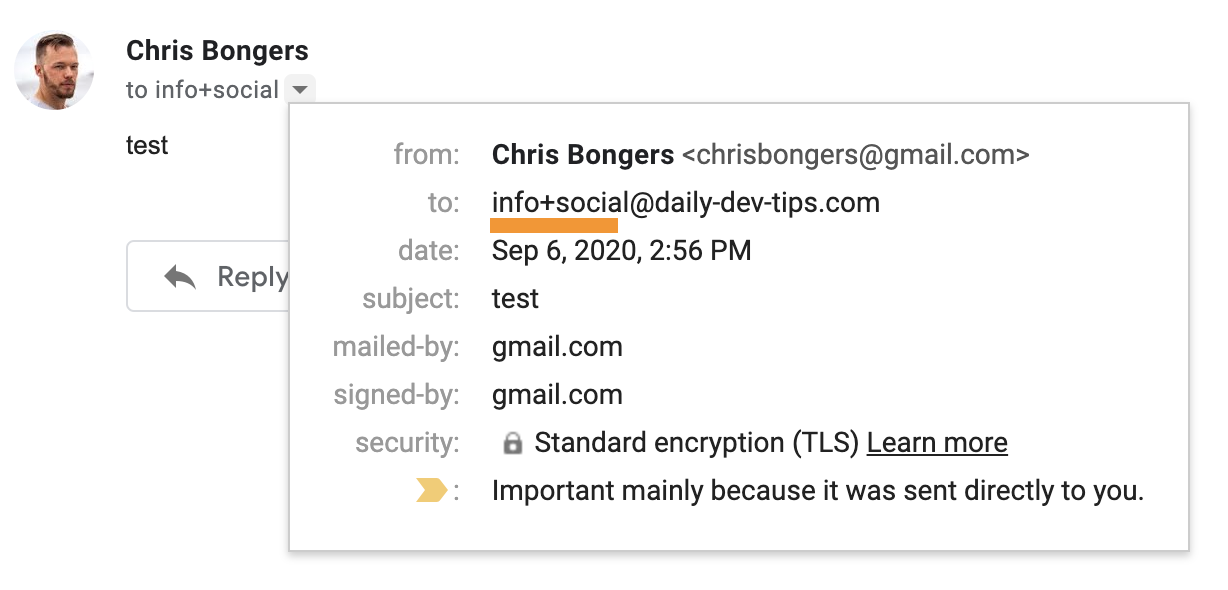
That is already very cool. You can use it to sign into one service with the same address (Twitter personal + business)
But, we are using it to put emails in certain categories!
Gmail + sign filter
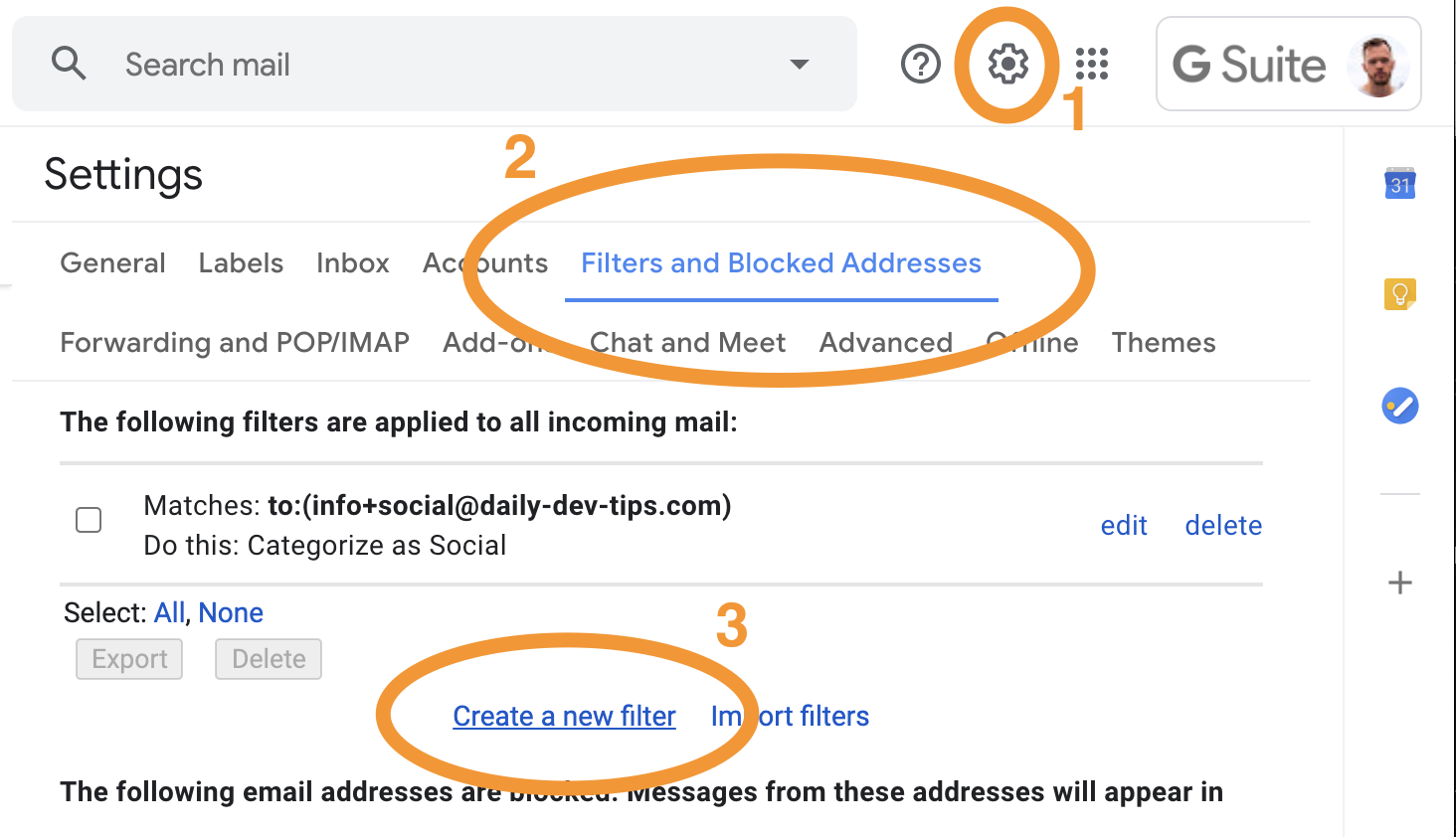
First, go to the filter section and add a new filter:
- Settings
- Filters and Blocked Addresses
- Create a new Filter
Within this filter, type the email address in the To field.
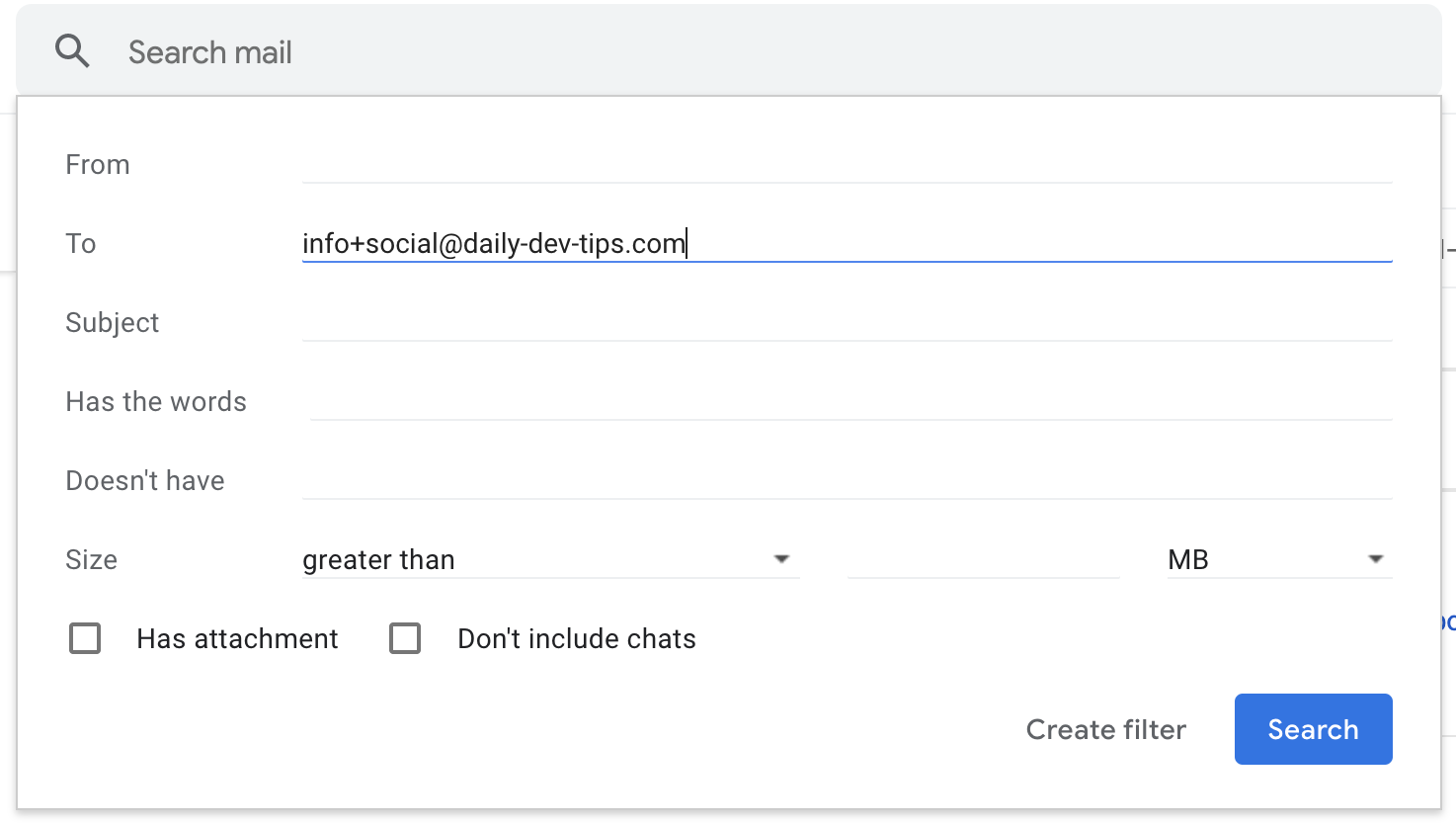
Hit the Create filter button
Then we can set up our filter however we like. In my case I'm only sending these emails to a specific category, but you could also mark them as read for instance.
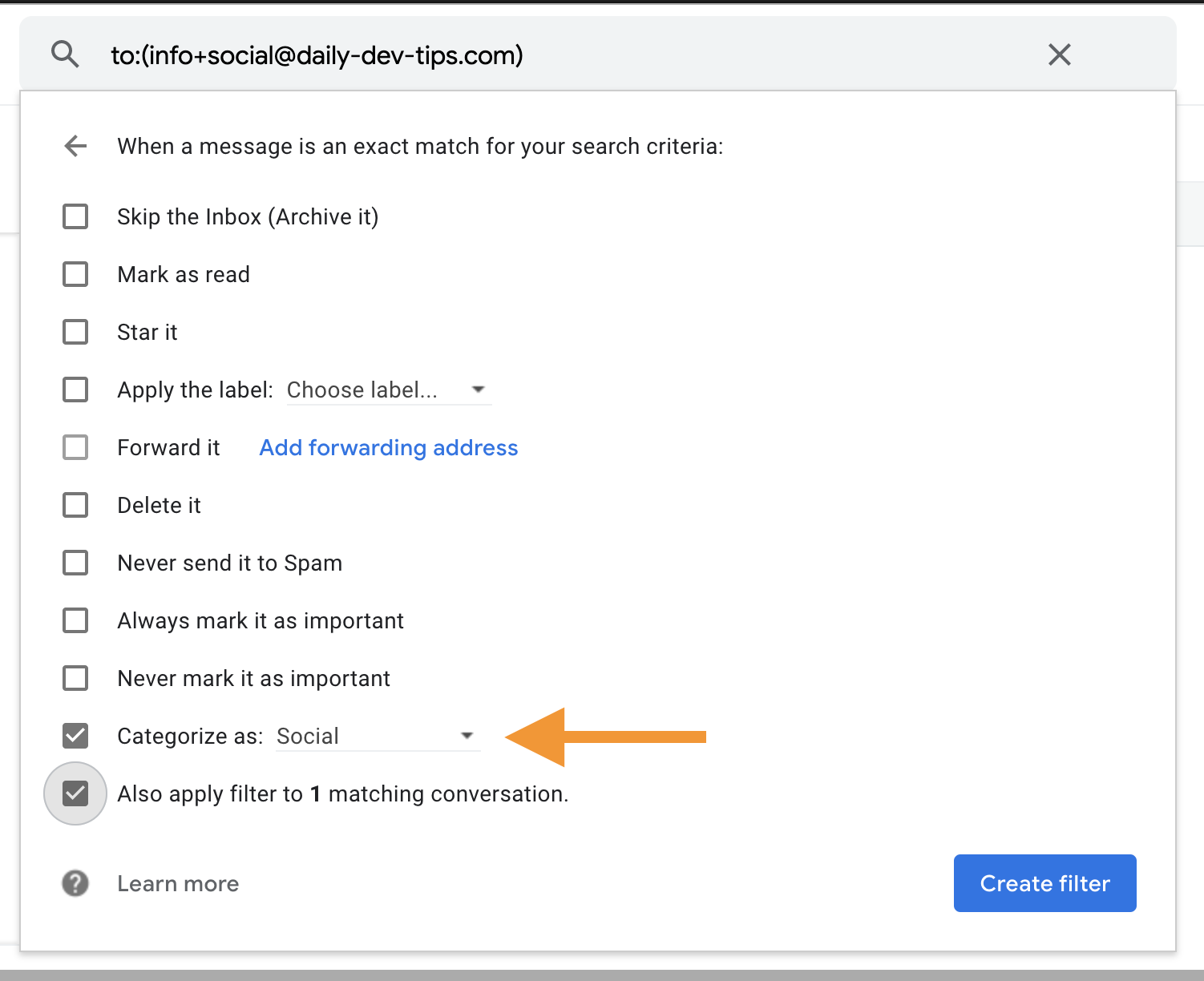
That's it! Emails send to [email protected] will now end up in my Social category.
Have fun, and create some amazing filters to make your life easier! 😙
Thank you for reading, and let's connect!
Thank you for reading my blog. Feel free to subscribe to my email newsletter and connect on Facebook or Twitter
About the author
I'm a full-stack developer from South Africa 🇿🇦. I love writing about JavaScript, HTML and CSS.
Comments
Join the discussionI use 10 Minute Mail. Their service allows me to create a temporary email address that lasts for 10mins. I use this to signup to websites with whom I can't share my real email on account of ending up in their spam list. Those 10mins also allow me to validate it via the confirmation link those services send.
Oh awesome way to prevent spam subscription
Nice tip!
I’ve used the + before when doing regression testing and needing to fake having multiple email accounts. But I never thought to use it and then create a subsequent filter for it in Gmail. I’ll definitely have to give that a try.
It's amazing for multiple purposes actually. Spam detection / Multi signup / And these filters