
Exploring 5 meta tags to help beginners with SEO

In today's article, we will be learning about meta tags, what they are, why we need them, and how they work.
Meta tags are tiny snippets of code that have two main goals:
- Telling search engines on how to display your web page
- Tell the browser how to show it to visitors
Let's get right to it and check out these five important meta tags for SEO.
1. Meta title
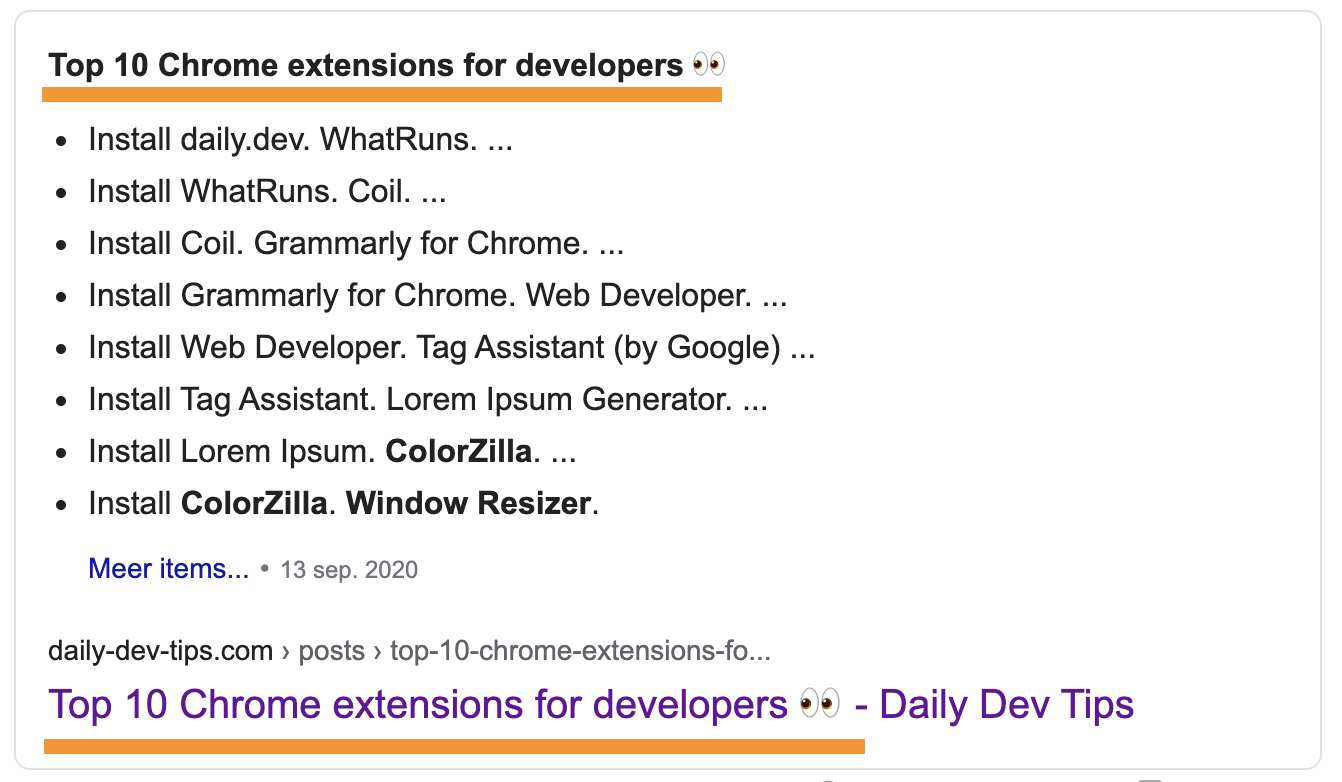
This is the title as we show it to Google.
We can add a meta title with the following code.
<title>Top 10 Chrome extensions for developers 👀</title>
Some tips for using titles:
- Each page should have a unique title
- Don't make titles too long (50-60 characters is optimal)
- Don't overdo it with keywords
- Write a descriptive title for your page
How a title looks in Google:
2. Meta description
After the title, the biggest win is the description. As the name suggests, it's a brief description of your web page. They can be any length, but Google generally shows around 150-160 characters. They should provide a good description where you tell the user what this page is about.
Here are some guidelines for meta descriptions:
- Avoid duplicate meta descriptions on your website
- Don't include double quotation marks, and Google will cut the text there
- Write a relatable copy. The person must understand what he is going to read
This is how you can add a description tag in HTML.
<meta name="description" content="I write daily web development tips that help you become a more efficient software developer.">

Note: Search engines may decide to show other content on the page over the description
3. Meta charset
This tag MUST be on every page. Leaving this out can really impact your website not being indexed.
These are the two major ones:
UTF-8: Unicode character encodingISO-8859–1: Latin alphabet encoding
Find a full character setlist here
Why it's important:
- It can show wrongly formatted characters in your code.
- People might think your page is bogus and not valid
- Search engines might not understand your content
- Google states UTF-8 is the most adopted set
You can add a charset like this in HTML
<meta charset="utf-8">
4. Meta viewport
A viewport tag is used to tell a browser what to do with several screen sizes. By having this tag, we tell google we are mobile-friendly. And we all know Google ranks mobile-friendly sites higher!
How to add a viewport in HTML?
<meta name="viewport" content="width=device-width,initial-scale=1">
The content can be different, but this is a widely adopted default.
Read CSS Tricks full guide on the responsive meta tag.
5. Meta robots
A last one important, but not required for SEO, is a robots tag. With a robots tag, we can give search engine bots what to do with this page.
It can have the following options:
index: Tell the bot to index this pagenoindex: No, don't index this pagefollow: Follow links on this pagenofollow: Don't follow any links on this page
Use these robot tags only on pages where you want to restrict a bot. (Like admin pages)
A robot tag will look like this:
<meta name="robots" content="index, follow">
Thank you for reading, and let's connect!
Thank you for reading my blog. Feel free to subscribe to my email newsletter and connect on Facebook or Twitter
About the author
I'm a full-stack developer from South Africa 🇿🇦. I love writing about JavaScript, HTML and CSS.
Comments
Join the discussionChris Bongers There are also 2 important meta tags that are also highly important in SEO.
1) Twitter Cards meta tags & Open Graph Meta tags 2) Language Meta tags
Hi Bhavya,
I don't quite agree with the Twitter card being important for SEO. It's a good meta tag to use, but doesn't affect your SEO scores as far as I know.
The language tag should be enough when provided on the HTML tag, however when using multiple languages very true you should define the current language.
Nice 👍️
Thanks Peter 🤟



