

Now that we have our Google Action fully functional, we can look at deploying it so that it will become active for everyone.
I've never done this before, so bear with me, as Google might come back and reject the action for some reason.
Deploying the Google action
First of all, head over to your Google actions console and ensure you tested the app on all possible devices in the Test tab.
Once you are ready to deploy, head over to the deploy tab. In this tab, you'll find a small overview of the most important parts with a detailed option on the left.
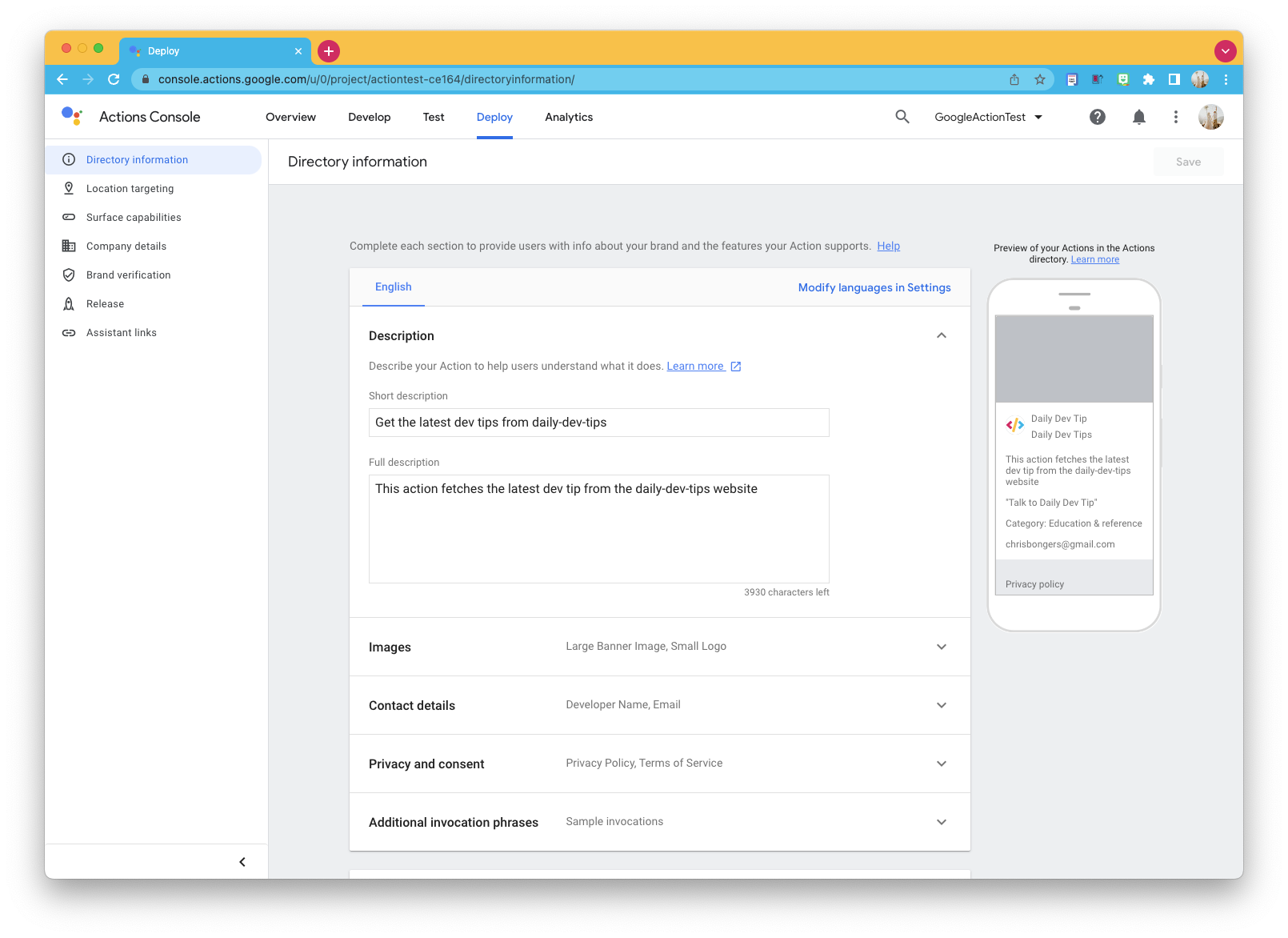
I started filling out the information on this page, and here are the required fields:
- Short description
- Full description
- Small logo
- Developer contact details
- Privacy policy
Let me dive a little bit deeper into the Privacy policy as it's the one that might require some more work.
If you already have a generic one on your website, you can use that. If you don't have one, you can use a free tool like TermsFeed to generate one.
You can then follow Google's actions example of hosting it on Google Drive and making the link publicly available. They do an excellent job of explaining how it works inside the privacy policy step.
Mine looks like this: Google action privacy policy.
And once that's all filled out, head over to the release section in the left-side menu. From here, you can start a new release by clicking the button. Your version will be 1, and you can select "production" as your channel.
Check that you have gone through all the steps described and want to do a full rollout.
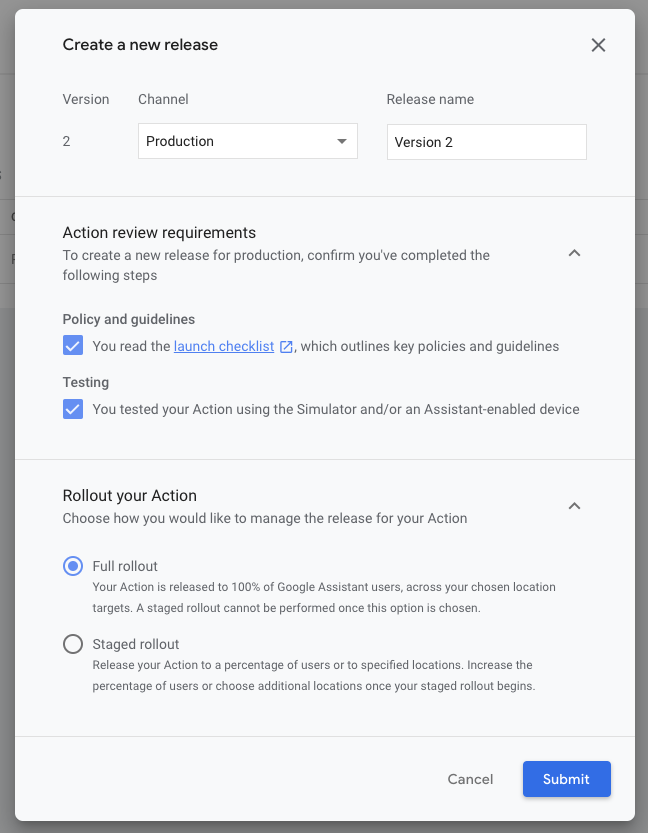
Once done, you'll either be prompted that it succeeded or missed a step somewhere. You can simply go back and fix it and try again.
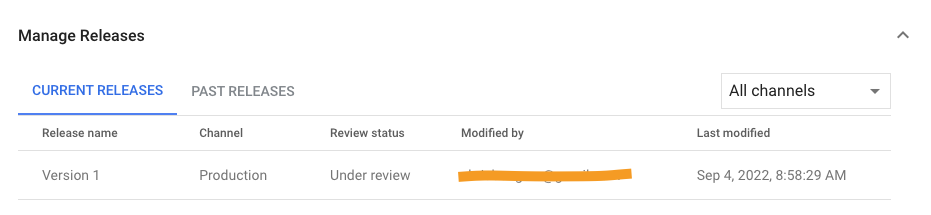
In the end, your submission will be visible in the release section, and you should receive an email about this.
Thank you for reading, and let's connect!
Thank you for reading my blog. Feel free to subscribe to my email newsletter and connect on Facebook or Twitter
About the author
I'm a full-stack developer from South Africa 🇿🇦. I love writing about JavaScript, HTML and CSS.
Comments
Join the discussionNo comments yet. Be the first to comment.



