
Debugging testing library tests

Debugging tests can become a quick nightmare, as they often fail on something you did not expect to happen.
Luckily for us, testing library has some great options for debugging that we can leverage.
In this article, we'll mainly focus on DOM rendering debugging.
The standard debugging
In the most standard case, the testing library will output the failing element. You should be able to see what might have gone wrong in that output.
However, this might not be completely visible when testing a significant DOM element, or you won't see the actual element you need to see.
Let's take the following app code:
function App({ firstTime = false }) {
  return (
    <div className='App'>
      <strong>Welcome to our app</strong>
      {firstTime && <p>I see this is your first time!</p>}
    </div>
  );
}
And now, let's write a failing test to see what happens.
it('should render welcome text', async () => {
  render(<App />);
  expect(screen.getByText('Welcome to our appwrong')).toBeInTheDocument();
});
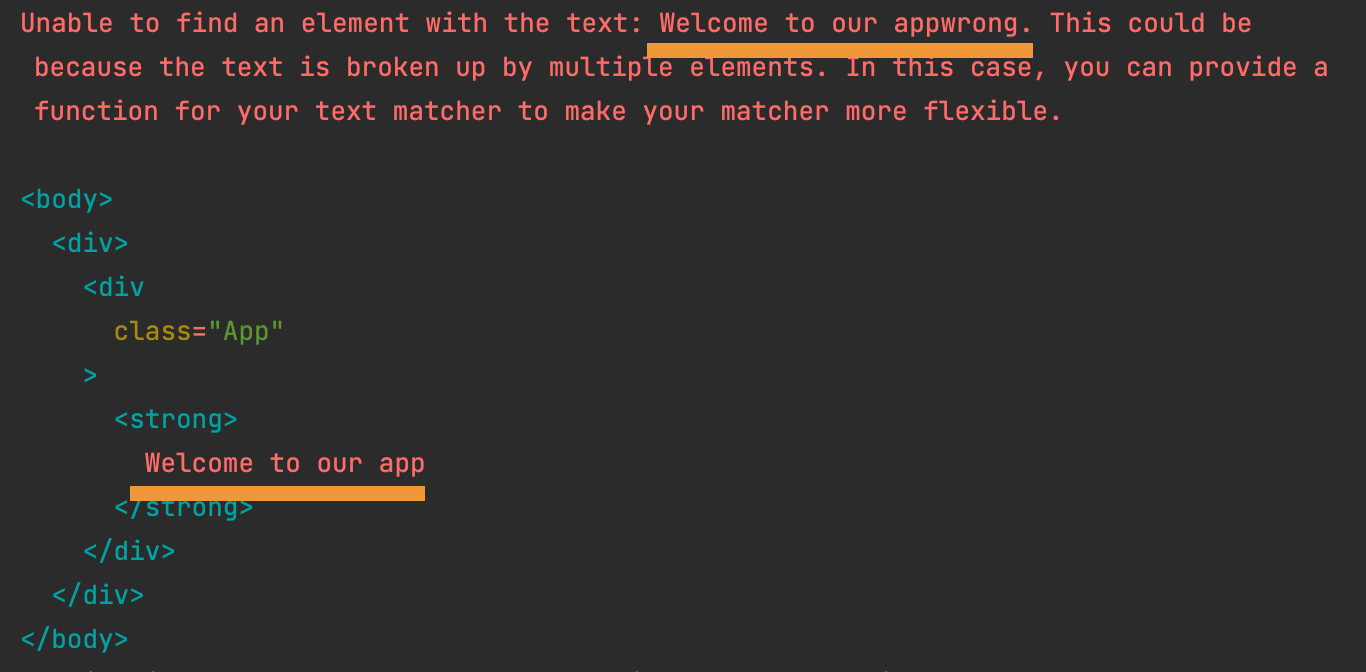
As you can see in the image above, we throw a simple error, which is easy to spot.
Let's say this file was way larger. We could get cut off at the party where we need to be,
One option here is to enlarge the environment variable for the amount of debug lines it shows. (Default 7000)
You can see it like this:
DEBUG_PRINT_LIMIT=10000 npm test
Prettify the DOM
Another excellent debugging option is prettyDOM, which can be used to console.log a prettier rendered version of the render.
import { prettyDOM, render } from '@testing-library/react';

it('should render prettyDOM', async () => {
  const { div } = render(<App />);
  console.log(prettyDOM(div));
});
As you can see, I removed the actual test for a second, which can also help debug.
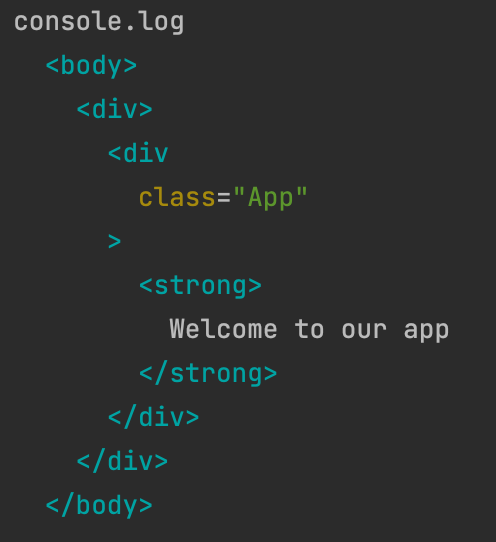
This will now show the following output:
Using logRoles
This is a super cool feature I only learned about recently. It can output a list of all the ARIA roles within the rendered DOM.
It can also be used to find elements you can use byRole on.
Let's start by changing our App to look like this:
function App({ firstTime = false }) {
  return (
    <nav className='App'>
      <ul>
        <li>
          <button>Button 1</button>
        </li>
        <li>Random text</li>
      </ul>
    </nav>
  );
}
Now we can use the logRoles to find all the accessible elements.
import { logRoles, render } from '@testing-library/react';

it('should show logRoles', async () => {
  const { container } = render(<App />);
  logRoles(container);
});
Which returns a list like this:
- navigation:
<nav>element - list:
<ul>element - listitem:
<li>element 2 times - button:
<button>element
I find this a fascinating approach as you can quickly see the available roles within this component.
Thank you for reading, and let's connect!
Thank you for reading my blog. Feel free to subscribe to my email newsletter and connect on Facebook or Twitter
About the author
I'm a full-stack developer from South Africa 🇿🇦. I love writing about JavaScript, HTML and CSS.
Comments
Join the discussionNo comments yet. Be the first to comment.



