
Custom error pages in Next.js

There is always that moment a user ends up on a page that doesn't exist. So let's see how we can make these pages stand out more by adding our pages for each error page.
Creating a 404 page in Next.js
Let's start with the most common one, the 404 page. This one often occurs if the users end up on a page that no longer exists or make a typo in the URL.
Let's try to find a random page called /does-not-exist and see what happens:
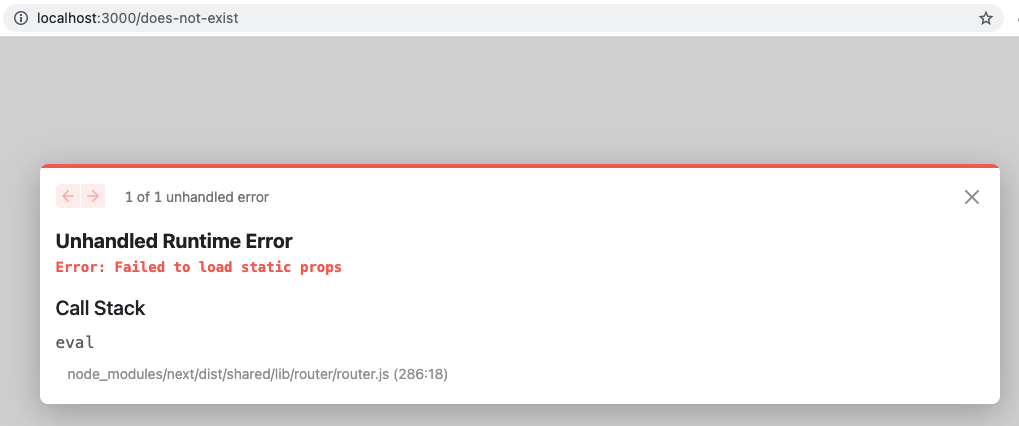
So we get the above error because we said fallback is true for the getStaticPaths function.
That means it should always try to resolve the page even if it can't find the static props.
To fix this, we can set the fallback to false like this, which will redirect to a 404 if it can't resolve.
export async function getStaticPaths() {
  const pagesWithSlugs = await getAllPagesWithSlugs();
  return {
    paths: pagesWithSlugs.edges.map(({node}) => `/${node.slug}`) || [],
    fallback: false,
  };
}
To create the 404 page we can create a page called 404.js in our pages directory.
export default function Custom404() {
  return (
    <div className="flex items-center justify-center h-screen mx-2 my-2 overflow-hidden ">
      <div className="px-6 py-4 rounded shadow-lg">
        <div className="mb-2 text-xl font-bold">
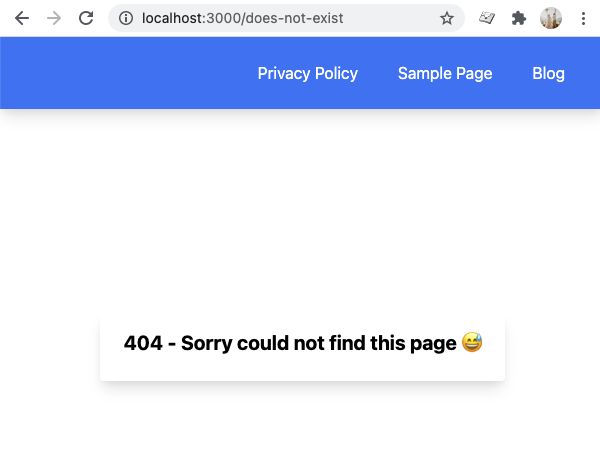
          404 - Sorry could not find this page 😅
        </div>
      </div>
    </div>
  );
}
And now, when reloading the page, we should see the following page.
500 error page in Next.js
Sometimes there might be something else wrong, and our website might throw a 500 error.
We can create a custom error page for those pages as well.
Create a file called 500.js in your pages directory.
export default function Custom500() {
  return (
    <div className="flex items-center justify-center h-screen mx-2 my-2 overflow-hidden ">
      <div className="px-6 py-4 rounded shadow-lg">
        <div className="mb-2 text-xl font-bold">500 - Server error 😭</div>
      </div>
    </div>
  );
}
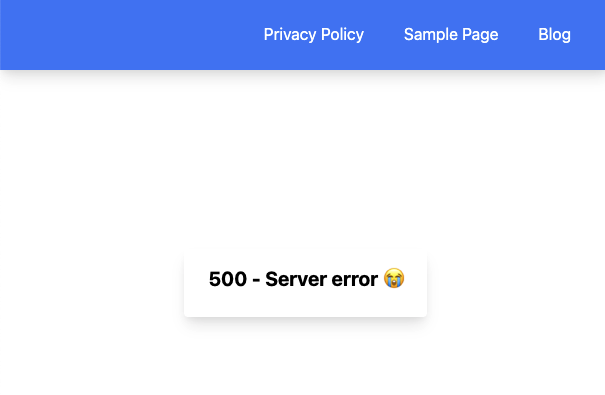
This is the basic approach to having custom error pages in Next.js.
As always, you can find the complete code on GitHub.
Thank you for reading, and let's connect!
Thank you for reading my blog. Feel free to subscribe to my email newsletter and connect on Facebook or Twitter
About the author
I'm a full-stack developer from South Africa 🇿🇦. I love writing about JavaScript, HTML and CSS.
Comments
Join the discussionNo comments yet. Be the first to comment.



