
CSS :placeholder-shown class

Hey everyone, let's talk about placeholders. The wonderful addition to form elements.
Today we won't be talking about them as accessibility issues and hazards, but just on how to style the inputs that have them.
In CSS we can style the actual placeholder text by using the ::placeholder pseudo-element.
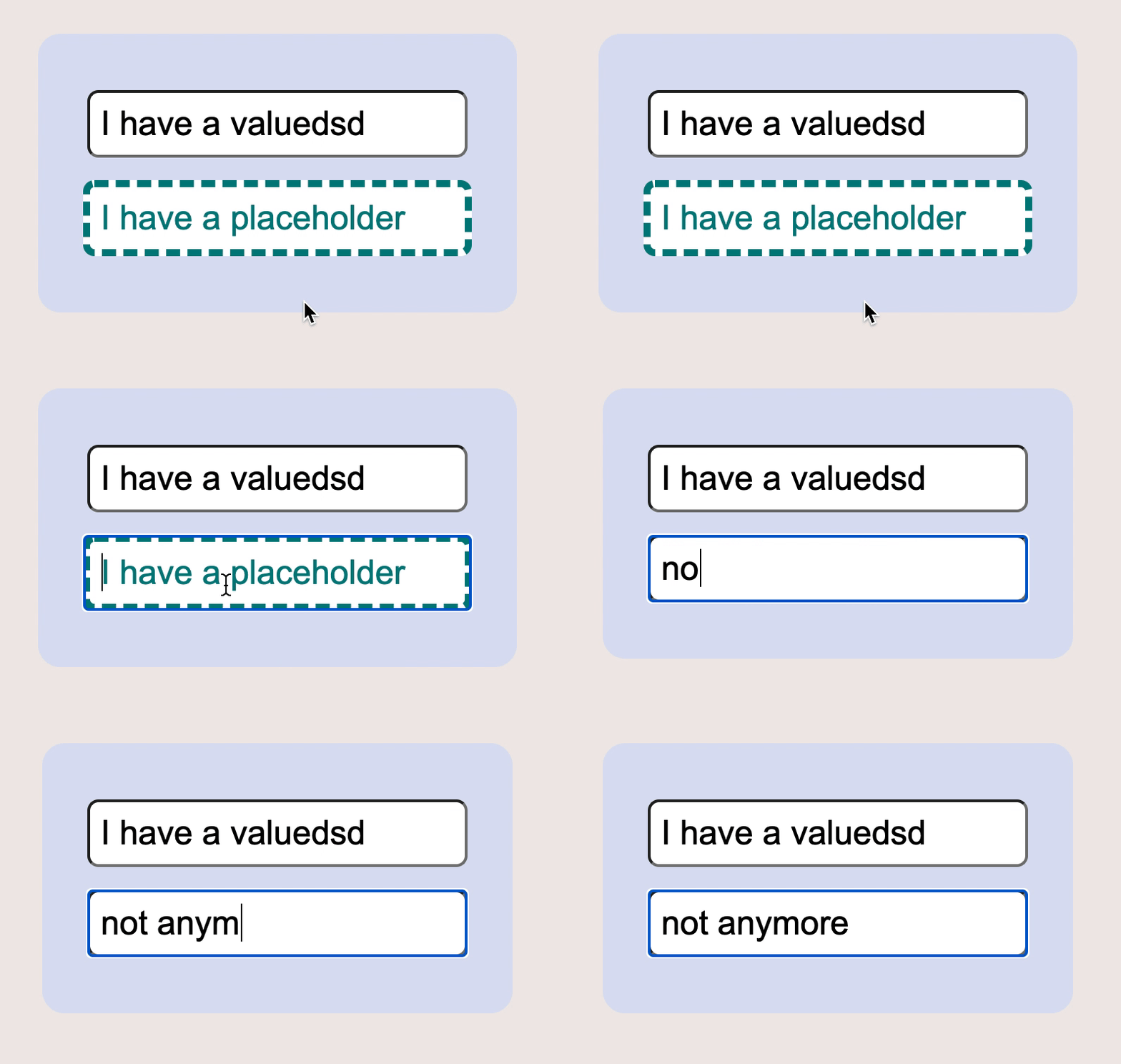
But did you know there is also a pseudo-class called :placeholder-shown? This will select the actual input field and style that, therefore we can all of a sudden add borders and stuff!
Our end result will be an input field that is styled based on the fact that the placeholder is shown. Once we type this styling should be removed.
HTML Structure
Let's first start by creating a basic HTML to render two input fields in, once will have a placeholder and one will have a value.
<div class="container">
   <input type="text" value="I have a value" />
  <input type="text" placeholder="I have a placeholder" />
</div>
CSS :placeholder-shown class
Oke let's first add some basic styling to our page:
body {
  min-height: 100vh;
  background: #efe9e7;
  display: flex;
  justify-content: center;
  align-items: center;
}
.container {
  background: #dae0f2;
  padding: 2rem;
  border-radius: 1rem;
  display: flex;
  align-items: center;
  justify-content: center;
  flex-direction: column;
}
.container input {
  font-size: 1.5rem;
  padding: 0.5rem;
  margin: 0.5rem 0;
  border-radius: 0.5rem;
}
By running this, we will get a basic form that will look like the image below.
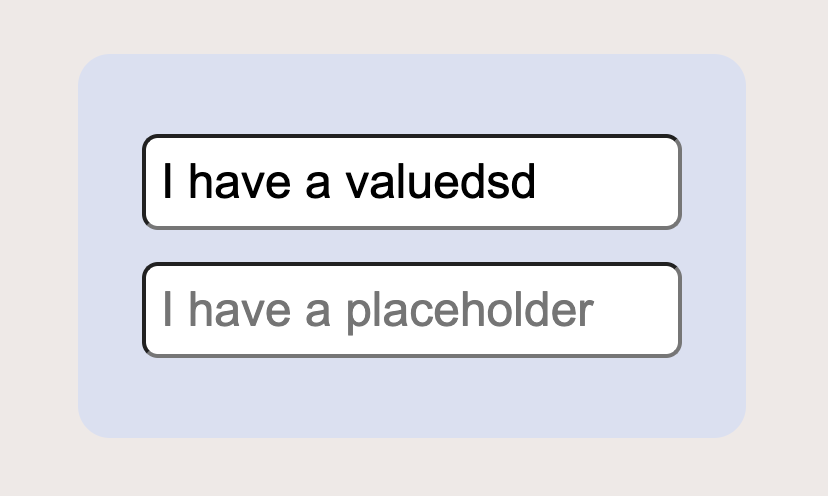
Now how can we make the one where the placeholder is active render differently?
.container input:placeholder-shown {
  border: 5px dashed teal;
}
Now we should see a dashed teal border, and once we put a value in it, that border should disappear!
::placeholder vs :placeholder-shown difference
To recap we can use a ::placeholder pseudo-element to change the actual placeholder text styling:
input::placeholder {
    color: teal;
}
And we can use the :placeholder-shown pseudo-class to style the actual input styling.
input:placeholder-shown {
    border: 5px dashed teal;
}
You can find a full demo to play with on this Codepen.
Browser Support
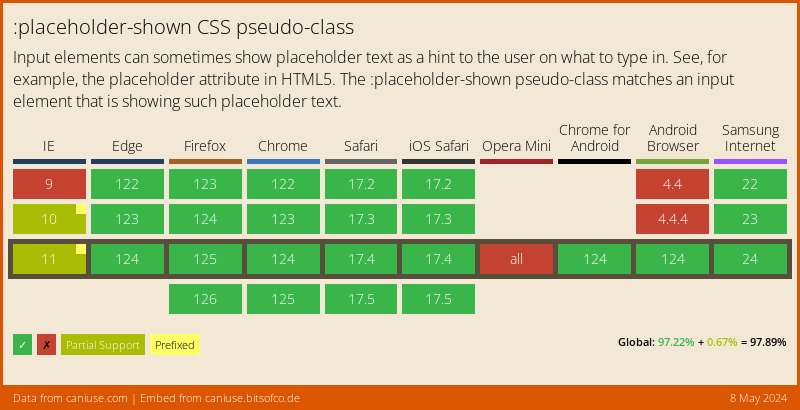
The main browser support this fully, of course, IE has to be a pain in the ass, I would suggest using this as a nice addition, but don't fully rely on it.
Thank you for reading, and let's connect!
Thank you for reading my blog. Feel free to subscribe to my email newsletter and connect on Facebook or Twitter
About the author
I'm a full-stack developer from South Africa 🇿🇦. I love writing about JavaScript, HTML and CSS.
Comments
Join the discussionI never hear about this, quite useful for this option! I'll use in a future project for sure to highlight required fields without any JS.
Yeah I think nowadays if you don't have to support IE, you can make superb websites no-js required!
Helpful tip. I wonder what could a real-world use-case of this 🤔?
Thanks, Mohd,
You could technically use it to showcase required fields that have no value.
Might not be enough in UX, but def a helpful argument. You could also do extensive extra css art if you're into that.
Chris Bongers Yess, definitely. Thanks



