
Creating a discord auto threading system

In case you missed it, I launched a discord server for technical writers: Technical Types Community.
The idea of this server is to create a dedicated space for technical writers, where we can collaborate, share ideas and ask questions.
This is an open-sourced free for all and welcoming community.
I introduced a channel to get feedback on your work with this community. However, the realization quickly was that feedback gets buried if there are a lot of comments.
Threads would be a fantastic solution. However, it's difficult to force and monitor this behavior.
That leaves us with only one choice: Automate it!
Making sure people can't spam the main channel
The first thing we need to take care of is to make sure people can only post one link per x hours.
Luckily for us, discord comes with this feature built-in, and it's called "slow mode" this allows a user to only post once per x hours on the main thread.
This is no longer applicable in the threads created, so ideal for what we want to achieve.
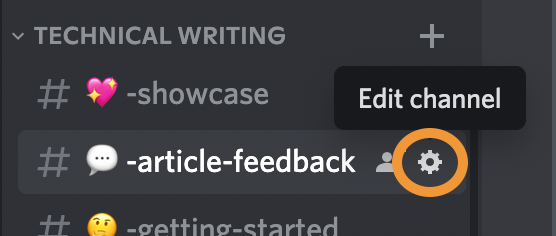
To enable slow mode for a channel, click the little gear icon next to the channel's name.
Then you want to set the slow mode slider to the max (6 hours).
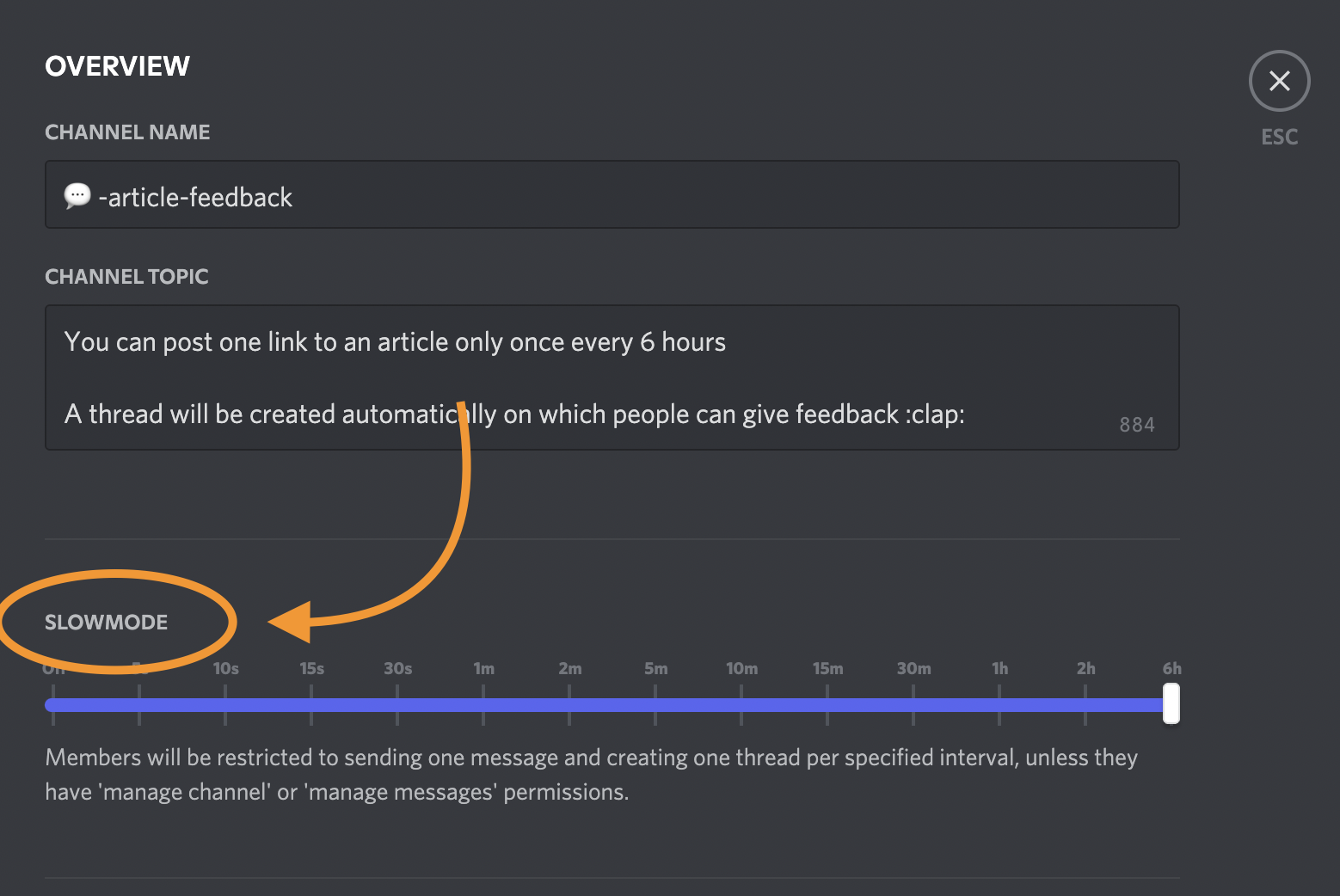
This setting will make sure a user can only send one message per 6 hours on the main channel.
Creating the auto threader bot
We want to make sure a thread is created for every post on this channel.
We won't be building this bot from scratch as a super awesome one already exists.
It's this Discord needle bot.
However, I did make my own version of this because I wanted it to work with .env variables.
Markus made some changes to his one based on my feedback, and you can use his custom-config branched version at the point of writing this.
If you choose to use my version, you must create a .env file that includes the following two variables.
API_TOKEN={DISCORD_API_TOKEN}
CHANNEL={CHANNEL_ID}
Find the channel id
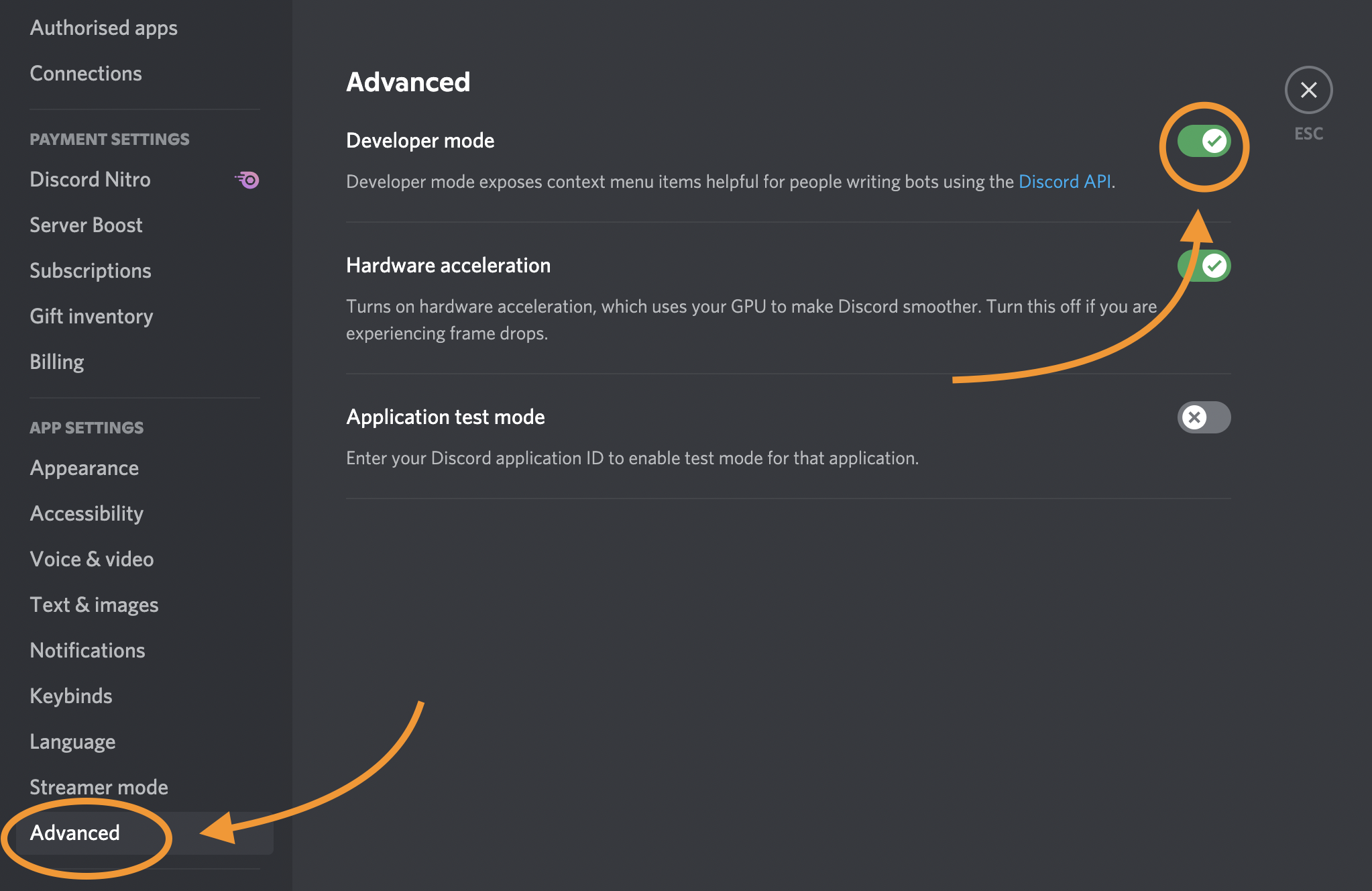
To find the discord channel id, you will need to enable developer mode in discord.
Click your user profile settings by clicking on the gear icon next to your profile.
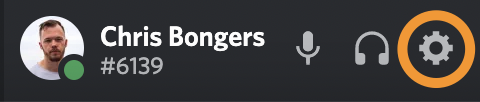
Then you can find the "Advanced" menu and toggle the developer mode on.
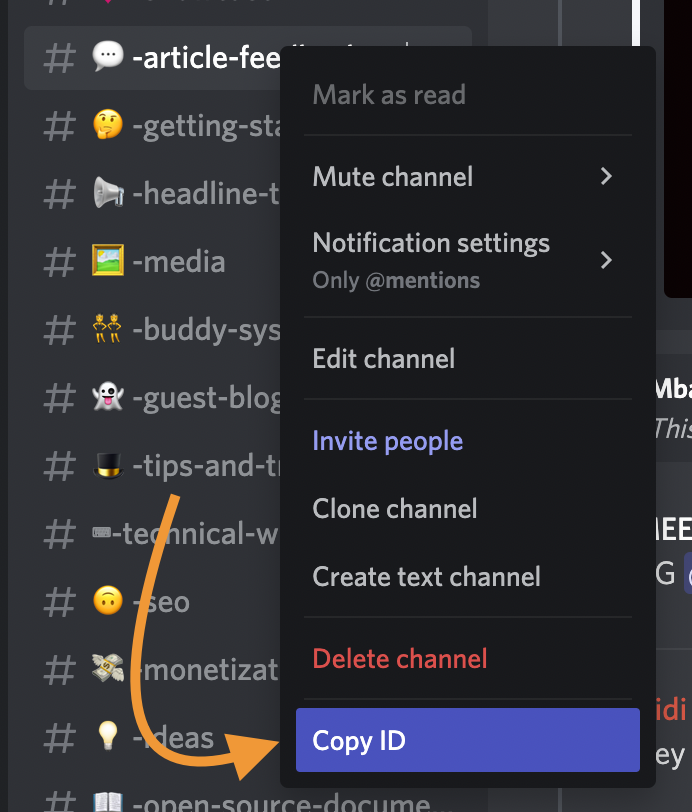
Once this is on, you can right-click any channel and click the "Copy ID" option.
Creating the discord bot
We have to create the discord bot by visiting the Discord Developer portal.
Create a new bot by clicking the "New Application" button.
Once you've done this, click the "Oauth2" item. Select "Bot" as the scope and check the following permissions.
- View channels
- Send messages
- Send messages in threads
- Create public threads
- Read message history
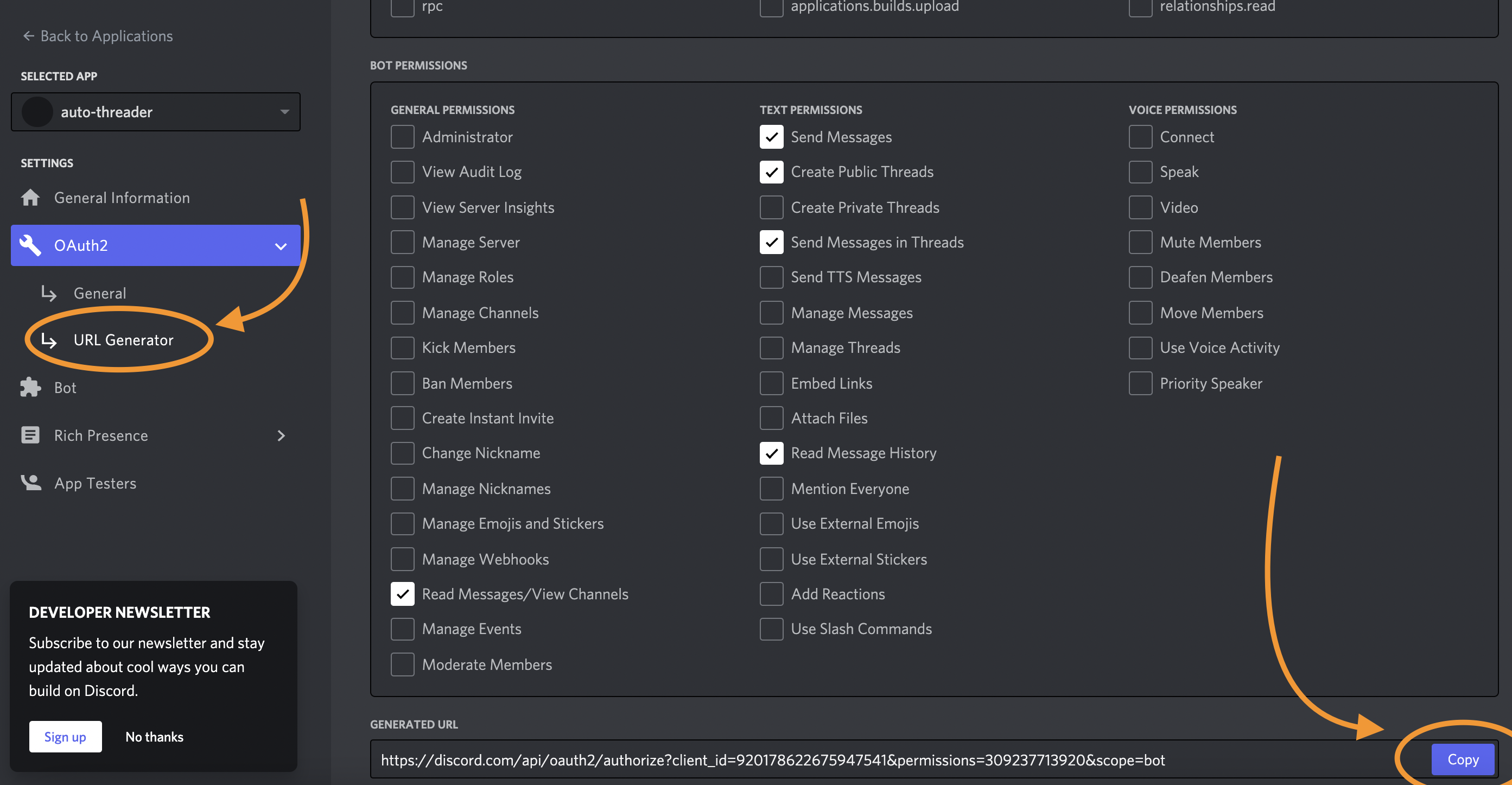
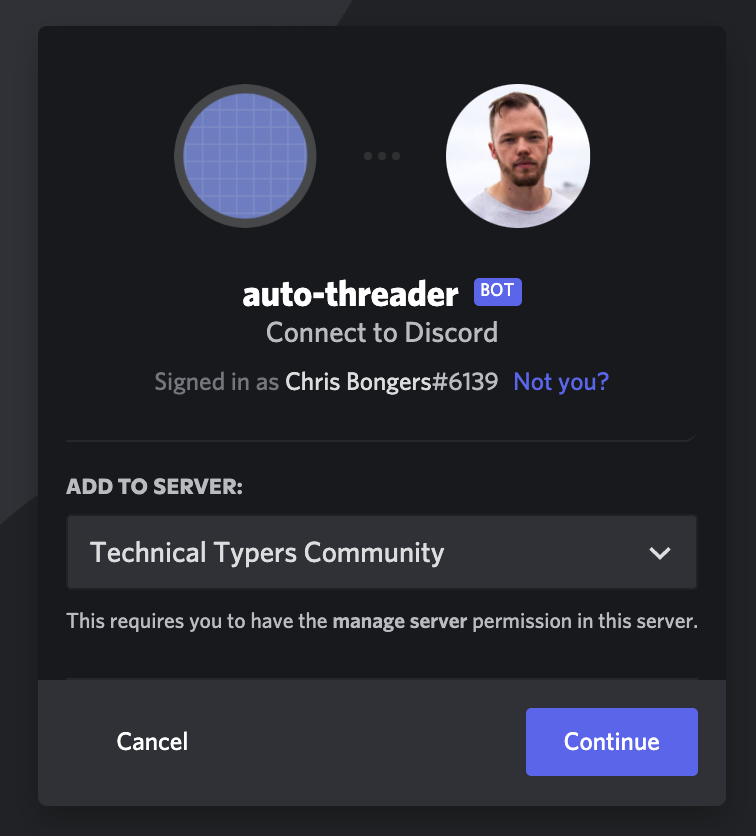
Click the copy button at the bottom and paste this into a new tab. This will prompt a setup for this bot. Select the server you want to add this bot to.
Running the bot
Now it's time to run your bot.
To test the bot, you can run the local version using npm start in the project.
Or you can follow my guide on running a bot on Railway app.
Try it out
You should now post on this channel, and a thread will be automatically created for you!
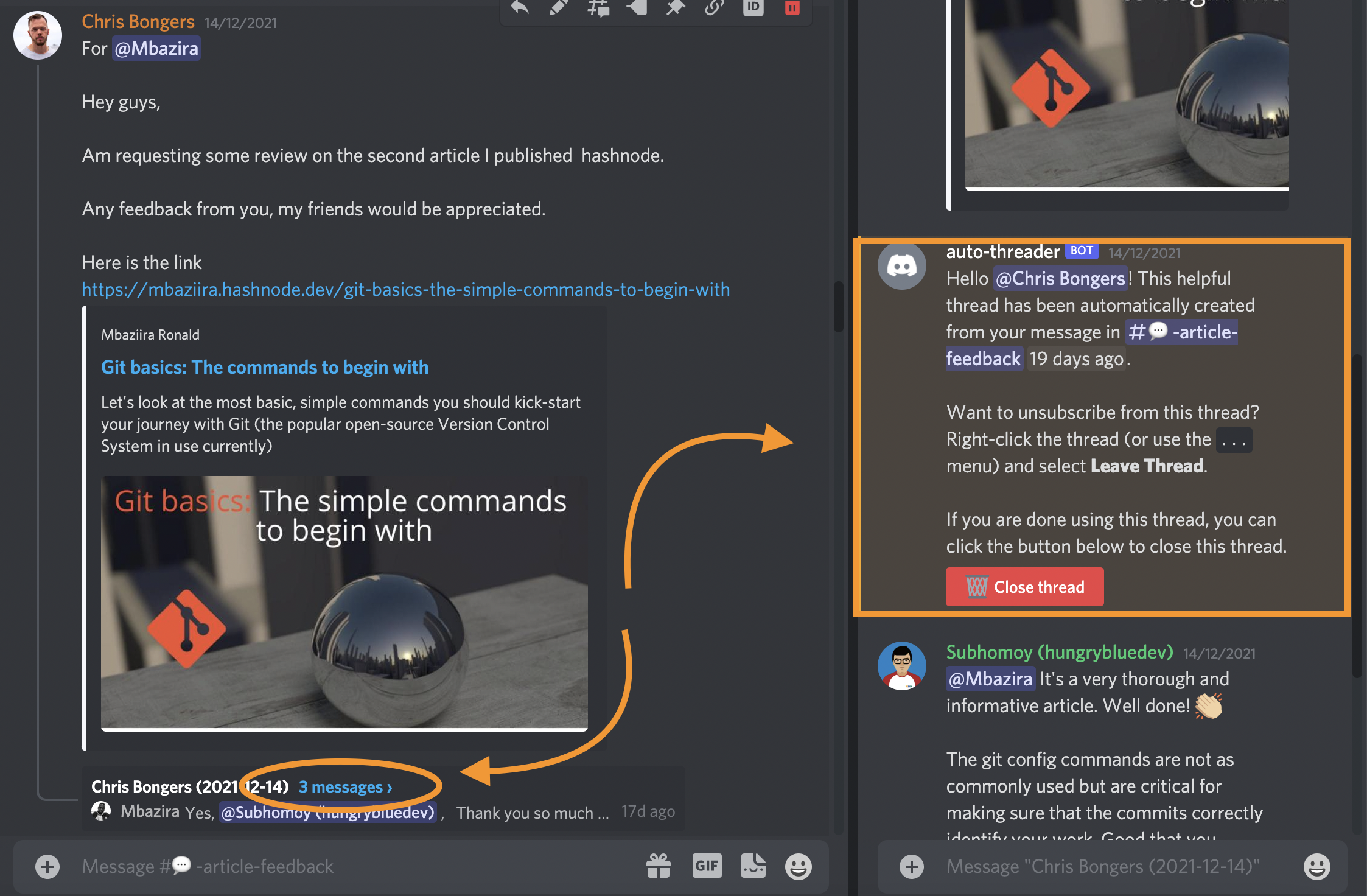
Or even better, you can try it in real life on the Technical Typers Discord server
Thank you for reading, and let's connect!
Thank you for reading my blog. Feel free to subscribe to my email newsletter and connect on Facebook or Twitter
About the author
I'm a full-stack developer from South Africa 🇿🇦. I love writing about JavaScript, HTML and CSS.
Comments
Join the discussionNo comments yet. Be the first to comment.



