
Chrome 107: Keyboard shortcuts

I always look at the Chrome updates to see what cool new features the team added. In version 107 I spotted a lot of cool things around keyboard shortcuts!
Let's take a look at them.
Customize keyboard shortcuts in DevTools
We first stumbled upon the new customized shortcuts in the DevTools option.
You can now open your DevTools and navigate to settings. There you'll find "Shortcuts". Here you'll see the list of shortcuts available for us.
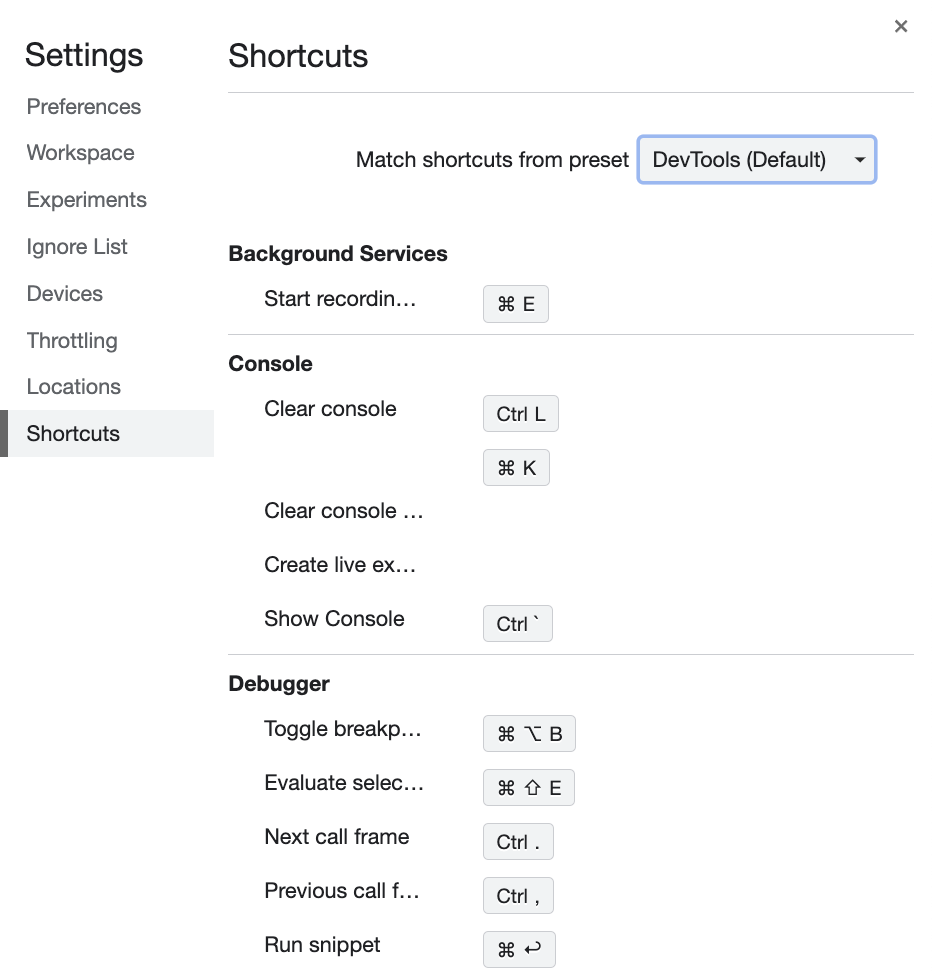
You'll also be able to adjust each shortcut to map to a different key if you prefer that. Hover the line and click the edit button.
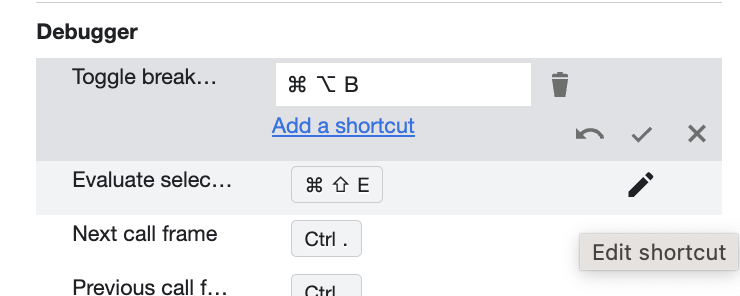
It's super convenient to adjust shortcuts to whatever works best for us.
Toggle light and dark themes with a shortcut
Besides the option to modify any existing shortcuts, we get a new shortcut for toggling the preferred color scheme media query. This can be used to switch between light and dark themes quickly.

By default, the shortcut is empty. You can type and critical binding if you want to be active here.
Once you set something, you can use this shortcut to switch between the themes quickly.
Future shortcuts?
What are some shortcuts you hope to see being added in the future?
I'm personally thrilled with the preferred color scheme and hope to see more rendering shortcuts being added as we go.
Thank you for reading, and let's connect!
Thank you for reading my blog. Feel free to subscribe to my email newsletter and connect on Facebook or Twitter
About the author
I'm a full-stack developer from South Africa 🇿🇦. I love writing about JavaScript, HTML and CSS.
Comments
Join the discussionNo comments yet. Be the first to comment.



