
Bash CleanMyMac alternative 🧼

As you might know by now, I really like Bash!
So far, we have built some fun stuff using Bash like hacking our morning routine and making an after work git check.
For a lot of my articles I use Carbon to generate these cool previews. Very cool app, but my Downloads folder gets full of these things.
So how can Bash help us CleanOurMacs?
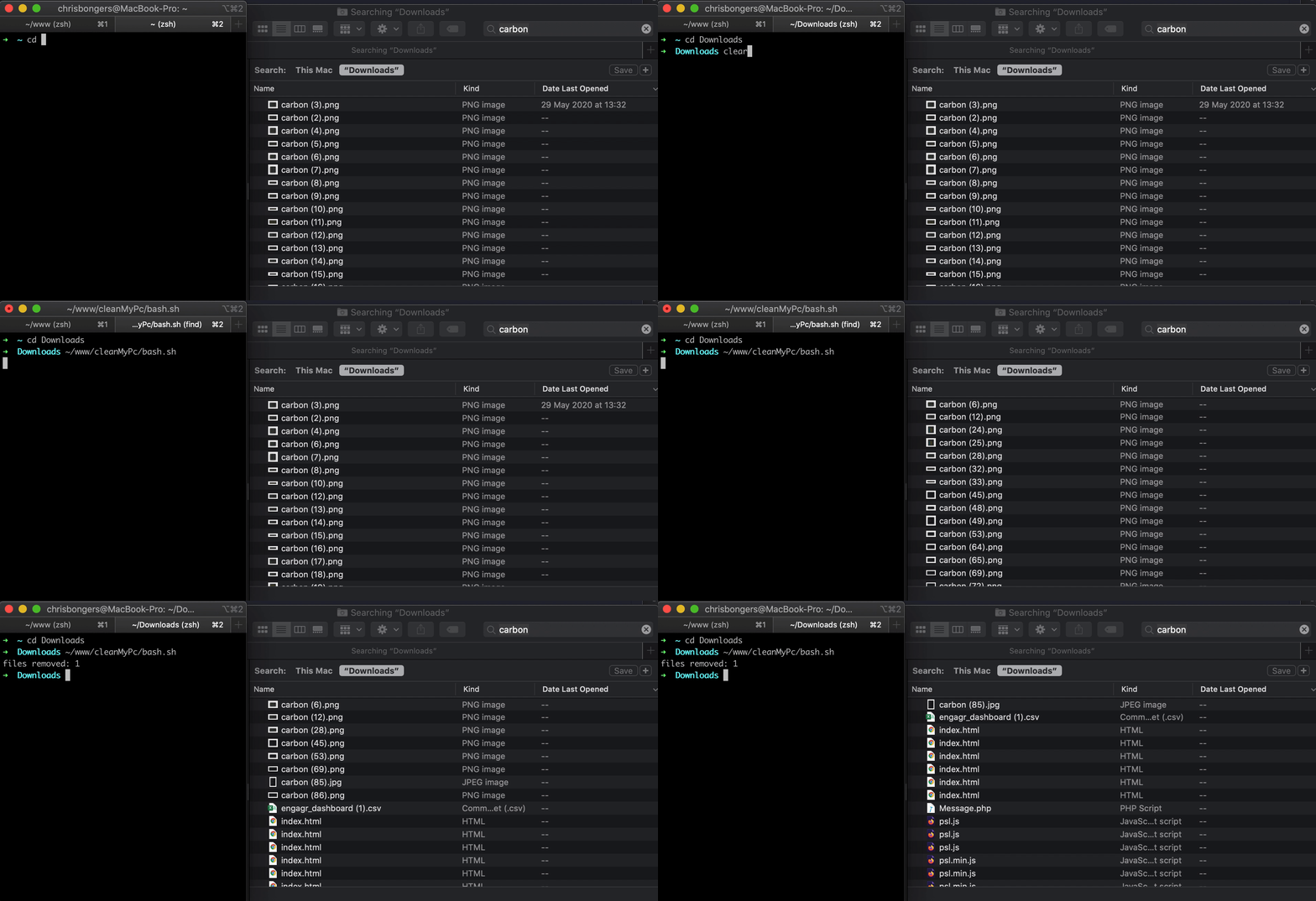
Bash clean files
Note: This script can be very dangerous since it uses Bash to remove files. Please be cautious!
We will be using a txt file to loop over files we want to remove.
These files can include a wildcard (*) or start with a specific string:
- Start with:
carbon - Wildcard:
carbon*.png
Then on to the script!
while read line; do
    find . -name "$line" -exec rm -rf {} \;
done < ~/www/cleanMyPc/files.txt
echo 'All done';
Wow, simple as that right!
We loop through the lines in our files.txt, and for each line we execute the find command it searches for a specific name and calls -exec rm -rf
The rm stands for remove and rf for recursive force.
Running the script
This script initially worked so it would scan all your files, but I adjusted it for security reasons to only scan a specific folder.
- So open a Terminal
- Navigate to the folder you want:
cd Downloads - Execute command
~/path/to/script/bash.sh - Voila, all done
It's a very simple script, but it can be useful to find/remove certain files on your computer.
Find this project on GitHub
Thank you for reading, and let's connect!
Thank you for reading my blog. Feel free to subscribe to my email newsletter and connect on Facebook or Twitter
About the author
I'm a full-stack developer from South Africa 🇿🇦. I love writing about JavaScript, HTML and CSS.
Comments
Join the discussionSuper cool! Thanks for sharing this.
Your welcome David, glad you liked it 🔥
Nice script Chris Bongers
Thank you Rasio!
Good one, Chris Bongers!
Thanks Syed!
I really love Bash ❤️



