
Angular lazy loading routes

The other day we looked into Angular routing, this was the basic setup, and it will work really well.
But today let's look at something very cool in Angular, Lazy loading routes!
This is how it works very high-level.
In our previous example, everything is loaded on load, so once we open the application, all routes and modules are registered and loaded.
With lazy loading, the routes and modules for that route are only loaded once we access it.
To make it more visually understanding, see this GIF on how it works without lazy loading.

As you can see, we are switching routes, and no new calls are being performed.
Implementing a lazy loaded route
If you want to work along this GitHub branch is where I'm starting from.
First, let's generate a new component with its own routing and module.
ng generate module lazy --route lazy --module app.module
To enable lazy loading, the component/module needs its own routing and module.
Now let's register this component in our app-routing.module.ts.
const routes: Routes = [
  // Other routes
  { path: 'lazy', loadChildren: () => import('./lazy/lazy.module').then(m => m.LazyModule) },
];
As you can see instead of using the component we use loadChildren where we pass the module and then access the actual module.
Let's also add this route in app.component.html.
<h1>Our first angular app</h1>
<nav>
  <ul>
    <li><a routerLink="/">Empty homepage</a></li>
    <li><a routerLink="/welcome">Welcome</a></li>
    <li><a routerLink="/second">Second</a></li>
    <li><a routerLink="/second/child">-> Second ~ Child</a></li>
    <li><a routerLink="/lazy">Lazy</a></li>
  </ul>
</nav>
<hr />
<router-outlet></router-outlet>
Now if we run this scenario we see once we click on our lazy route it loads a new script (the module).
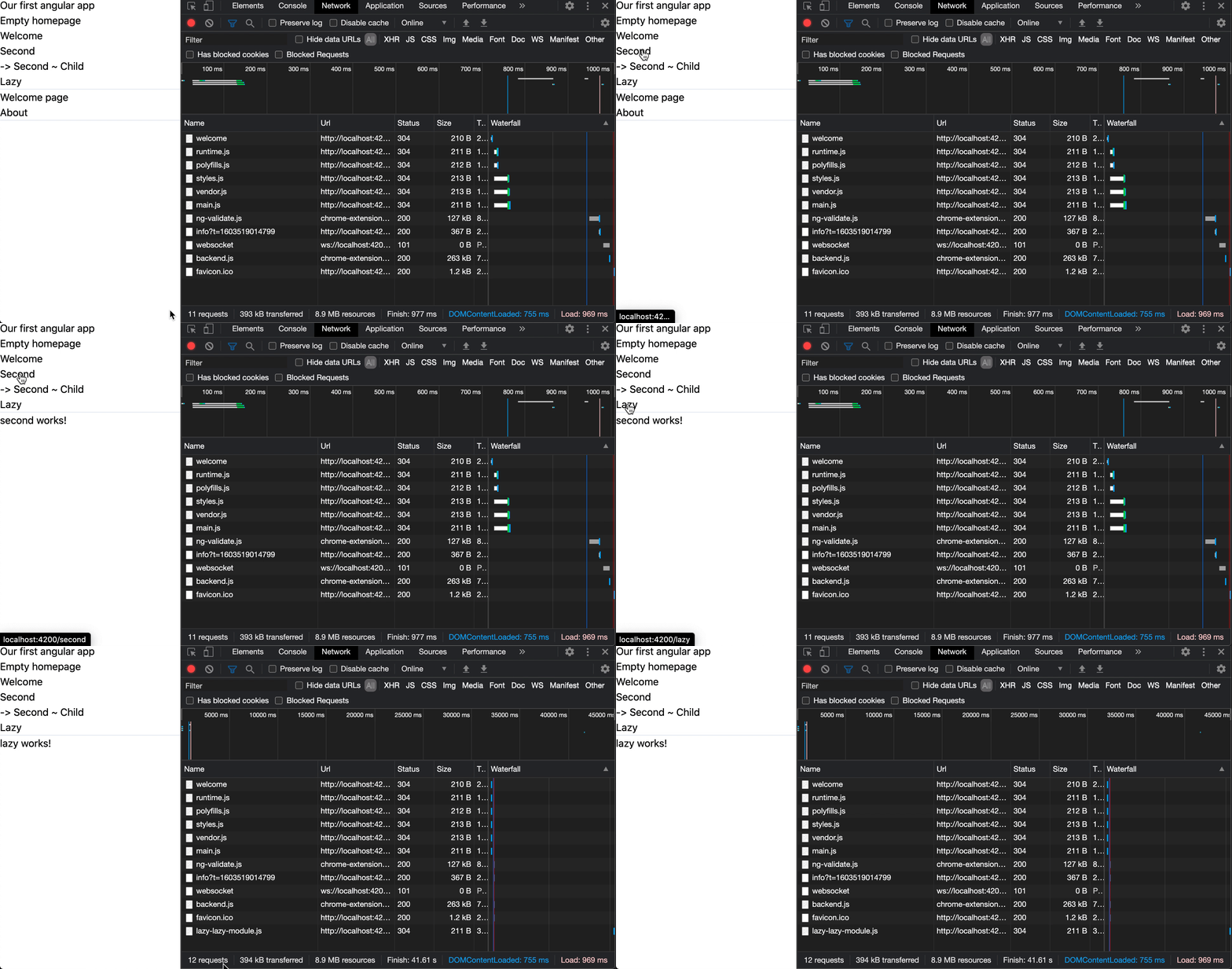
So this will make sure the initial load of our app is smaller, which is really cool.
Now let's add some actual data to our app to see the difference.
Modify lazy.component.ts so it does some kind of data call.
constructor(private http: HttpClient) {
    this.http.get(`https://reqres.in/api/users?page=2`).subscribe(res => {
        console.log('load done');
    })
}
We don't need anything fancy, just to demonstrate the difference.
Now check the following GIF to see it makes a difference!
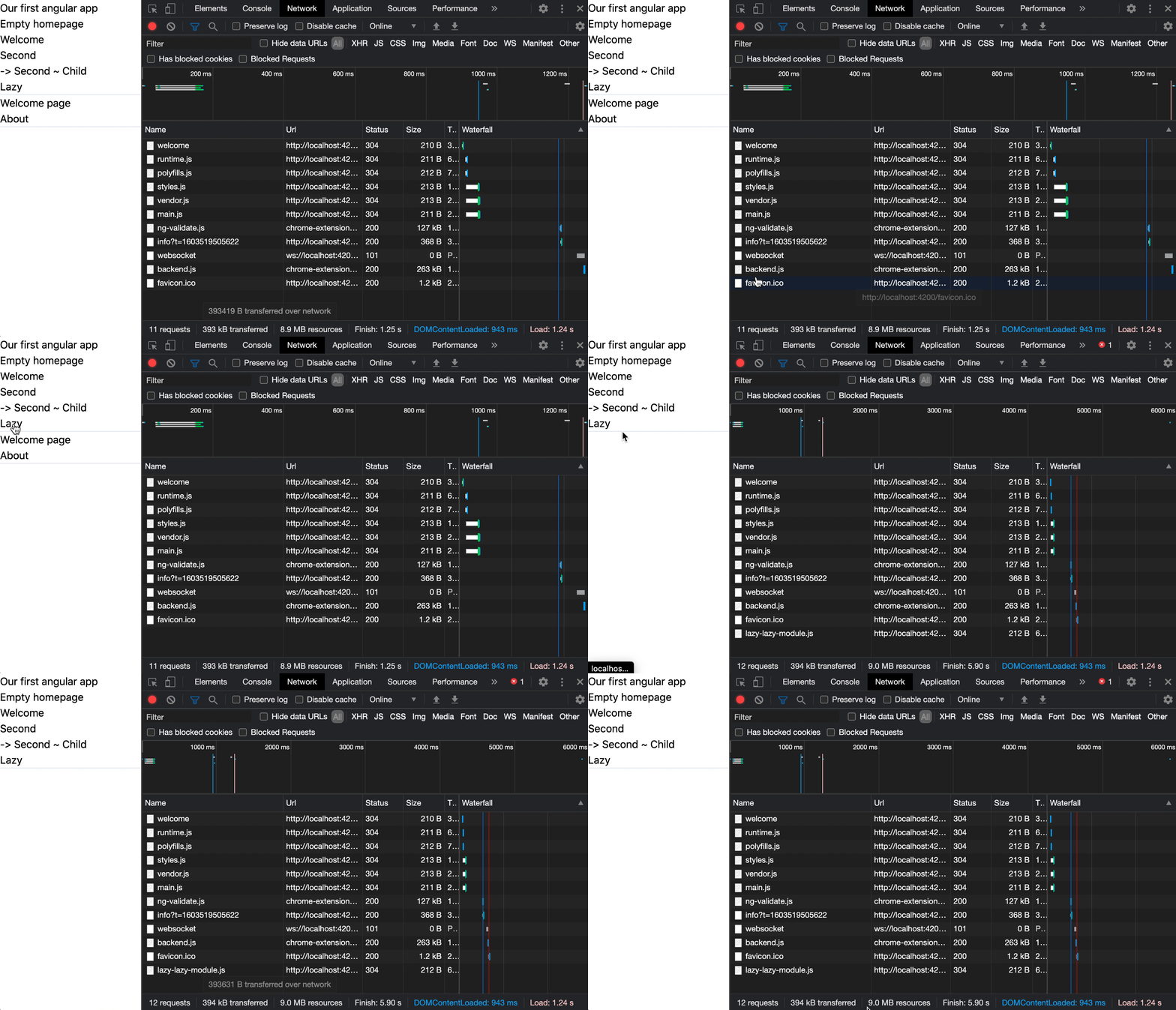
You can find this full code on this GitHub repo.
Thank you for reading, and let's connect!
Thank you for reading my blog. Feel free to subscribe to my email newsletter and connect on Facebook or Twitter
About the author
I'm a full-stack developer from South Africa 🇿🇦. I love writing about JavaScript, HTML and CSS.
Comments
Join the discussionNo comments yet. Be the first to comment.



