
Angular dynamic classes using ngClass

Yesterday, we looked at dynamic form fields, and it made me think about custom classes in Angular.
You might want to add class1 based on a condition or class2 if the condition is not met.
How can we achieve such a thing? Well, that is where the ngClass comes in handy.
How ngClass works
Before we make things dynamic, let's first look at how it looks without any conditions.
If you want to work along with me, I'm using this branch as the starter template.
Open up the app.component.html file.
Add the following.
<div [ngClass]="'m-8 p-8 bg-blue-500'">Hi, I'm the div</div>
This will add three classes to this div. And it will look something like this:

But now, let's introduce a dynamic class based on a condition.
<div [ngClass]="[color ? 'bg-blue-500' : 'bg-purple-500']">Hi, I'm the div</div>
This is a reversed boolean check, so we check if the color variable is true, it will be blue, else purple.
Now we need to add this variable to our app.component.ts file.
export class AppComponent {
  color: boolean = false;
}
If we run this, we get a purple block, which is correct. Let's add a simple click function to toggle the state.
<div (click)="color = !color" [ngClass]="[color ? 'bg-blue-500' : 'bg-purple-500']">
  Hi, I'm the div
</div>
This will toggle the color variable to the opposite.
And now we should see the color change if we click it.
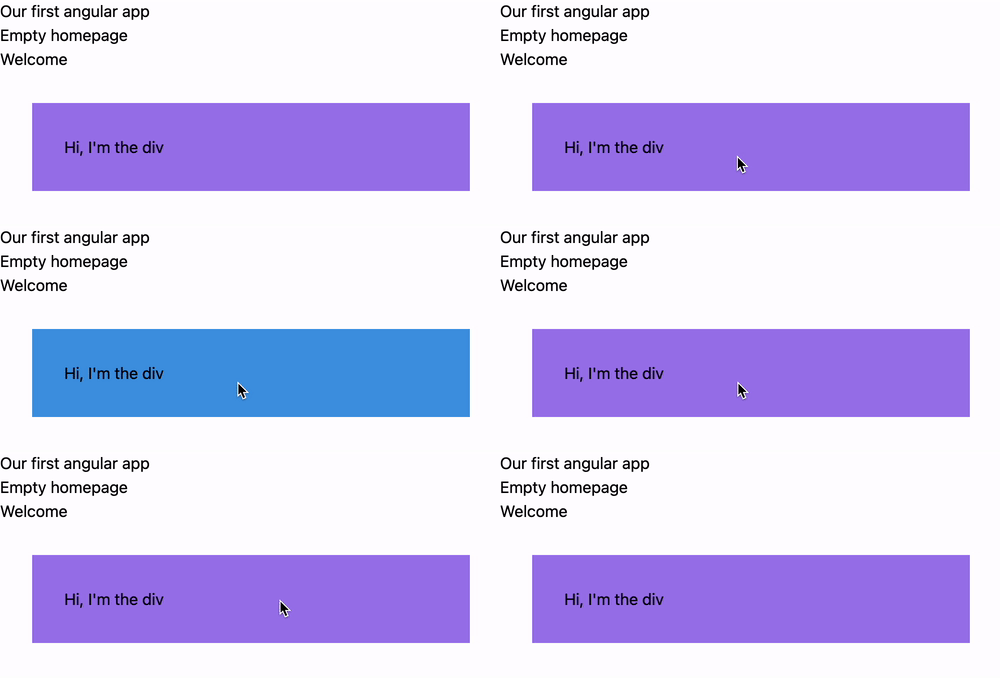
And with that, we've learned how to change classes dynamically in Angular.
You can find today's code on the following GitHub repo.
Thank you for reading, and let's connect!
Thank you for reading my blog. Feel free to subscribe to my email newsletter and connect on Facebook or Twitter
About the author
I'm a full-stack developer from South Africa 🇿🇦. I love writing about JavaScript, HTML and CSS.
Comments
Join the discussionngClass is super helpful! Thanks for sharing, Chris!
It is! You're welcome



