
An automated GitHub-Discord bot

Today we are making a bot that will automatically update our discord channel with actions from GitHub.
I found it a nice addition to my workflow, where the whole team will get updates on the GitHub repo we are working on.
I know you can also set up the mails, but for some reason, it's almost easier getting them in Discord in that specific team channel.
Making a discord webhook
We first have to own a discord channel to make this work, so go ahead and create one if you don't have one.
Then we should click the settings for that channel.

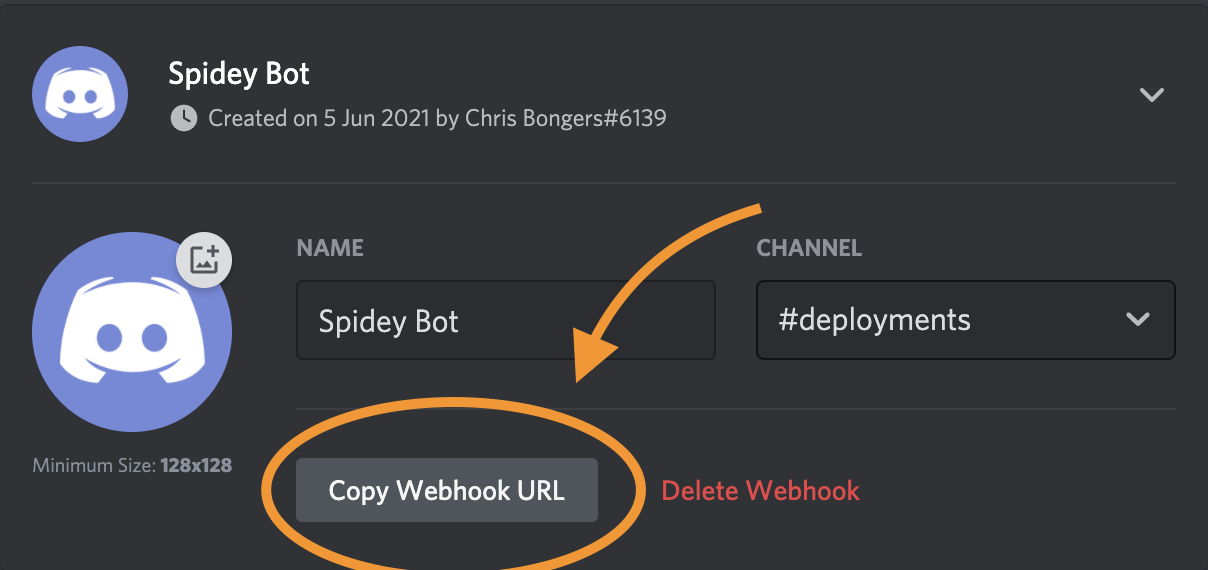
Next, we need to visit the Integrations section and make a new webhook.

We need to use the Copy webhook URL button to get the actual webhook.
Setting up the events in GitHub
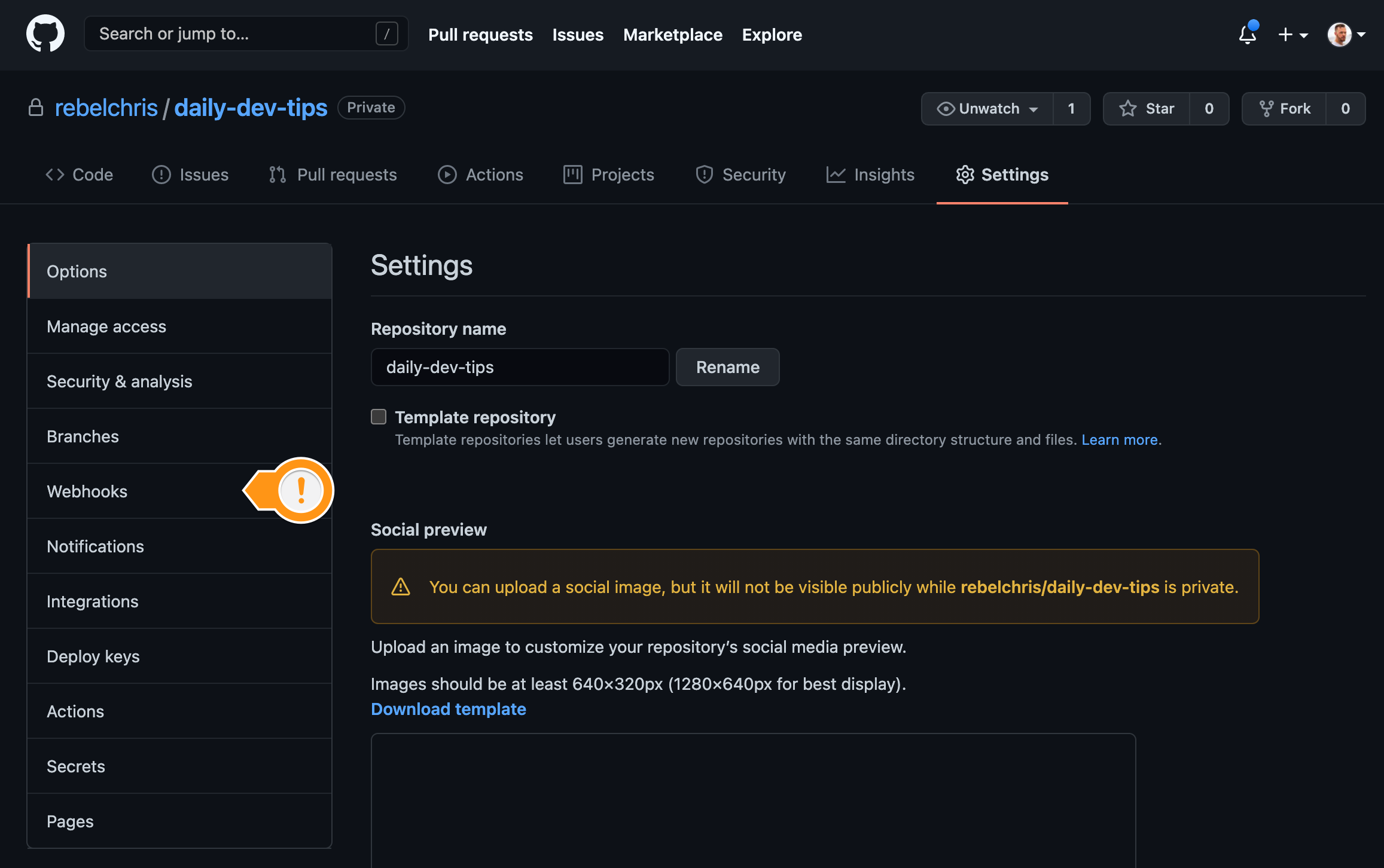
Now it's time to move over to GitHub to set up things on that side. Open your project in GitHub and visit the settings page for that project.
Click the webhooks button on the menu.
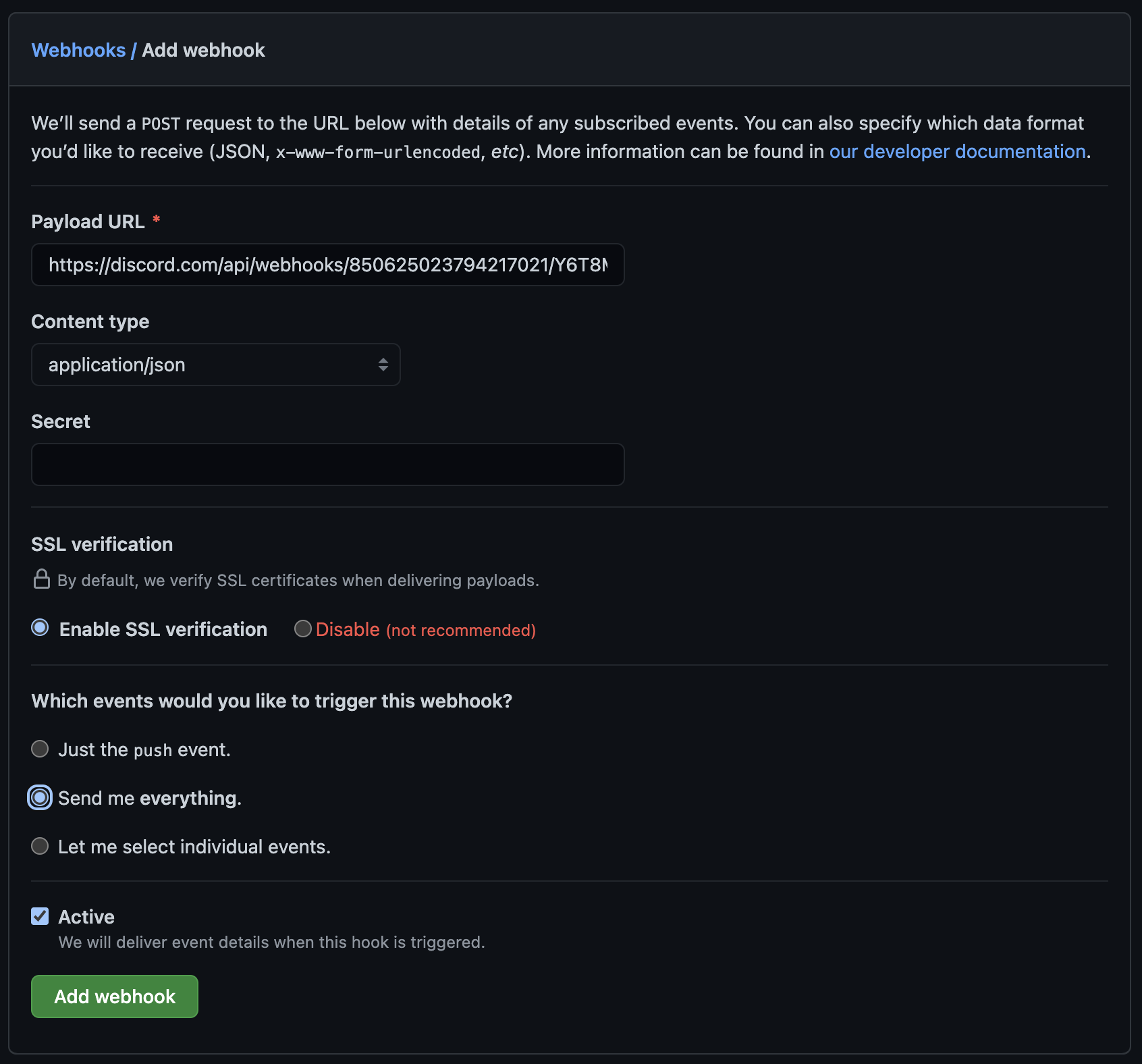
Create a new webhook and paste the URL you just got from Discord.
Important: Add /github to the end of this webhook to omit errors
Set the content-type to application/json.
And choose which events you would like to receive.
Now you can try it out by placing a comment, making a new push, or anything similar to that!
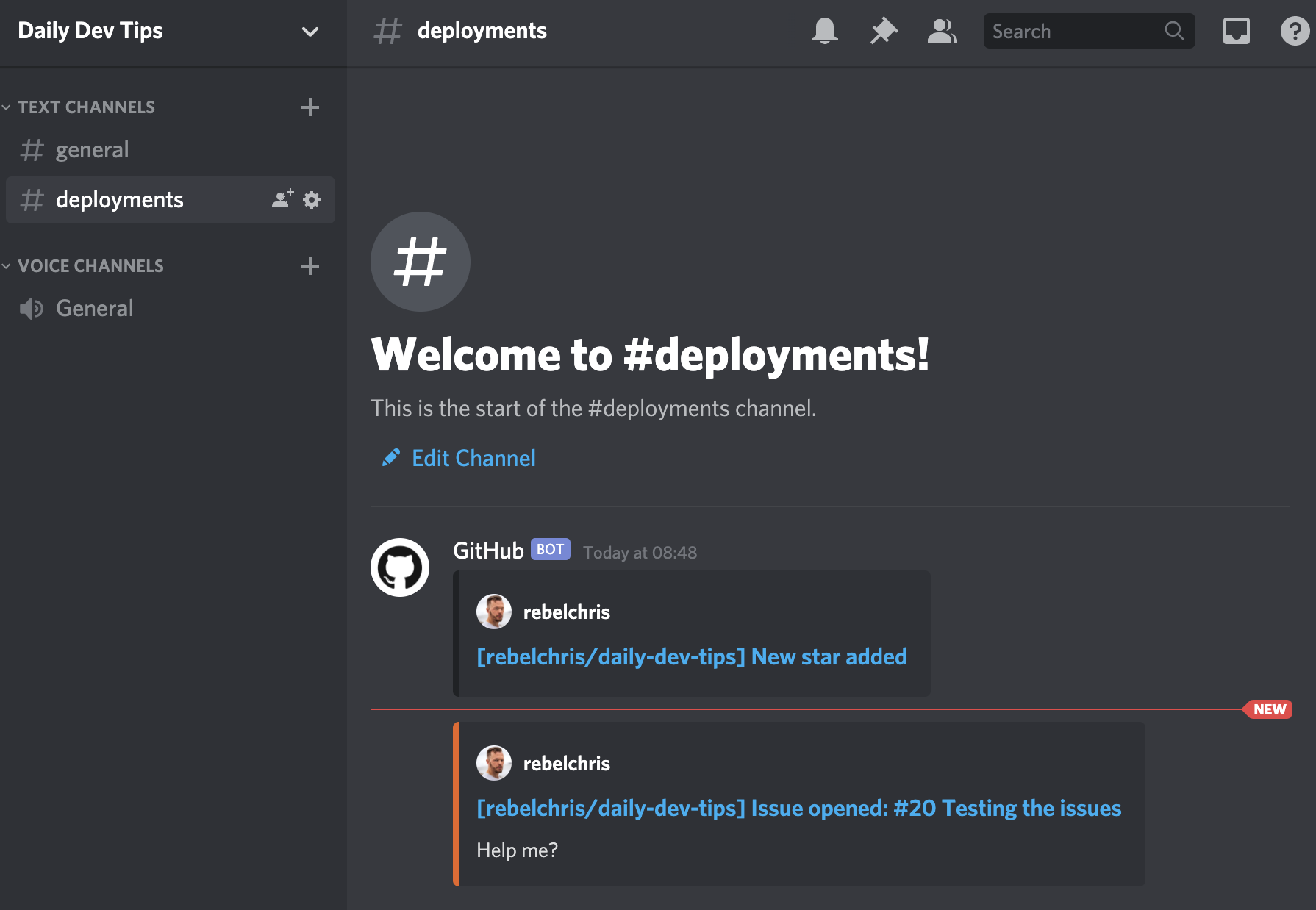
And that's it. We now have our Github to Discord bot setup! Super easy, right?
Thank you for reading, and let's connect!
Thank you for reading my blog. Feel free to subscribe to my email newsletter and connect on Facebook or Twitter
About the author
I'm a full-stack developer from South Africa 🇿🇦. I love writing about JavaScript, HTML and CSS.
Comments
Join the discussionThank you Sai, definitely a cool addition to try, let me know what you think 👍
Absolutely, it's a one must try! I'm actually developing one for my server. Chris Bongers



