
Adding new records to a Supabase database

Yesterday we learned how to set up a basic Supabase database in our Next.js application.
We loaded a simple list of all countries, but as the explorers we are, we happen to stumble on some new land!
And deem this land Devtopia. However, how can we now push this new country into our list of countries?
Making sure the fields are not required
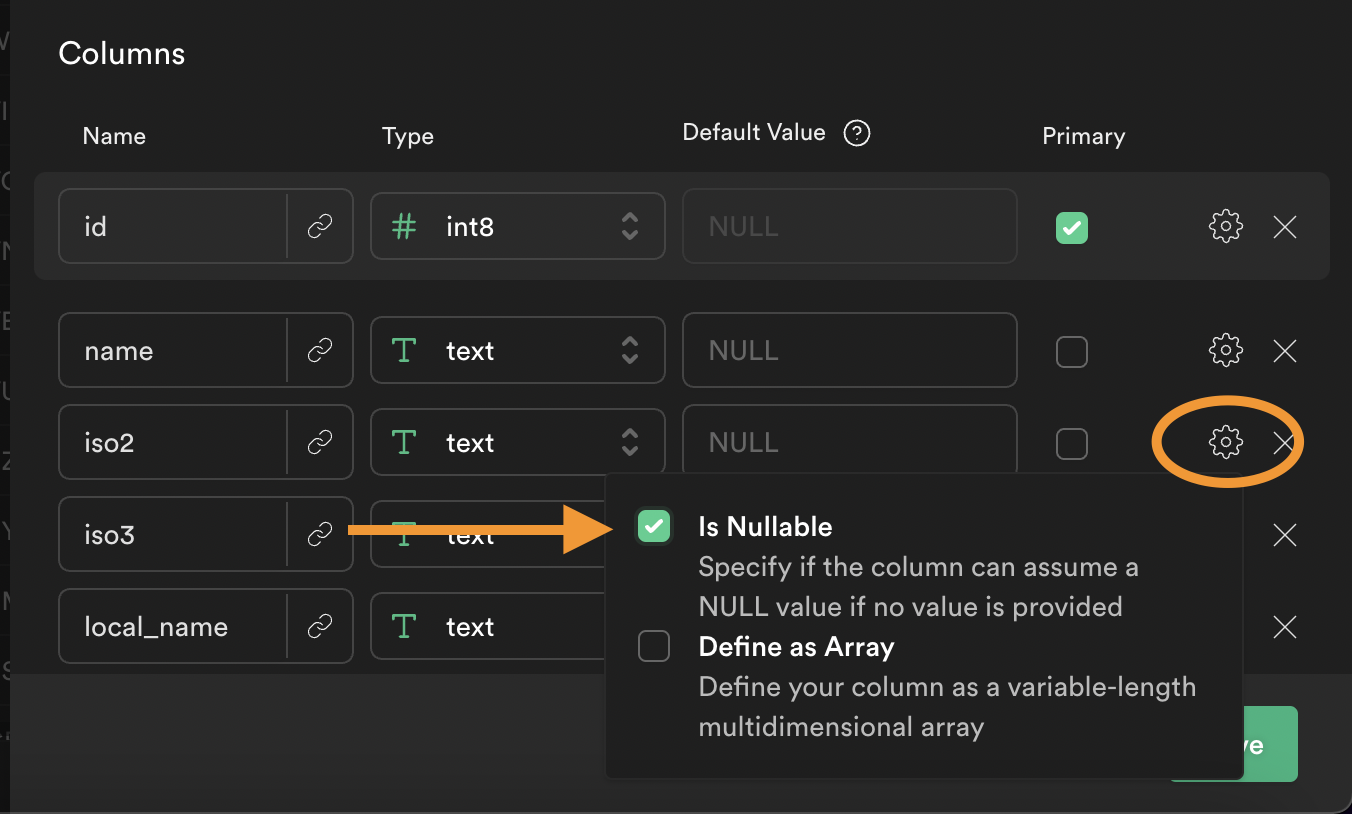
Since we will be only pushing a name to our database. We want to make sure the other fields are nullable.
To check this, log in to your Supabase app login and visit the table you are working on.
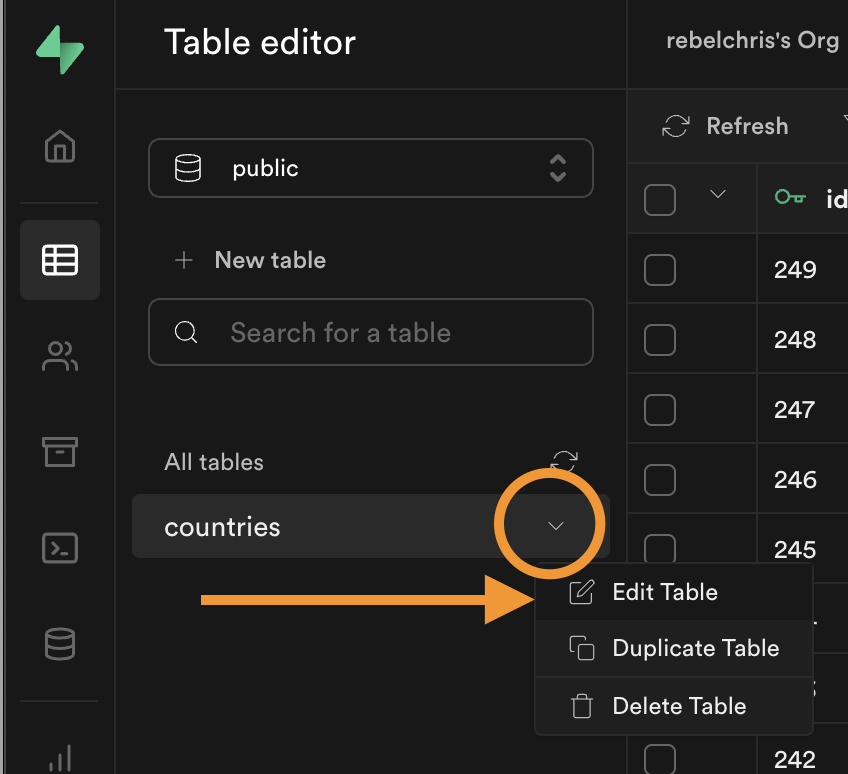
Click on the little arrow on your table and choose "Edit Table"
Within the screen that pops up, make sure only the name field is not-nullable. All other fields must be nullable.
Adding a new country field
We can introduce a new country form in our application. We add this above our existing ul list.
<div>
    <input
      type='text'
      placeholder='My Made Up Country'
      value={newCountry}
      onChange={(e) => {
        setNewCountry(e.target.value);
      }}
    />
    <button onClick={() => addCountry(newCountry)}>Add</button>
</div>
The important parts here are the setNewCountry on the input onChange handler.
And the button that executes addCountry on click.
This means we should define a state for the newCountry variable to capture it somewhere.
const [newCountry, setNewCountry] = useState('');
And then all we need to do is add the addCountry function.
const addCountry = async (countryName) => {
    let { data: country } = await supabase
      .from('countries')
      .insert({ name: countryName })
      .single();
    setCountries([...countries, country]);
};
What we do here is query the Supabase table and insert a new country with a name.
Then we invoke the setCountries state and pass the old state merged with the new country.
This will result in the country showing up at the bottom of our list!
Let's try it out.

And there we go! We can now add data to our Supabase table.
You can find the completed code on GitHub.
Thank you for reading, and let's connect!
Thank you for reading my blog. Feel free to subscribe to my email newsletter and connect on Facebook or Twitter
About the author
I'm a full-stack developer from South Africa 🇿🇦. I love writing about JavaScript, HTML and CSS.
Comments
Join the discussionNo comments yet. Be the first to comment.



