
A first look at Bun

Since I heard about Bun, I've been super excited to try it. And that's precisely what this article will be about.
Before we dive into the nitty gritty of setting Bun up, let's take a moment to talk about what it is.
What is Bun?
Bun is a brand new JavaScript runtime, much like you know Node and potentially Deno already. However, they build this one from scratch with speed in mind. The idea is that we can use Bun for our JavaScript and TypeScript apps.
It comes packed with 90% of the Node-API function, plus it comes with all the fantastic Web APIs like fetch, WebSockets, and so on.
I won't go into the details, but Bun is written on the JavaScriptCore engine instead of the V8 engine. They wrote the code in ZIG, which helps with memory management. The combination here is what makes it so fast!
Trying out Bun
Alright, I'm not one for long background stories and am eager to see how it works and performs. So let's get some applications up and running.
First, let's install Bun. Open up your terminal and run the following command.
curl -fsSL https://bun.sh/install | bash
Now create a folder, and inside add a http.js file with the following contents.
// http.js
export default {
  port: 3000,
  fetch(request) {
    return new Response('Welcome to Bun!');
  },
};
Now run the following command in this folder:
bun run http.js
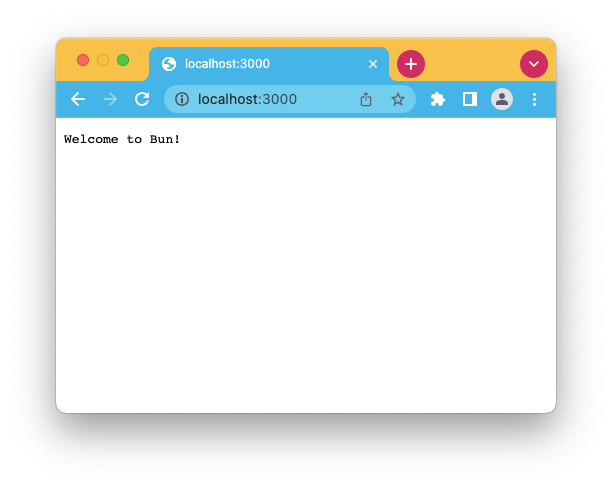
And if we now visit http://localhost:3000/ we should see the welcome from Bun.
As Bun is still very much being developed and limited now, I wouldn't rush to migrate all your applications as some essentials still need to be developed.
However, getting a feel for it is good, as it might become the following big framework for runtimes.
Thank you for reading, and let's connect!
Thank you for reading my blog. Feel free to subscribe to my email newsletter and connect on Facebook or Twitter
About the author
I'm a full-stack developer from South Africa 🇿🇦. I love writing about JavaScript, HTML and CSS.
Comments
Join the discussionNo comments yet. Be the first to comment.



