
Why CSS :focus-within is amazing

I'm a full-stack developer from South Africa 🇿🇦. I love writing about JavaScript, HTML and CSS.
This is not a :focus selector, which will highlight when you focus on an element. But a selector to fire when something within is focussed.
In our case, we'll be focusing on forms (I see what you did there 😏)
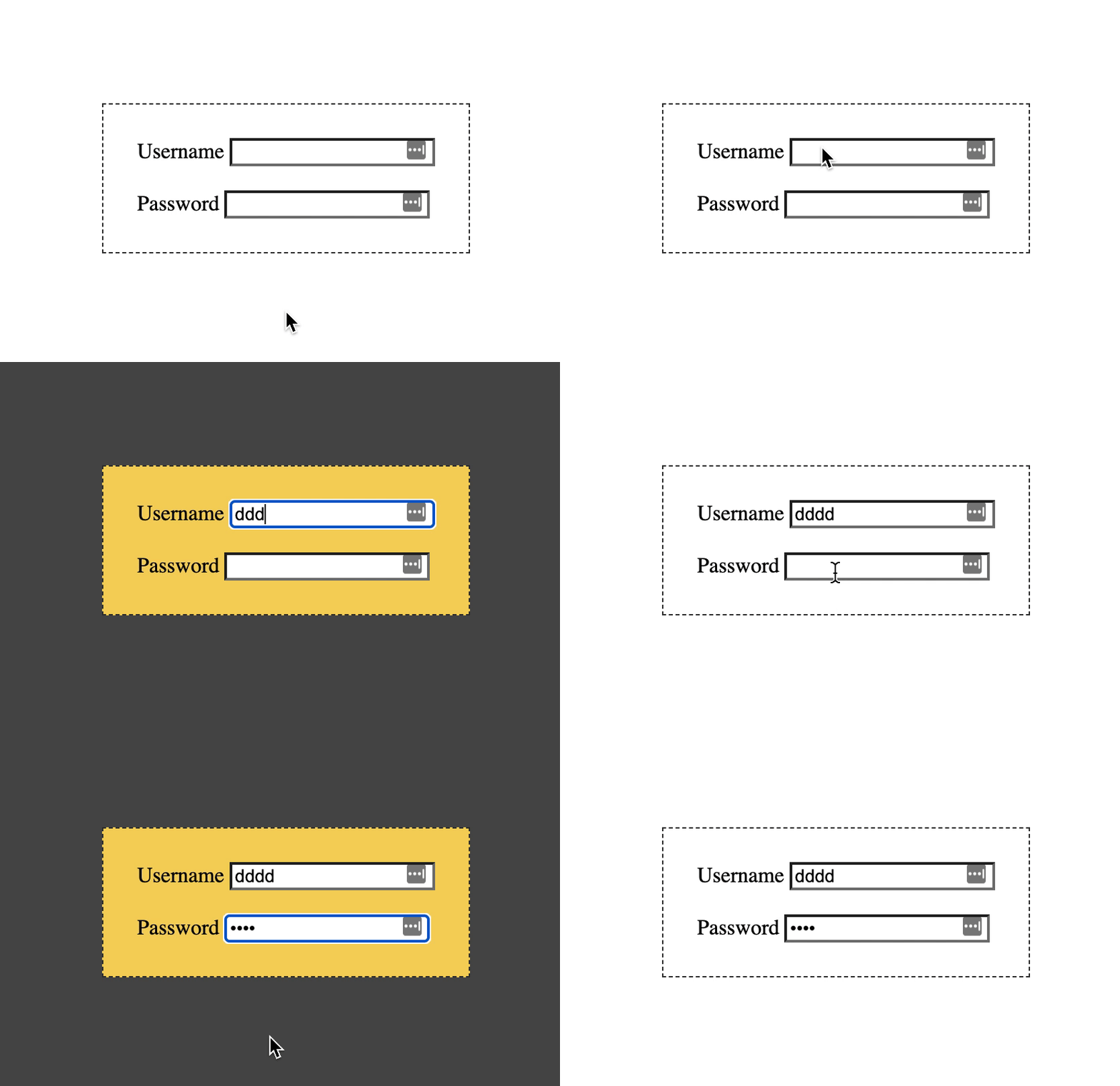
The end result will look like this:
HTML Structure
As for our HTML, we wil create a form with 2 inputs.
<form>
  <label for="username">Username</label>
  <input type="text" name="username" />
  <br /><br />
   <label for="password">Password</label>
  <input type="password" name="username" />
</form>
That's all we need for this specific demo.
CSS focus-within pseudo selector
The :focus-within is a pseudo-selector, like :before or :after.
Let's first add some basic styling.
body {
  display: flex;
  min-height: 100vh;
  justify-content: center;
  align-items: center;
}
form {
  border: 1px dashed #333;
  padding: 25px;
}
This will make sure our form is absolutely centered on the page and has a small border to showcase our effect later on.
Now we want to draw the users attention to the form, but making it a fancy colour when they focus an input field.
form {
  border: 1px dashed #333;
  padding: 25px;
  transition: background 0.3s ease;
}
form:focus-within {
    background: #f4d35e;
}
This will change the background of our form to yellow.
You can see this in this Codepen.
Making it more awesome
Yes, we can even make it more awesome by using a box-shadow hack we can create a kind of modal effect!
form {
  border: 1px dashed #333;
  padding: 25px;
  transition: all 0.3s ease;
  box-shadow: 0 0 0 100vmax rgba(0, 0, 0, 0);
}
form:focus-within {
  background: #f4d35e;
  box-shadow: 0 0 0 100vmax rgba(0, 0, 0, 0.7);
}
We create a box-shadow that is 100% of the viewport biggest position (width or height). Initially, this will be at 0 opacity.
When we have a :focus-within we change the opacity to 70%.
The effect is a lightbox-like effect ✨.
Browser Support
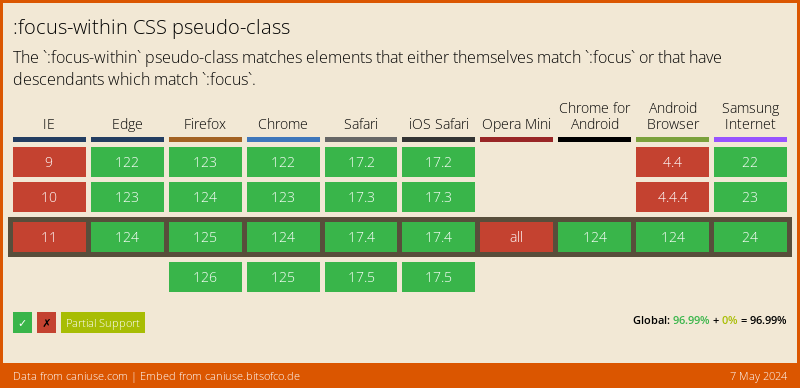
The :focus-within selector actually has pretty good support, considering IE is dead already.
Thank you for reading, and let's connect!
Thank you for reading my blog. Feel free to subscribe to my email newsletter and connect on Facebook or Twitter



