# SVG Blur Filter
Some time ago, we played around with [`SVG` animteTransform](https://daily-dev-tips.com/posts/svg-animatetransform/), and I got feedback from people saying they didn't even know it exists.
Today we are going to look into `SVG` Filters, something you might also never seen before.
A filter element can be added to an `SVG` object, there are many filters, but today we are looking into the Blur filter since I recently needed one.
## HTML Setup
As for our `HTML` we are using the following code:
```html
```
As you see we added our filter in our defs part.
It will apply a gaussian blur of 5, the id is `blur` which is going to be used to apply it to `SVG`.
## Using the SVG Filter
To use the SVG Filter we can use the following code.
```html
```
The first icon won't have any blur, and the second will have the blur filter applied.
## Applying the Filter Directly
We can however also omit the sprite and use the filters as such:
```html
```
Awesome right? There are many more awesome filters in `SVG`, I'm sure we'll touch base on them someday.
See the Blur Filter in action on this Codepen.
%[https://codepen.io/rebelchris/pen/oNbKVXb]
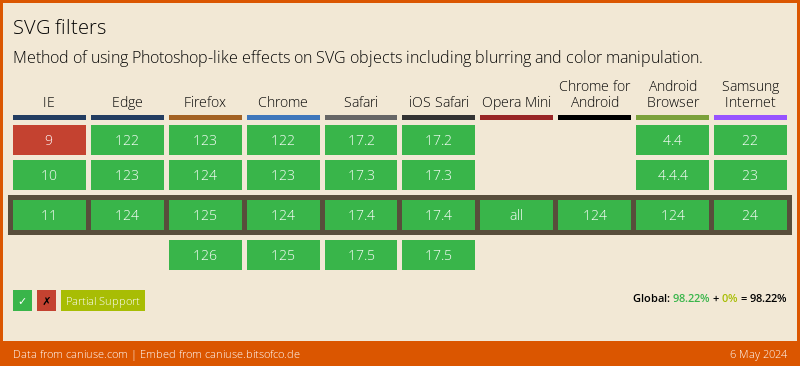
## Browser Support
You won't believe this, but SVG Filters have really good browser support!
### Thank you for reading, and let's connect!
Thank you for reading my blog. Feel free to subscribe to my email newsletter and connect on [Facebook](https://www.facebook.com/DailyDevTipsBlog) or [Twitter](https://twitter.com/DailyDevTips1)