
Storybook - writing stories

Let's take a closer look at writing our own stories with Storybook.
Before we dive into the details of creating these stories, let's describe what a story is.
A story defines the rendered state of a UI component. It's a function that returns the result of your component based on a set of arguments.
Stories live next to your original components. For instance, if you have a button.tsx file, your account would be in the same folder but called button.stories.js.
Do note stories can be written in any set of languages. You are not bound to plain javascript or typescript. These are the supported formats.
jstsjsxtsxmdx
Format of a story file
Now that we have a broad understanding of stories let's look at the analogy of the story file.
First, we have a default export that defines how the story will be listed in the sidebar.
Let's take this example story:
// Button.stories.js|jsx

import React from 'react';

import { Button } from './Button';

export default {
  title: 'Button',
  component: Button,
};
This alone won't do much, as we haven't defined an actual story for this component. (Remember, it's a rendered state).
So let's add a primary button state story.
export const Primary = () => (
  <Button primary label='Button'>
    Button
  </Button>
);
As you can see, we can define named exports that return the component with a set of props. In this case, we return a primary button with a fixed label.
If you open the Storybook, you should see this component under the button.
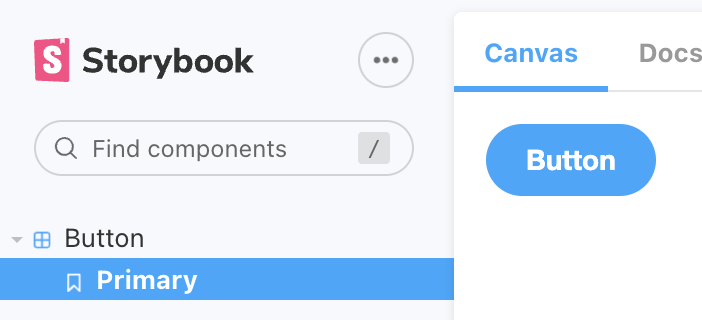
So, we can now add a secondary story, which will render our button component in its secondary state.
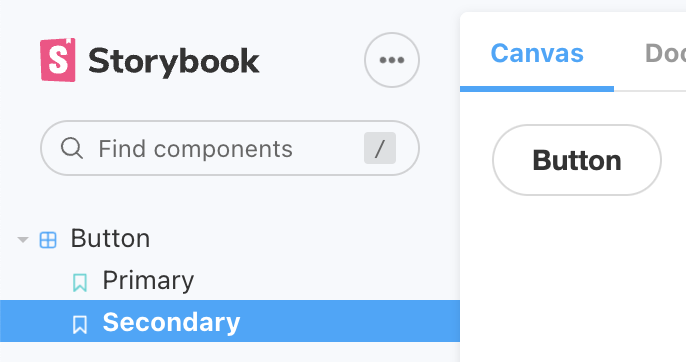
export const Secondary = () => <Button label='Button'>Button</Button>;
Which will render the button like this:
Additional options for a story
A story can do a bit more than render one specific state.
We won't go into all the details in this article as we will explore them further throughout the following ones, but let's take a high-level look at them.
args: Define the components options so we can easily reuse them to clean our codeplay function: Test specific user flows automaticallyparameters: Test external impact on your component. For instance, a theme switcher is one example.decorators: Provide a way to wrap your componentcombined: We can even combine multiple components into one storyloaders: an experimental feature where we can load external data
These are the options for a story. Very high-level, we'll dive into them in more detail in the following articles, so be sure to subscribe to the newsletter.
Thank you for reading, and let's connect!
Thank you for reading my blog. Feel free to subscribe to my email newsletter and connect on Facebook or Twitter
About the author
I'm a full-stack developer from South Africa 🇿🇦. I love writing about JavaScript, HTML and CSS.
Comments
Join the discussionNo comments yet. Be the first to comment.



