# Running multiple frameworks in Astro
In the previous article, we looked at [adding React to an Astro 1.0 project](https://daily-dev-tips.com/posts/astro-1-0-adding-react-components/).
Today we'll look at how we can run multiple frameworks simultaneously in Astro.
This is a real superpower as we are free to mix and match frameworks.
Let's take the previous article as our starting point.
[Get the branch from GitHub](https://github.com/rebelchris/astro-react/tree/part-1)
You can technically choose any framework. I'll be using Vue for this case.
## Adding a second framework to Astro
The first thing we'll have to do is install the new framework.
For Vue, we can run the following command.
```bash
npm run astro add vue
```
Once done, you should see React and Vue setup in your `astro.config.mjs` file.
```js
import { defineConfig } from 'astro/config';
import react from '@astrojs/react';
import vue from '@astrojs/vue';
export default defineConfig({
integrations: [react(), vue()],
});
```
Now we can add a new Vue component to our `src/components` directory.
I'll call this file `Vue.vue` (super original).
```vue
{{ count }}
I'm a {{ name }} component
```
This is a basic counter we made for the React component. And then, we response with what language this specific component is in.
Now we can try and add this component to our `index.astro` page.
```js
---
import React from '../components/React.jsx';
import Vue from '../components/Vue.vue';
---
Astro
```
As you can see, we decided to hydrate this on `client:load` so the counter will work.
[Read more about hydration](https://daily-dev-tips.com/posts/astro-1-0-adding-react-components/#adding-react-to-astro) (Scroll down a little bit).
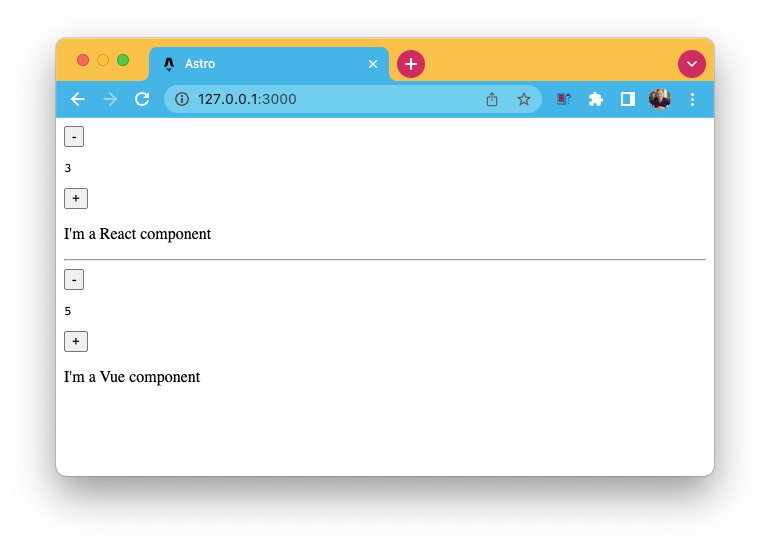
If we now run our application, we should see both components active and working.
You can also find today's code in this [GitHub repo](https://github.com/rebelchris/astro-react/tree/part-2).
### Thank you for reading, and let's connect!
Thank you for reading my blog. Feel free to subscribe to my email newsletter and connect on [Facebook](https://www.facebook.com/DailyDevTipsBlog) or [Twitter](https://twitter.com/DailyDevTips1)