
Public Solving: Hacking Santas password

The main elf forgot a critical password, and we have to hack his password.
To do this, we will brute force every option there is.
Luckily for us, there are only a couple options since they always used the same format, which is:
A-000
The A can be A-Z, and the 000 can loop to 999. This makes it a bit easier for us.
Thinking about a solution
Another thing we get out of the box because the passwords are encrypted via SHA1.
This means we know how to encode our tries and match them against the existing hashed password.
If the hashes match, it must mean that is the password.
Example:
The SHA1 for A-000 is 8b066367bcbce6be1fe09450994b00c703918e23.
So if we hash A-000 this should be the output.
Another great thing is that Node.js comes with a crypto library already out of the box, so no need to install anything else.
Bute forcing password in JavaScript
We can use the crypto package that comes with Node.js, so let's import it.
import crypto from 'crypto';
Then we need a way to loop through all of the letters of the alphabet. There are multiple ways of doing this.
I choose to highlight a funny one, as you might not know this is possible.
Note: You could also just create an array with all letters, for instance
for (let i = 0; i < 26; i++) {
  const letter = String.fromCharCode(65 + i);
}
This is a pretty unique way, and it loops 26 times for each letter of the alphabet.
Then we use the fromCharCode function and pass 66-92, which represents A-Z.
Then we need to loop from 000-999.
As you can imagine, we can again use a standard loop for this.
A normal for loop is actually the quickest option here. We can break out of them efficiently, so they don't keep running in the background like a forEach would, for instance.
for (let i = 0; i < 26; i++) {
    const letter = String.fromCharCode(65 + i);
    for (let n = 0; n < 1000; n++) {
      // todo
    }
}
This will give us 0-999, but we miss all the prefix zeroes. For this we can use the padStart function.
This function takes a string and adds padding in front.
const paddedCode = n.toString().padStart(3, '0');

// When testing on `0` we get: `000`
// On `10` we get `010`
Then we can construct the hash by combing the letter and the padded code.
const password = `${letter}-${paddedCode}`;
The next step is to convert this password into a test hash.
const testHash = crypto.createHash('sha1').update(testHash).digest('hex');
The last thing we need to do is check if this matches the hash we received.
if (testHash === hash) {
    return password;
}
And that's it. This function will loop for all possible options until we hit the password that matches.
Let's see if we succeeded by running the tests.
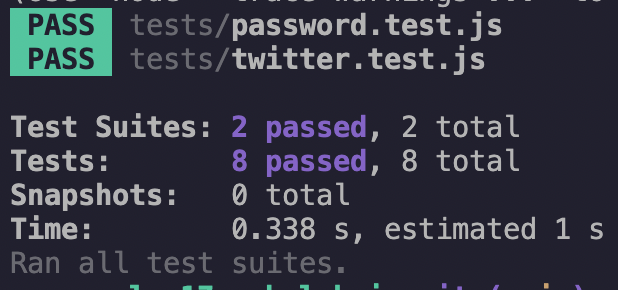
Thank you for reading, and let's connect!
Thank you for reading my blog. Feel free to subscribe to my email newsletter and connect on Facebook or Twitter
About the author
I'm a full-stack developer from South Africa 🇿🇦. I love writing about JavaScript, HTML and CSS.
Comments
Join the discussionI'm loving this bitwise series, saw some on devto too.
I was hoping to see the tests code as well.
Thanks for sharing.
You mean the code it gets tested against? It's available in the original puzzle repo.
Glad you like this series Ayodele
I mean the test code that produces this.

Ayodele Samuel Adebayo Oh sorry, I see I forgot to add the puzzle for this one:
https://github.com/devadvent/puzzle-17
Excuse me, Chris Bongers
I think Ayodele Samuel Adebayo meant to see the demo in a CodePen or any online editor so the users could interact with it (Not sure though)
The title and the cover image were amusing. Also, I like the way you used String.fromCharCode(65 + i) to loop through the letters 😄
Thanks Shahriar!
Glad you enjoyed this article and it's image 🤘



