# Ionic adding a side menu
The other day I had to make an Ionic application that had a tab bar and a side menu.
Today, I'll be showing you how to create this yourself.
As the starter template, we will be using the Ionic tabs, which you can find on my [Ionic start GitHub repo](https://github.com/rebelchris/ionic-app).
The end result for today will look like this:
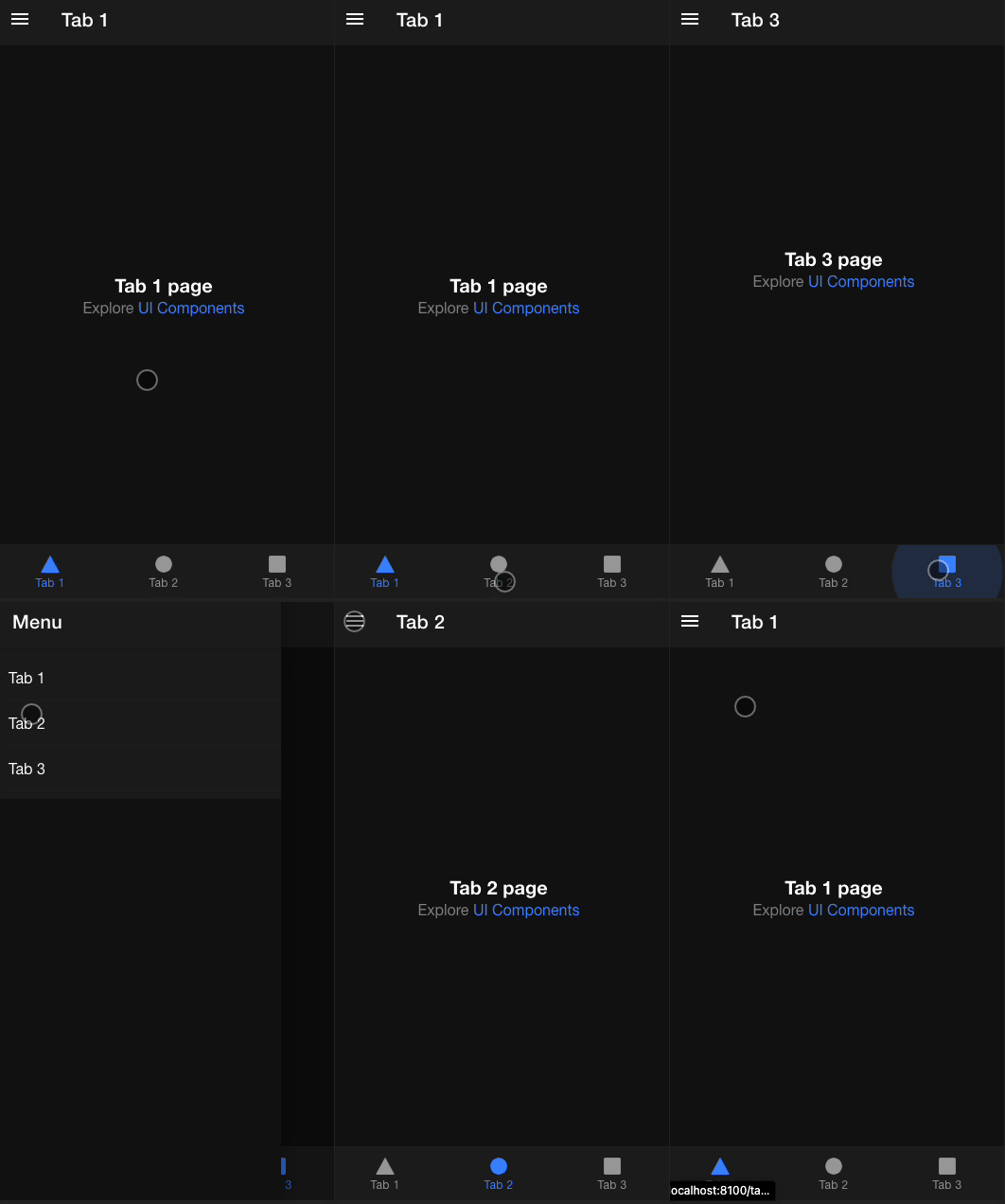
## Adding the Menu component
We need to open up the `app.component.html` file this is the main wrapper for our application and currently it looks like this:
```html
```
Inside the ion-router-outlet, our pages get loaded, and yes, this includes even the tab bar.
So this is where we can extend with something called an `ion-menu`.
It will look like this:
```html
Tab 1
Tab 2
Tab 3
```
Wow, quite a change, right? But don't worry, it's more markup than anything else.
As you can see, we now added the `` section above the router-outlet.
Inside this, we add a header, which is the menu's header, once it's open.
The next thing we have is an `ion-content` section which holds an ion-list with items that link to each tab.
Clicking each item will navigate to the specific page.
However, if we now run this, we don't see a menu icon. We can swipe the menu open. But that's not very clear to anyone.
## Adding the menu icon in Ionic
To add the icon, we need to modify our existing headers to reflect the header toggle.
Now we can open each `html` file where the menu icon should be visible and add the following to the `ion-toolbar`.
```html
Tab 1
```
I've done this for the following pages:
- tab1.page.html
- tab2.page.html
- tab3.page.html
And there you have it. We can now navigate through the tabs as well as the menu!
You can find the full code for today's article on [GitHub](https://github.com/rebelchris/ionic-app/tree/side-menu).
### Thank you for reading, and let's connect!
Thank you for reading my blog. Feel free to subscribe to my email newsletter and connect on [Facebook](https://www.facebook.com/DailyDevTipsBlog) or [Twitter](https://twitter.com/DailyDevTips1)