# Implementing Webmentions on a 11ty blog
We had an introduction into [what are Webmentions](https://daily-dev-tips.com/posts/goodbye-comments-welcome-webmentions-%F0%9F%99%8B%F0%9F%8F%BC%E2%80%8D%E2%99%82%EF%B8%8F/), now let's put this to use and implement them on this blog.
> Note: I used [Max Böck's](https://mxb.dev/blog/using-webmentions-on-static-sites/) article and his code to implement them on my blog.
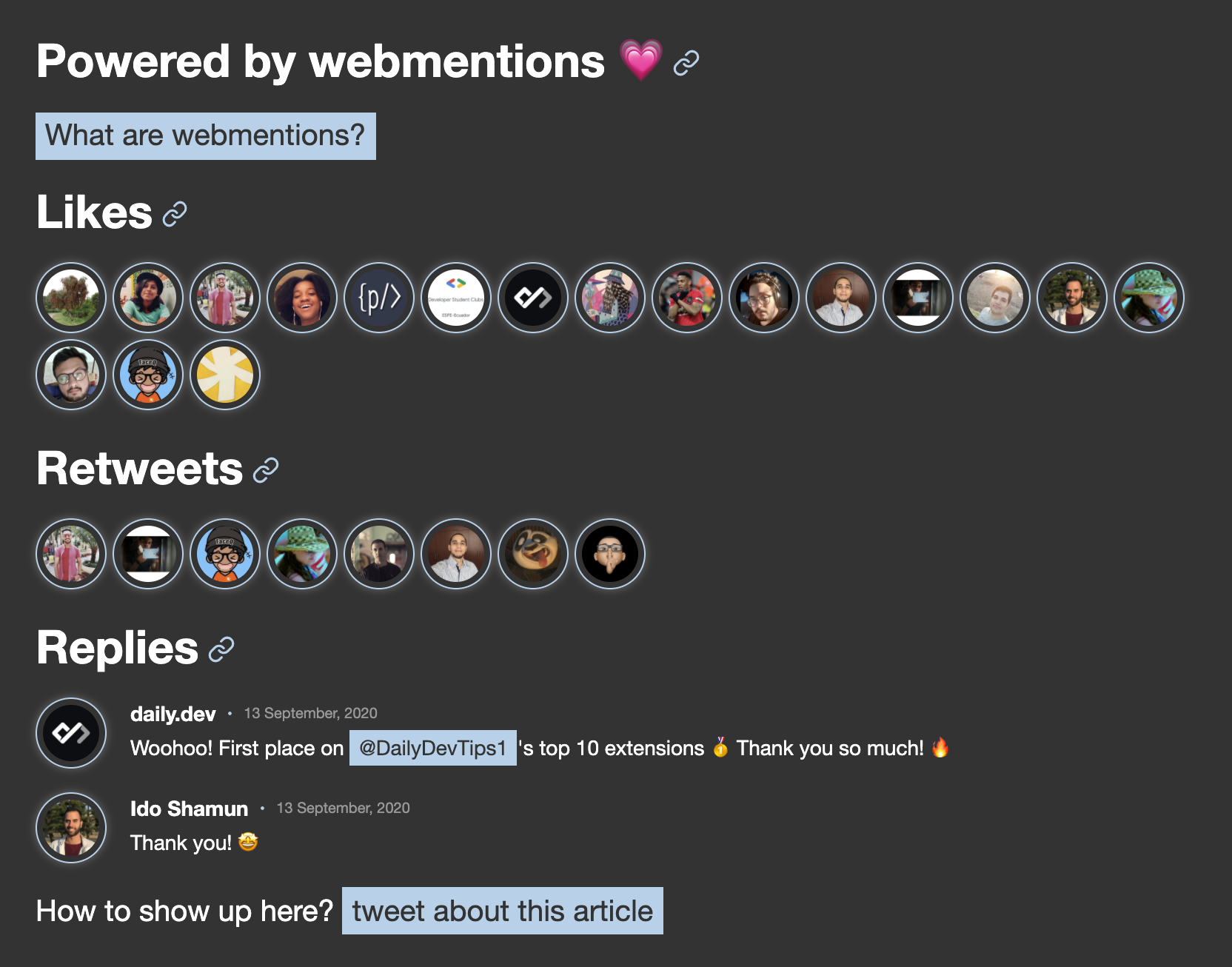
The Webmentions will look like this:
## Step 1. Signing up for webmention.io
[Aaron Parecki](https://aaronparecki.com/) made this fantastic **FREE** tool called [webmention.io](https://webmention.io/). It's a hosted solution to receiving web mentions.
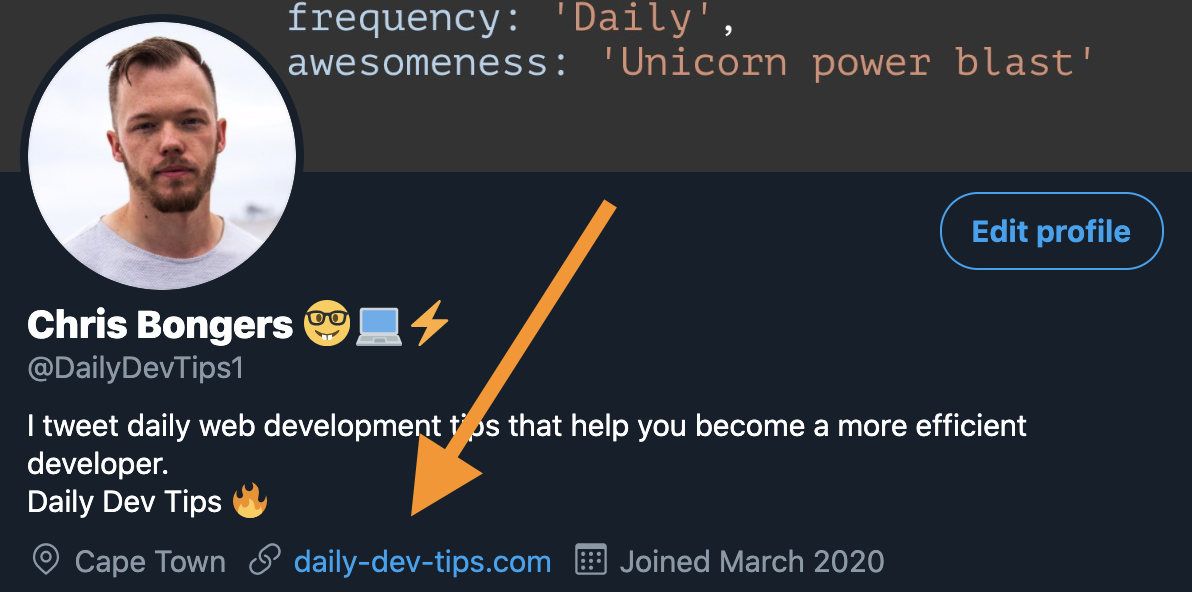
The sign-up uses [indie-auth](https://indieauth.com/), so we need to have a link to our [Twitter](https://twitter.com/DailyDevTips1) on our website like this:
```html
Twitter
```
Make sure you have your website domain included on your Twitter profile.
## Step 2. Adding Webmention collection links
Once, we are logged in we need to add our two links to our domain:
```html
```
Replace `{username}` with your actual domain like `daily-dev-tips.com`.
## Step 3. Connect tweets as Webmentions
So, now we can receive Webmentions, but in all honesty, who will send us a Webmention?
Let's convert people tweeting about our URLs to Webmentions!
We can use a hosted service like [bridgy](https://brid.gy/) for that.
Just click on the Twitter icon to login.
You can then crawl your website and poll Twitter.
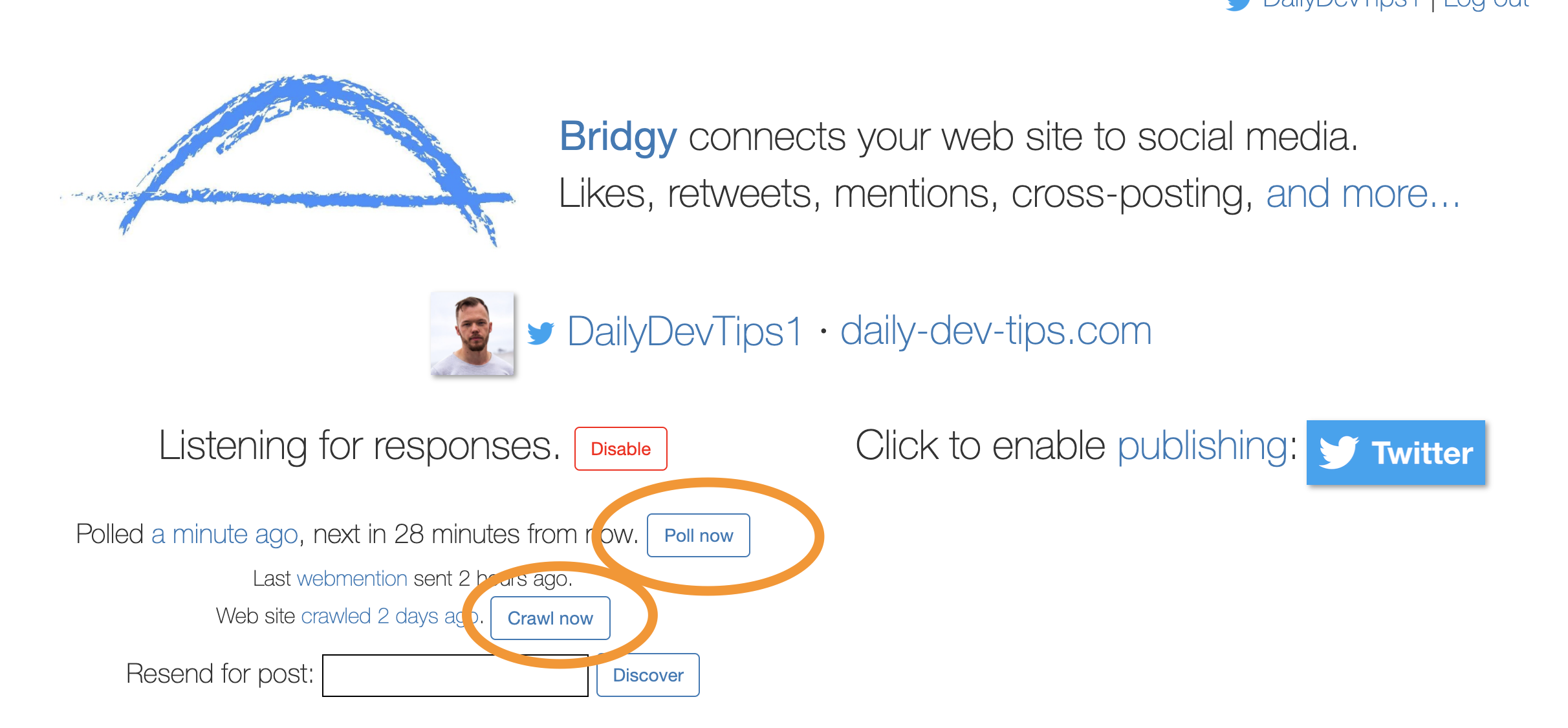
> Bridgy only gets the most recent Tweets, but you can add a Tweet URL in the Resend for the post button.
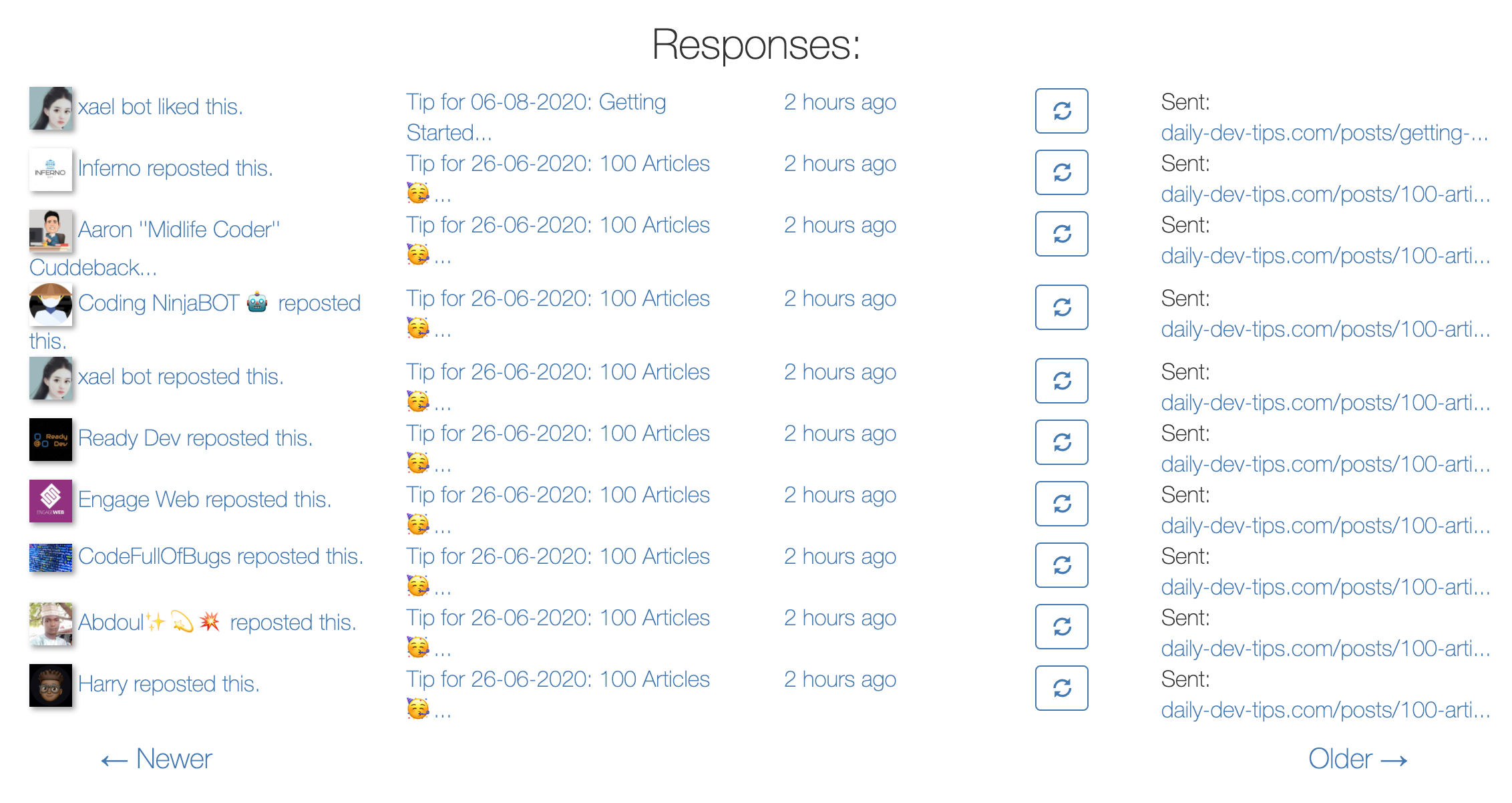
Responses with actual Webmentions will look like this:
## Step 4. Eleventy function to retrieve all our Webmentions
Now that we have everything setup we can go ahead and create a function in Eleventy that will collect all the Webmentions for the webmention.io API.
In eleventy we can add a custom Data file in our `_data` folder.
Let's call it `webmentions.js`
```js
const fs = require('fs');
const fetch = require('node-fetch');
const unionBy = require('lodash/unionBy');
const domain = 'daily-dev-tips.com';
// Load .env variables with dotenv
require('dotenv').config();
// Define Cache Location and API Endpoint
const CACHE_DIR = '_cache';
const API = 'https://webmention.io/api';
const TOKEN = process.env.WEBMENTION_IO_TOKEN;
async function fetchWebmentions(since, perPage = 10000) {
if (!domain) {
// If we dont have a domain name, abort
console.warn('>>> unable to fetch webmentions: no domain name specified in site.json');
return false;
}
if (!TOKEN) {
// If we dont have a domain access token, abort
console.warn('>>> unable to fetch webmentions: no access token specified in environment.');
return false;
}
let url = `${API}/mentions.jf2?domain=${domain}&token=${TOKEN}&per-page=${perPage}`;
if (since) url += `&since=${since}`;
const response = await fetch(url);
if (response.ok) {
const feed = await response.json();
console.log(`>>> ${feed.children.length} new webmentions fetched from ${API}`);
return feed;
}
return null;
}
// Merge fresh webmentions with cached entries, unique per id
function mergeWebmentions(a, b) {
return unionBy(a.children, b.children, 'wm-id');
}
// save combined webmentions in cache file
function writeToCache(data) {
const filePath = `${CACHE_DIR}/webmentions.json`;
const fileContent = JSON.stringify(data, null, 2);
// create cache folder if it doesnt exist already
if (!fs.existsSync(CACHE_DIR)) {
fs.mkdirSync(CACHE_DIR);
}
// write data to cache json file
fs.writeFile(filePath, fileContent, err => {
if (err) throw err;
console.log(`>>> webmentions cached to ${filePath}`);
})
}
// get cache contents from json file
function readFromCache() {
const filePath = `${CACHE_DIR}/webmentions.json`;
if (fs.existsSync(filePath)) {
const cacheFile = fs.readFileSync(filePath);
const cachedWebmentions = JSON.parse(cacheFile);
// merge cache with wms for legacy domain
return {
lastFetched: cachedWebmentions.lastFetched,
children: cachedWebmentions.children
};
}
// no cache found.
return {
lastFetched: null,
children: {}
};
}
module.exports = async function () {
const cache = readFromCache();
if (cache.children.length) {
console.log(`>>> ${cache.children.length} webmentions loaded from cache`);
}
// Only fetch new mentions in production
if (process.env.NODE_ENV === 'production') {
const feed = await fetchWebmentions(cache.lastFetched);
if (feed) {
const webmentions = {
lastFetched: new Date().toISOString(),
children: mergeWebmentions(cache, feed)
}
writeToCache(webmentions);
return webmentions;
}
}
return cache;
}
```
A massive file, but basically it reads web mentions for the endpoint at:
```html
https://webmention.io/api/mentions.jf2?domain=${domain}&token=${TOKEN}
```
It will then merge them with our cache file.
This function will run once we build our eleventy blog, so it's not realtime.
> To make it realtime, we can leverage other endpoints, but I won't go into that. Find more on [Shawn's blog](https://www.swyx.io/writing/clientside-webmentions/)
By making this data file, we can access a variable called `{{ webmentions }}`.
## Step 5. Display Webmentions on our blog
As mentioned we now have the `{{ webmentions }}` variable.
And in my case, I want to split out the following elements from Webmentions:
- Likes
- Repost/Retweets
- Mentions and Replies
So on our blog page layout let's add the following:
```js
// layouts/post.njk
{% include "partials/components/webmentions.njk" %}
```
In this Webmentions file we will load all the mentions.
We will first need to get the full URL of the current page:
```js
{% set currentUrl %}{{ site.url + page.url | uniUrlFilter }}{% endset %}
```
I created a uniUrlFilter, since I'm using quite a lot of emoji's in my URL's
```js
module.exports = function uniUrlFilter(value) {
return encodeURI(value);
};
```
Then we need to retrieve the Webmentions for this specific URL:
```js
{%- set mentions = webmentions.children | getWebmentionsForUrl(currentUrl) -%}
```
And this filter will sort them into a neat array.
```js
const sanitizeHTML = require('sanitize-html');
module.exports = function getWebmentionsForUrl(webmentions, url) {
const likes = ['like-of'];
const retweet = ['repost-of'];
const messages = ['mention-of', 'in-reply-to'];
const hasRequiredFields = entry => {
const { author, published, content } = entry;
return author.name && published && content;
};
const sanitize = entry => {
const { content } = entry;
if (content['content-type'] === 'text/html') {
content.value = sanitizeHTML(content.value);
}
return entry;
};
return {
'likes': webmentions
.filter(entry => entry['wm-target'] === url)
.filter(entry => likes.includes(entry['wm-property'])),
'retweet': webmentions
.filter(entry => entry['wm-target'] === url)
.filter(entry => retweet.includes(entry['wm-property']))
.filter(hasRequiredFields)
.map(sanitize),
'messages': webmentions
.filter(entry => entry['wm-target'] === url)
.filter(entry => messages.includes(entry['wm-property']))
.filter(hasRequiredFields)
.map(sanitize)
};
}
```
As you can see, I filter on three different elements of a Webmention to sort them per piece.
We can then loop over them in our `webmentions.njk` partial.
```js
{% for webmention in mentions.likes %}
{% endfor %}
```
They're we go, just add some styling and your ready to showcase Webmentions on your Eleventy blog.
### Thank you for reading, and let's connect!
Thank you for reading my blog. Feel free to subscribe to my email newsletter and connect on [Facebook](https://www.facebook.com/DailyDevTipsBlog) or [Twitter](https://twitter.com/DailyDevTips1)
 {% endif %}