This text is your basic pharagraph and flows naturally
This text goes Vertical from Right to Left
This text goes Vertical from Left to Right
This text goes Horizontal from Top to Bottom
``` ## CSS Writing Mode As mentioned, `CSS` `writing-mode` can be used to define how a text should flow. It comes with three possible options: - `vertical-rl`: Goes Vertical from Right to Left - `vertical-lr`: Goes Vertical from Left to Right - `horizontal-tb`: Goes Horizontal from Top to Bottom (Default) The horizontal is the default, and what the normal value is. ```css .vertical-rl { writing-mode: vertical-rl; } .vertical-lr { writing-mode: vertical-lr; } .horizontal-tb { writing-mode: horizontal-tb; } ``` This results in the following Codepen. [View on Codepen.](https://codepen.io/rebelchris/pen/wvMjvKL) ## Browser Support Writing mode comes with relative good support, it's missing some IE features and Opera Mini (as many cool features). 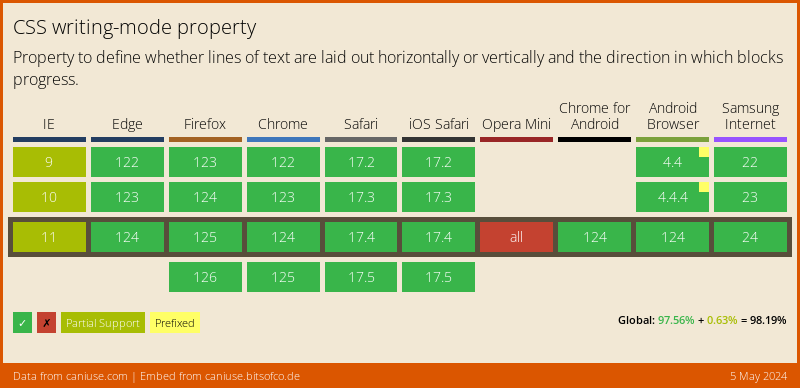 ### Thank you for reading, and let's connect! Thank you for reading my blog. Feel free to subscribe to my email newsletter and connect on [Facebook](https://www.facebook.com/DailyDevTipsBlog) or [Twitter](https://twitter.com/DailyDevTips1)